
Player without spare monitor space
You want to play straight away on a built-in screen and put the device away afterwards. When comparing handhelds, consider the screen, controls and size.


If you want to play without an extra screen and clear your desk afterwards, start with a handheld and first check that it supports the games you want. If you already have a suitable monitor and prefer a larger screen, compare compact digital consoles and remember to allow room for the controller, cables and ventilation. The right choice depends on your games and the setup you already have.
You want to play straight away on a built-in screen and put the device away afterwards. When comparing handhelds, consider the screen, controls and size.
Your choice starts with specific exploration games or an existing Steam, Nintendo, Xbox or PlayStation library. Check the platform and edition, and, for Steam Deck, whether each title is playable. Valve provides compatibility information for each game.
You already have a screen and want to know whether the console, controller and cables will fit alongside your other desk essentials. Microsoft calls the Series S its smallest Xbox, but the complete setup still needs to fit on your desk.
Start with the games you want to play, then decide whether you’d rather use a built-in screen or your existing monitor.
| What to consider | What to look for when buying | Who is this important for? |
|---|---|---|
| Playing without a separate screen | Compare the size of the handheld, how clearly you can see the screen from your viewing distance and whether you can put the device away afterwards. | I want to clear my workspace after playing and use a built-in screen straight away. Around 36% of consumers prioritise being able to put their device away and play without a separate monitor. |
| Games you want to play | First, make a note of the games you want to play, then check the platform and exact edition. For Steam games, check the compatibility status of each title. | I want to make sure my specific exploration games or existing game library will work on the system I choose. Around 29% of consumers give top priority to their preferred games and library. |
| Existing monitor | Check that you have a spare video input, space for the console and controller, and the setup instructions for your chosen model. | I already have a monitor and want to play on it without filling my small desk with the entire setup. Around 21% of consumers prioritise using an existing monitor. |
| Games and required extras | Check the available storage, the type of storage expansion and what’s included with the exact model. Only factor in the accessories or subscriptions you need. | I want to know in advance which games, storage or accessories I’ll need for the model I choose. Around 14% of consumers prioritise keeping the total purchase and running costs under control. |
The same game may have a separate edition or a different compatibility status. For example, Nintendo distinguishes between the Switch and Switch 2 editions of Tears of the Kingdom; Valve lists compatibility for each Steam game.
Make a note of the titles you really want to play, then check the platform, exact edition and, for Steam games, Deck compatibility before choosing a device.
If you already own a game, you may need to buy a separate edition or upgrade pack.
Some storage may be used for system features. To expand game storage on Switch 2, you need a compatible microSD Express card; a standard microSD card is not a substitute.
Check the available space and the type of expansion supported by your chosen model.
You may need a specific memory card to expand the storage, so check which type is compatible with your model.
Xbox Series S does not support disc-based games, and the PS5 Digital Edition reviewed here has no disc drive. That means you can’t use an existing disc game on either console.
Check what format your existing games are in before choosing a digital model.
If you want to play disc-based games on these consoles, you may need to buy digital versions.
Connecting a handheld to an external screen can add more components to your setup. For the ROG Xbox Ally X reviewed here, ASUS says that a charger is not included; Sony notes that the vertical stand is sold separately for the PS5 model mentioned.
Plan out your complete desk setup and check what’s in the box and the power requirements of the exact model.
Depending on your setup, you may also need space for a dock, suitable power supply, monitor or stand.
Nintendo says Switch 2 combines a built-in screen with handheld, tabletop and TV modes. Nintendo also offers a specific Switch 2 edition of Tears of the Kingdom.
Steam Deck OLED is a handheld PC for playing Steam games on a built-in screen; you can also connect it to an external screen.
Series S is a compact console for players who already have a monitor and want to play digital Xbox games.
The 825 GB PS5 Digital Edition is designed for playing digital PlayStation games on an existing screen.
The ROG Xbox Ally range consists of Windows handhelds. The Xbox Ally X (2025) reviewed here has model code RC73XA.
These products are designed for gaming on a built-in screen: Nintendo Switch models and handheld PCs that you can put away after use.
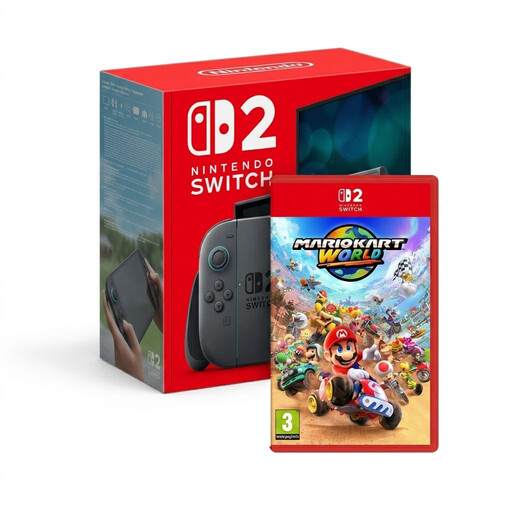 No image available
The bundle description mentions a built-in screen and portable play, so you won’t need a separate monitor.
The bundle includes Mario Kart World, described in the product listing as an open-world game. Check that it suits the kind of games you’re looking for.
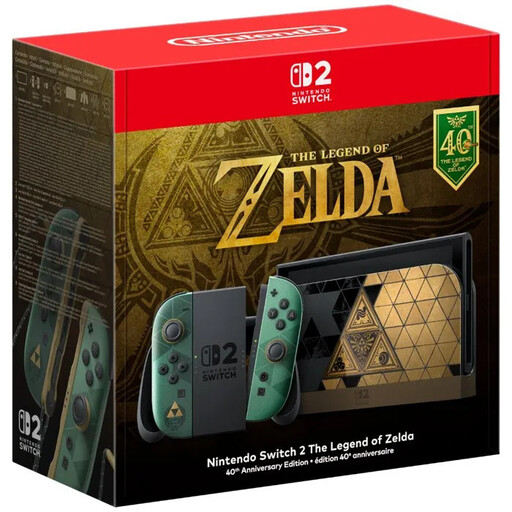 No image available
The description mentions a built-in screen and handheld and tabletop modes for playing without a separate monitor.
According to the description, this model has an adjustable stand and 256 GB of internal storage. No game is included.
 No image available
According to the description, this handheld gaming PC has a built-in screen, making it an option if you want to play without a separate monitor.
The description lists an 8.8-inch touchscreen, Windows 11 Home, 32 GB of memory, a 1 TB SSD and detachable controllers.
 No image available
According to the description, this handheld PC has a built-in screen, so you won’t need a separate monitor for handheld gaming.
The description lists SteamOS, a touchscreen, controller controls, 16 GB of memory, a 512 GB SSD and USB-C ports.
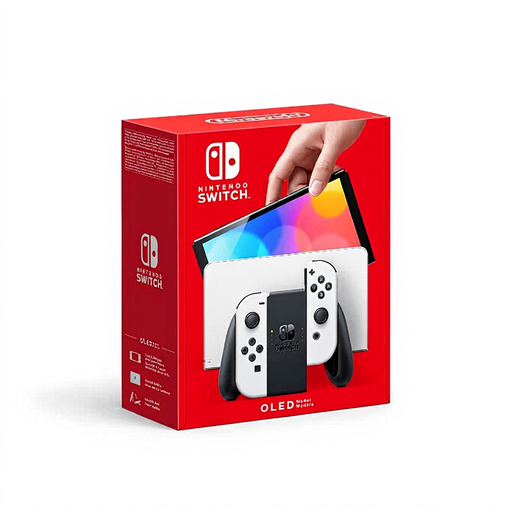 No image available
The built-in screen and handheld and tabletop modes let you play without a separate monitor.
The description lists a 7-inch OLED screen, 64 GB of internal storage expandable via microSD, and an adjustable stand.
No, not if you’re playing on the built-in screen of Switch 2, Steam Deck OLED or the ROG handheld reviewed here. To play through a Series S or PS5 Digital Edition, you’ll need a suitable external screen. Check that its connection is compatible with your monitor, too.
According to Nintendo, only a compatible microSD Express card can expand game storage. For other microSD standards, Nintendo mentions copying screenshots and videos from a Nintendo Switch; using a microSD Express card requires a system update via the internet.
No, not if you’re playing on the built-in screen. For use with an external screen and peripherals, Valve describes a separate dock option; check which connections your desk setup needs.
In the Netherlands, the government says you’re entitled to a product that works as it should, and you can contact the retailer if there’s a problem. There is no fixed statutory warranty period; the expected lifespan and the circumstances are relevant. An extended warranty is only worthwhile if it gives you more than the rights you already have.