
Offline puzzle player
You want to be able to start a pre-installed tile game at the terminal, even if there’s no reliable Wi-Fi. Nintendo describes Tiles Match as a downloadable game for Nintendo Switch.


The Nintendo Switch Lite is a good fit if you want a compact handheld for a Switch tile game such as Tiles Match; choose the Switch OLED if a larger screen and the stated battery life matter more to you. Nintendo offers Tiles Match as a downloadable game for Switch, but check whether the specific game is compatible if you’re considering a Switch 2. Install the game and test it offline before you leave: digital games may require an internet connection for the licence and first launch.
You want to be able to start a pre-installed tile game at the terminal, even if there’s no reliable Wi-Fi. Nintendo describes Tiles Match as a downloadable game for Nintendo Switch.
You play during short waits and prefer a compact console designed solely for handheld use. Nintendo describes the Switch Lite as a system for handheld gaming without a TV connection.
You want to view tiles on a larger screen while you wait, and weigh that benefit against the size of the console you’ll be carrying. Nintendo lists a 7-inch screen for the Switch OLED model.
Best for: anyone who wants a compact console for handheld play only.
Trade-off: Nintendo quotes around 3–7 hours of battery life, depending on use; the Lite cannot be connected to a TV.
Best for: anyone who wants a larger screen while waiting, and the option to play in tabletop or TV mode.
Trade-off: it’s less compact than the Lite; Nintendo quotes around 4.5–9 hours of battery life, depending on use.
Best for: anyone who wants to play specific Switch 2 games as well as tile games.
Trade-off: Nintendo quotes around 2–6.5 hours of battery life; some Switch games don’t work, or don’t work fully, on Switch 2.
Best for: anyone who already owns suitable PC puzzle games or specifically wants access to a wider PC game library.
Trade-off: check the controls, compatibility and internet requirements for each game. Cloud streaming on an ASUS ROG Xbox Ally requires an internet connection, so it’s not an offline alternative.
| What to consider | What should you check? | Who should consider this? |
|---|---|---|
| Starting a game without Wi-Fi | Check the exact game release, console compatibility and licence type. Download the game and test that it starts without an internet connection before you leave. | If I can’t rely on Wi-Fi at the terminal, I want to get my tile game ready to play in advance. Around 36% of consumers say being able to start offline is the deciding factor. |
| Travelling light | Compare the size and the way you want to play; the Switch Lite is for handheld use only. | For short gaming sessions, I want my console to take up as little luggage space as possible. Around 29% of consumers prioritise travelling light. |
| Battery life while waiting | Compare the stated battery life for the exact model and don’t automatically assume you’ll get the maximum. Manufacturers’ quoted battery life varies depending on use or game content. | If I don’t know how long I’ll be waiting and don’t expect to find a power socket, battery life matters a lot. Around 21% of consumers put battery life first. |
| Screen and other games | Decide which other games you want to play and check the platform, controls and compatibility for each title. | I also want the option of a larger screen or other games beyond tile games. Around 14% of consumers give these options the greatest weight. |
A virtual Nintendo Game Card requires an internet connection the first time you start a game. An online licence without a virtual Game Card inserted, or a game that requires its own connection, may also need internet access later.
Download the game, insert the virtual Game Card if required, then launch the exact title once while connected to the internet. After that, test whether you can play offline.
Allow time to get everything ready, and make sure you have internet access before you leave if it’s needed for the first launch.
Nintendo warns that some Switch games aren’t compatible, or aren’t fully compatible, with Switch 2. The fact that Tiles Match is listed as a Switch game doesn’t in itself confirm that it works fully on Switch 2.
Check compatibility for the specific title before choosing a console to play it on.
If the game you choose doesn’t work as expected, you may need to consider another gaming option.
An optional warranty service doesn’t automatically replace your statutory rights if a product is faulty.
Read the terms and exclusions for any extra cover. If there’s a problem with the product, contact the seller.
The Switch Lite and Switch OLED are worth considering if you want to play Switch games in handheld mode.
The Steam Deck OLED is a portable PC option for anyone who wants to play compatible PC puzzle games.
The ROG Xbox Ally is a Windows handheld for anyone who also wants to play PC or Xbox-related games.
Lenovo offers handheld PCs, including several versions of the Legion Go S.
These models include Switch consoles and handheld PCs for portable gaming. For Switch 2 and PC handhelds, check separately whether the tile game you want works and can be started offline.
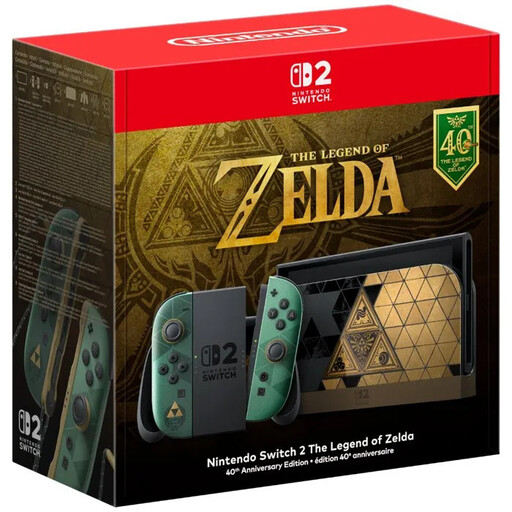 No image available
Handheld mode is supported; check whether the tile game you want to play works on Switch 2.
Built-in 7.9-inch LCD screen. Console supplied without a game.
 No image available
A handheld PC to consider if you want to play compatible PC games; check each title’s compatibility and offline requirements.
The product description lists an 8.8-inch OLED touchscreen.
 No image available
A handheld PC for anyone who wants to play compatible PC games; check in advance that the title you want suits the way you plan to use it.
The product description lists an 8-inch IPS touchscreen.
 No image available
A portable Windows handheld to consider if you also want to play PC or Xbox-related games. Cloud streaming requires an internet connection.
7-inch FHD touchscreen and Windows 11 Home. The charger must be purchased separately.
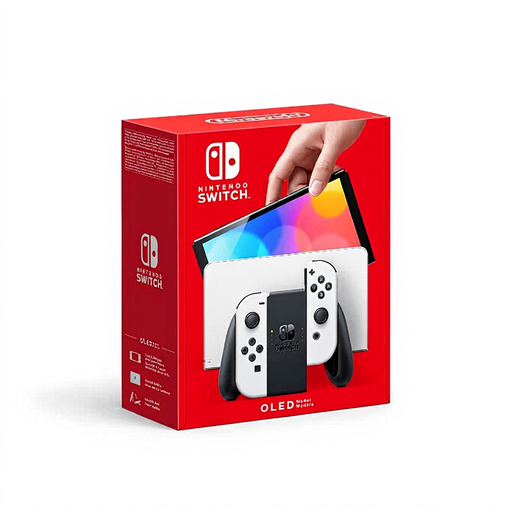 No image available
A Switch option for anyone who wants to play Tiles Match on a handheld and values a larger screen. Check that the console suits the way you want to play other games.
7-inch screen with OLED technology.
Yes, if the specific game can be played offline after any required set-up. Nintendo says that an inserted virtual Game Card can be played offline, but an internet connection is needed for the first launch. An online licence or a game that requires its own connection may continue to need internet access. Install and test the game before you leave.
Download the game and launch it once while connected to the internet; insert the virtual Game Card if needed. On a Steam Deck, the game must be installed. According to Valve, you can then play offline unless the title itself requires an internet connection.
Nintendo describes Tiles Match as using touch controls, and the Switch Lite has integrated controls. For other games that require separate Joy-Con features, you may need extra controllers and a way to charge them.
According to the Dutch government, distance purchases often come with a 14-day cooling-off period; exceptions and the precise type of purchase matter. You’re also entitled to a product that is fit for purpose, and can contact the seller if there’s a problem. The Netherlands does not have a fixed statutory warranty period of two years.