
Nintendo RPG players
First, choose which games you want to play, then check that they work on your chosen Switch model. This is also important if you want to play in your hotel without Wi-Fi.


Choose based on the RPGs you want to play: a Nintendo handheld works with compatible Switch games, a SteamOS handheld with compatible games from your Steam library, and a Windows handheld with PC games you want to install on it. Before you set off, check that each game is installed and can start offline. The stated battery life depends on the game and how you use the device.
First, choose which games you want to play, then check that they work on your chosen Switch model. This is also important if you want to play in your hotel without Wi-Fi.
You want to play RPGs from your Steam library on a handheld and check in advance that the controls and any offline requirements suit each game. Valve provides a compatibility rating for every game.
You want to install RPGs on Windows, possibly from different PC game stores, and are happy to check each game's requirements and offline functionality.
Start with the RPGs themselves: Nintendo warns that not all older Switch games are fully compatible with Switch 2, while Valve rates Steam game compatibility title by title.
| Consideration | What to check before buying | Who is this important for? |
|---|---|---|
| Access to the RPGs you want | Make a note of the titles and check the platform, Switch compatibility or Steam Deck rating for each game. Nintendo and Valve provide this information game by game. | If I want to play specific RPGs, I’d rather choose based on those titles than on the device alone. Around 33% of consumers prioritise access to the games they want. |
| Playing without hotel Wi-Fi | Install the game in advance and check whether it requires an internet connection. Valve says an installed Steam game can work offline unless the game requires an internet connection. A Switch 2 game-key card requires a download the first time you start it. | If I don’t want to rely on hotel Wi-Fi, I want to install and test my RPGs in advance. Around 27% of consumers give playing offline top priority. |
| Battery life and portability | Nintendo gives a battery life of around 2–6.5 hours for Switch 2 and approximately 4.5–9 hours for Switch OLED; Valve gives 3–12 hours for Steam Deck OLED. Play time depends on the software or game content, so these figures aren’t a guarantee for your RPG. | If I want to play for a long time and take the device on a trip, I consider battery life and size together. Around 20% of consumers prioritise long gaming sessions and portability. |
| Screen and controls | Check that text is easy to read on the built-in screen and that the controls suit the RPG. Nintendo lists a 7.9-inch screen for Switch 2; Lenovo lists an 8-inch screen for the Legion Go S. Screen size alone doesn’t tell you how readable a particular game will be. | If I play RPGs on the device itself, I want to be able to read the text and enjoy comfortable controls. Around 20% of consumers consider the screen and controls the most important factors in their choice. |
You’ll need to download the game over the internet the first time you start it, as well as have enough free storage space.
Check the card type and download the RPG before you set off. Make sure you have enough storage space; Nintendo lists microSD Express as the card type for additional game storage on Switch 2.
Valve uses ratings including Verified, Playable, Unsupported and Unknown. A game rated Playable may need some manual adjustments.
Check the rating for the specific RPG and test the controls and offline start at home.
Nintendo and Valve give ranges that depend on the software or game content. They don’t predict exactly how long your RPG will run on a single charge.
If you’re planning a long session in your hotel, make sure you have a way to charge the device and don’t assume you’ll get the highest figure in the stated range.
For anyone who wants to play RPGs from the Switch and Switch 2 libraries.
For players who want to play RPGs from their Steam library on a Steam Deck or another SteamOS handheld.
For anyone considering a Windows handheld for installing PC RPGs.
For anyone considering a SteamOS handheld with a larger screen.
These handhelds for RPGs are suited to Nintendo, SteamOS or Windows game libraries. Check compatibility and offline requirements for each title.
 No image available
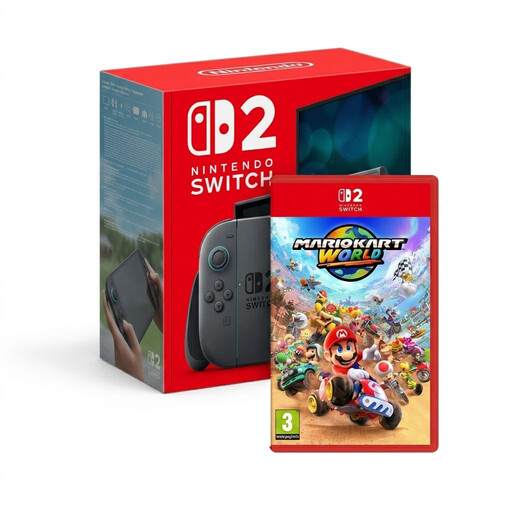
A handheld option for RPGs that can be played on Nintendo Switch 2.
This bundle includes Mario Kart World, not an RPG. Check compatibility for the specific title before playing older Switch games; Nintendo says some games aren’t compatible, or aren’t fully compatible.
 No image available
A Windows handheld for PC RPGs available on Windows; check the requirements for each game.
The product description lists Windows 11 Home, an 8.8-inch OLED touchscreen, 32 GB of memory and 1 TB of storage.
According to the stated safety instructions, use only approved USB-C power adapters.
 No image available
A SteamOS handheld for playing RPGs from a Steam library on the device; check the rating for each title.
The product description lists an 8-inch WUXGA screen, 16 GB of memory and 512 GB of storage.
Use only USB-C power adapters that meet the stated 65W–100W Power Delivery specification.
 No image available
A Windows handheld for PC RPGs available on Windows; offline use depends on the individual game.
The product description lists Windows 11 Home, a 7-inch FHD touchscreen, 16 GB of RAM and 512 GB of storage.
According to the product description, the charger is sold separately.
 No image available
A handheld option for RPGs that can be played on Nintendo Switch 2, without needing a hotel TV.
The product description lists a built-in 7.9-inch LCD screen and Joy-Con 2 controllers.
Not all older Nintendo Switch games are compatible; check the specific title.
It depends on the game and how well you prepare. Valve says an installed Steam game can work offline unless the game requires an internet connection. A Switch 2 game-key card needs an internet download and enough free space the first time you start it. Install and test the RPG before you set off.
Not always: Nintendo says some Switch games aren’t compatible, or aren’t fully compatible, with Switch 2. Check compatibility for the specific RPG before relying on it.
Nintendo lists microSD Express for additional game storage on Switch 2. The specifications say that a system update via the internet is required to use one; check this before you need the card on a trip.
You don’t need an extra warranty to benefit from your statutory rights. According to ACM ConsuWijzer, the seller must put right, free of charge, a product that breaks under normal use sooner than you could reasonably expect. An offered manufacturer’s or extended warranty doesn’t replace that right.