
Sudoku player
Primarily looking for a number puzzle with clearly legible squares, notes and comfortable controls. Check support for the specific game; Nintendo, for example, lists touchscreen controls for Sudoku Relax.


Start by choosing a number puzzle, then check that the handheld supports the game and controls you want. The Nintendo Switch Lite is suitable for Switch games that support handheld mode. A Switch OLED model or Switch 2 has a larger screen, while the Steam Deck OLED or Playdate may suit you better if their game libraries or controls matter too. Download and launch your chosen game before you set off, so you can check that it works on your device and can be played offline.
Primarily looking for a number puzzle with clearly legible squares, notes and comfortable controls. Check support for the specific game; Nintendo, for example, lists touchscreen controls for Sudoku Relax.
Wants to take a handheld along for short waits and needs to weigh screen size against the device’s dimensions and weight.
Wants to play other Switch or PC games as well as number puzzles. So check that the games you want work on your chosen handheld.
Start with the puzzle game and its controls, then weigh up screen size and portability, getting ready to play offline, and any other games you might want to play.
| What to consider | What should you check? | Who is this for? |
|---|---|---|
| Game and controls | Check whether the game supports handheld mode and touchscreen controls. Also see whether notes and small numbers are easy to read. | If I mainly play Sudoku, I want to read the numbers clearly and enter them easily. Around 36% of consumers therefore prioritise a suitable puzzle and controls. |
| Screen and portability | Nintendo lists a 5.5-inch screen and a weight of around 275 g for the Switch Lite; the OLED model has a 7-inch screen and weighs around 420 g with Joy-Con. The Switch 2 has a 7.9-inch screen and weighs around 534 or 548 g with controllers, depending on the battery version. | If you have limited luggage space, you’ll want a device that’s easy to carry without compromising too much on readability. Around 29% of consumers therefore prioritise portability. |
| Getting ready to play | Nintendo says eShop downloads require an internet connection, an account and enough free storage space. Download and launch the game in advance, and charge the handheld. | If I don’t want to rely on a connection or power socket at the terminal, I want to install and test my game beforehand. Around 21% of consumers prioritise this preparation. |
| Other games | Check the controls and compatibility for each game. Nintendo says some older Switch games are not compatible, or are not fully compatible, with Switch 2. | If you want to play other games as well as number puzzles, consider the device’s library and support for specific games. Around 14% of consumers prioritise a wider choice of games. |
The Switch Lite supports games that can be played in handheld mode, but its built-in controls may not be enough for certain Joy-Con features. Nintendo also notes that some older games have compatibility exceptions on Switch 2.
Before buying, check the play modes and features supported by the specific game.
Some games may require separate controllers and a charging accessory.
The Switch OLED model has a 7-inch OLED screen; the Switch 2 has a 7.9-inch LCD screen. Screen type and weight vary by model.
Check the exact model name and consider screen size, portability and the games you want to play separately.
Downloading games from the Nintendo eShop requires, among other things, an internet connection and enough free storage space.
Download and launch your chosen game in advance, and check whether it can be played offline.
Make sure you have enough free storage space for the download.
Nintendo offers handheld options for Switch games, with models featuring different screen sizes and play styles.
The Steam Deck OLED may suit you if you want to combine number puzzles with a wider PC game library.
Playdate is a small handheld with its own controls and a selection of specific Sudoku games.
This selection includes handheld gaming devices for playing number puzzles on the go. Check that the controls and compatibility of each game suit your choice.
 Image unavailable
A handheld gaming device for anyone looking for a portable option. Check that your chosen number puzzle works on this model with the controls you want.
 Image unavailable
This handheld is an option if you want to play games on the go. Check the controls and compatibility of the specific puzzle game.
Only use approved USB-C power adapters that meet the specified 65–100 W Power Delivery specification.
 Image unavailable
A handheld gaming device for anyone looking for a portable gaming option. Check that the controls suit your chosen puzzle game.
This configuration has 16GB RAM and a 512GB SSD. The charger isn’t included and must be purchased separately.
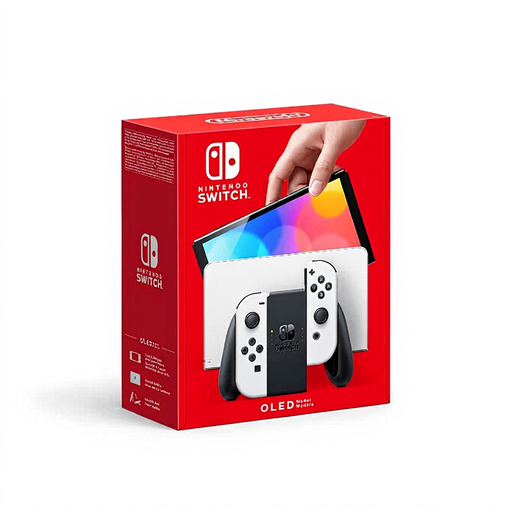 Image unavailable
If you’d like a larger screen for number puzzles, Nintendo lists a 7-inch screen for this OLED model.
 Image unavailable
If screen space for puzzle squares matters to you, Nintendo lists a 7.9-inch LCD screen for Switch 2.
Some older Switch games are not compatible, or are not fully compatible, with Switch 2; check each game individually.
Yes. Nintendo lists handheld mode and touchscreen controls for Sudoku Relax, and the Switch Lite supports Switch games that can be played in handheld mode. For other puzzle games, check which play modes they support.
Download and launch your chosen game in advance, and charge the handheld. Nintendo says eShop downloads require, among other things, an account, an internet connection and enough free storage space. Check separately whether your game can be played offline.
No, don’t assume they will. Nintendo says some Switch games are not compatible, or are not fully compatible. Check the compatibility of every game you want to play.