What should you look for when choosing?
When choosing a handheld for hidden-object games at a holiday cottage, take a practical approach: first check that the game and controls you want will work, then consider the screen, play modes, and how to prepare for Wi-Fi and power.
| What to consider |
What should you check? |
Who is this important for? |
| Game and controls |
Check the exact title and platform, and whether handheld, touchscreen or controller controls are supported. |
If I mainly want to play my favourite hidden-object game, I want to know in advance that both the title and controls are suitable. Around 33% of consumers prioritise the game and controls. |
| Screen and play modes |
Compare the screen on the exact model and decide whether you want to play in handheld mode only or at a table too. |
If I want to look for small objects in a hidden-object scene, screen space and a practical tabletop set-up matter. Around 27% of consumers give these needs top priority. |
| Wi-Fi and power |
Install and launch the game before you set off; check online features and take a suitable charger. |
If Wi-Fi or a power socket won’t always be available, I want to plan downloads and play time in advance. Around 27% of consumers prioritise preparing for limited Wi-Fi and power. |
| Existing PC games |
For each title, check the platform, controls, any online requirements and, where relevant, its compatibility status. |
If I want to take my existing PC games with me, I want to know whether they’ll work on the handheld and be easy to control. Around 13% of consumers give their existing PC game library top priority. |
Joybuy product picks
These products are options for handheld, tabletop or PC gaming with hidden-object games; check that the console and controls are suitable for each game.
 No image available
Lenovo Legion Go 8ASP2
An option for viewing hidden-object scenes on a built-in screen; check that the PC game and controls you want are suitable.
The product description lists an 8.8-inch OLED touchscreen.
Joybuy
 No image available
Lenovo Legion Go S 8APU1, 83N6001TMH
A handheld option for taking PC games with you; check compatibility and controls for each title.
The product description lists SteamOS and an integrated touchpad.
Joybuy
 No image available
Nintendo Switch 32 GB with Mario Kart 8 Deluxe game card
The product description lists handheld, tabletop and TV modes; check that your chosen hidden-object game works with the controls you plan to use.
According to the product name, the bundle includes a physical Mario Kart 8 Deluxe game card.
Joybuy
 No image available
Nintendo Switch 2, 256 GB, Mario Kart World download bundle
An option for handheld and TV play; check separately whether older Switch games are fully compatible.
The product description lists a 7.9-inch LCD touchscreen. The product name mentions a Mario Kart World download and three months of Nintendo Switch Online.
Joybuy
 No image available
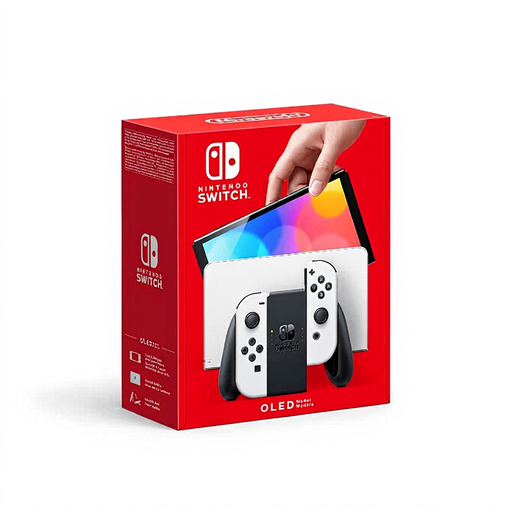
Nintendo Switch OLED, white
An option if you’d prefer to view hidden-object scenes on a larger built-in screen and play at a table too.
The product description lists a 7-inch OLED screen and an adjustable stand.
Joybuy
Frequently asked questions
Can I wait until I’m at the holiday cottage to download a digital hidden-object game?
You need a Nintendo Account and an internet connection to access the Nintendo eShop. Download and test the game before you set off, and check separately whether it needs to be online while you play.
Does ‘Steam Deck Playable’ mean the same as ‘Verified’?
No. Valve says that a game with a ‘Playable’ status may need manual adjustments. Check the status and details for the specific hidden-object game before relying on it.
Which memory card should I get if I want to download more games later?
Nintendo lists a compatible microSD card for the Switch OLED; the Switch 2 only supports microSD Express for expanded storage. Check your exact console model before choosing a card. You’ll need internet access to update the Switch 2 system using a memory card.
Does a two-year manufacturer’s warranty cover the full legal guarantee in the Netherlands?
No. The Dutch government explains that the Netherlands has no fixed statutory warranty period: a product must meet the standard you can reasonably expect. If there’s a fault, contact the seller; a manufacturer’s or extended warranty is in addition to your statutory rights.
Can I always return a console bought online or a downloaded game within 14 days?
For goods bought online, you generally have 14 days from delivery to change your mind. There are exceptions for digital content, including when the download has started after you expressly agreed to lose your right to cancel. Check the terms for the specific purchase.
What should I look out for if children will be playing at the holiday cottage too?
PEGI recommends checking the age rating and parental control options. Platform settings can be used to limit play time, purchases and communication.


