
Picross player on the go
You’re looking for a handheld with a suitable grid puzzle available to play. Nintendo Netherlands says PICROSS S+ can be played on Switch using both touchscreen and button controls.


Start by checking whether the exact grid puzzle you want to play is available on the handheld and whether it’s comfortable to control. The Switch Lite is a compact choice for Switch puzzles, while a larger screen gives you more room to see grid numbers. Playdate is small, but its screen isn’t backlit. Handheld PCs give you access to PC games, but check compatibility and controls for each game.
You’re looking for a handheld with a suitable grid puzzle available to play. Nintendo Netherlands says PICROSS S+ can be played on Switch using both touchscreen and button controls.
You want to pack light while you wait, so you’re comparing the size of the Switch Lite and Playdate with how easy their screens are to read. Nintendo Netherlands lists the Switch Lite at approximately 275 grams; Panic gives Playdate’s dimensions as 76 × 74 × 9 mm.
You’d rather have more screen space than a pocket-sized device. The Switch OLED, Switch 2 and Steam Deck OLED have different screen sizes, according to Nintendo Netherlands and Valve; Playdate has no backlight.
First, check that the puzzle game you want works on the device. Then compare portability, readability, battery life and any accessories you’ll need.
| What to consider | What should you check? | Who is this important for? |
|---|---|---|
| Available puzzle games | Check the exact game title, platform and whether touchscreen or button controls are supported. Check Switch games individually for Switch 2, and look up each game’s compatibility status on Steam Deck. | If there’s a particular Picross or nonogram game I mainly want to play, I’ll first check that it works on the handheld; around 29% of consumers give the available games and controls top priority. |
| Portability | Compare the dimensions and weight, including any controllers you’ll need. | If I’m keeping my luggage with me while I wait, I want a device that’s easy to carry; around 23% of consumers prioritise a compact size or low weight. |
| Readability | Compare screen size and lighting, and check whether the clues in your chosen game are easy for you to read. | If I find small numbers in a grid difficult to read, a larger or better-lit screen matters more to me; around 18% of consumers say readability is their main consideration. |
| Battery life and preparation | Check the stated battery life for the exact model and charge the device; install the game in advance. | If I don’t want to charge while I’m waiting, I’ll set off with a charged handheld and the game already installed; around 18% of consumers make battery life and preparation their top priority. |
| Total purchase cost | Check whether you need to buy the game separately and whether a power supply is included. | If I want to know in advance what else I’ll need besides the device, I’ll include the game and any power supply in my calculations; around 12% of consumers prioritise the total purchase cost. |
Switch software, Playdate games and PC games are made for different platforms. Nintendo advises checking Switch game compatibility individually for Switch 2; Steam Deck compatibility can also vary from game to game.
Before buying, check the exact game title, platform and supported controls.
PICROSS S+ is downloadable software, so include the game separately in your price comparison.
A compact size doesn’t necessarily mean small grid clues will be easy to see. Playdate’s screen isn’t backlit, and the Grid Glyphs game page warns that small numbers are easier to read in bright light.
Consider the lighting where you’ll be playing and check that you can read the clues in your chosen game clearly.
It depends on the version. Nintendo lists one Switch Lite version that was checked as being supplied without a power supply; the Joybuy product description for the ROG Xbox Ally mentioned here says the charger must be bought separately.
Check what’s included with the exact offer and whether you already have suitable charging equipment.
If a suitable power supply isn’t included, you may need to buy one separately.
Nintendo offers several Switch models for handheld play. According to Nintendo Netherlands, PICROSS S+ is Switch software with touchscreen and button controls.
Playdate is a pocket-sized handheld with the nonogram game Grid Glyphs available for it.
The Steam Deck OLED is a handheld PC for anyone who wants to play Steam games as well as grid puzzles.
The Legion Go S is a range of handheld PCs for anyone who wants to play PC games on the go.
The ROG Xbox Ally is a Windows handheld for anyone who wants to play other PC games as well as puzzles.
These handhelds are for anyone who wants to play grid puzzles on a Switch or handheld PC. Check that each game is compatible and comfortable to control.
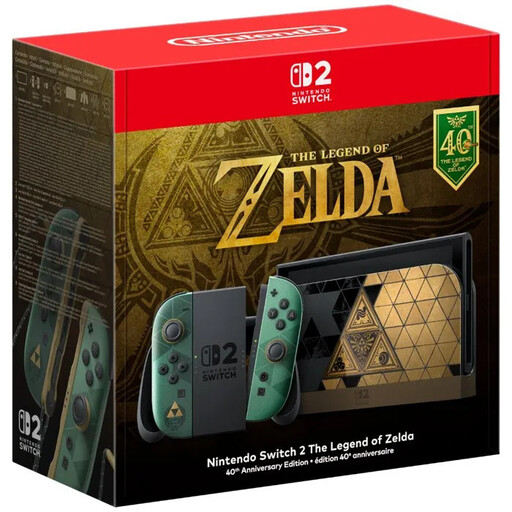 No image available
An option if you want to play grid puzzles on a Switch and make the most of a larger screen. Check the compatibility of each original Switch game individually.
The product listing states that it has a 7.9-inch LCD screen and handheld mode.
 No image available
A handheld PC option if your chosen grid puzzle is available on a PC gaming platform. Check the controls for the exact game.
The product description lists an 8.8-inch OLED touchscreen.
 No image available
A handheld PC option for anyone who wants to use a PC game library on the go. Check compatibility and controls for your chosen puzzle game.
The product description lists SteamOS and a touchscreen.
 No image available
A Windows handheld for anyone who wants to play PC games as well as grid puzzles. Check that your chosen game works well with the built-in controls.
The product description lists Windows 11 Home and a 7-inch FHD touchscreen. It also says the charger must be bought separately.
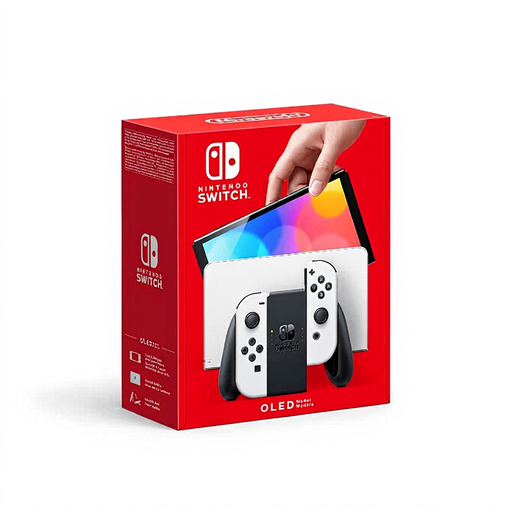 No image available
A Switch option for anyone who wants to play grid puzzles on a larger screen. Nintendo lists touchscreen and button controls for PICROSS S+.
The product description lists a 7-inch OLED screen.
For PICROSS S+, Nintendo lists both touchscreen and button controls. For other games, check whether they support handheld mode, as some Joy-Con features aren’t available using only the Lite’s built-in controls.
Don’t assume they’ll all be compatible. Nintendo advises checking each existing Switch game individually.
Charge your handheld and install your chosen game in advance. Nintendo says downloading PICROSS S+ requires an up-to-date system version and an internet connection. Stated battery life also varies depending on the software and features used.
According to the Dutch government, you should contact the seller if a product is faulty, and you’re entitled to a product that works properly. The Netherlands doesn’t have a fixed two-year statutory guarantee period for every product.
According to the Dutch government, online purchases from a business generally come with a 14-day cooling-off period for a console. For digital content such as games, the seller may agree with you, subject to certain conditions, that the cooling-off period ends once you start downloading or streaming. Check the terms before you buy.