
One spare socket
Would you like to charge your trimmer alongside another device without having to keep swapping plugs? Then the number and arrangement of ports matter. Belkin and UGREEN describe models with multiple USB ports.


A multi-port USB charger can power several devices from a single socket in a dry location, but only if the port, cable and output are right for your trimmer and the manual allows that power source. If the manual specifies a particular adapter, or you’re charging in a damp area, follow the instructions for your exact model and don’t let the convenience of extra ports take priority.
Would you like to charge your trimmer alongside another device without having to keep swapping plugs? Then the number and arrangement of ports matter. Belkin and UGREEN describe models with multiple USB ports.
Have you got a USB trimmer and need to check the cable type, permitted power source and any instructions specifying a particular adapter? Philips recommends consulting the manual for your exact device.
You need to choose your charging location based on moisture levels and the instructions for both the trimmer and adapter. A standard multi-port charger isn’t automatically suitable for use in that location.
Choose this if: you want to charge your trimmer and other devices from one socket in a dry location, and the cables fit the ports.
Bear in mind: check the output of the port you’re using and how power is shared when several devices are connected at the same time.
Choose this if: you need a permanent charging spot in a dry location that’s further from the socket than a wall charger can practically reach.
Bear in mind: check that the station you choose has a suitable power supply of its own; a computer hub isn’t automatically a mains-powered charging station.
Choose this if: your trimmer manual specifies a particular power supply.
Bear in mind: the Philips HQ87 has one USB-A connection, so it doesn’t offer extra ports for connecting other devices at the same time. The instruction to use this adapter in the OneBlade manual we consulted doesn’t automatically apply to other models.
| What to consider | What should you check? | Who is this important for? |
|---|---|---|
| Sharing one socket | Check how many devices need to charge at the same time and whether the number of USB-A and USB-C ports suits your cables. A wall charger and a station with a mains cable differ in where you can position them. | If I want to charge my trimmer and another device at the same time, I want to know whether both cables will connect. Around 31% of consumers are primarily looking to share one socket. |
| Trimmer compatibility | Read the manual for your exact model and check the cable connector, permitted power source and output. Don’t rely on the word USB alone. | If I’m not sure which cable or adapter my trimmer needs, I want to find out before buying. Around 31% of consumers prioritise trimmer compatibility. |
| Charging location and moisture | Choose a dry location if possible. If charging in a damp environment, follow the instructions for your exact model and check what protection the adapter needs. | If the charging location could be damp, I want to know whether the product instructions allow the adapter to be used there. Around 23% of consumers primarily consider whether the charging location is suitable. |
| Charging other devices at the same time | Compare the output per port and how it’s shared when several devices are connected; the total wattage doesn’t tell you how much power each port supplies. | If I connect other devices as well as my trimmer, I want to be able to compare the output of each port. Around 15% of consumers are primarily focused on charging additional devices at the same time. |
USB on its own doesn’t tell you which cable, output or power supply is suitable for a particular trimmer. A wrong assumption could mean the cable you choose won’t connect or that the power supply doesn’t meet the instructions for your specific model.
Check the model number and manual, and find out which power source is allowed before choosing a charger.
For the Belkin WCB009vfWH, Belkin states a maximum of 30 W for USB-C and a maximum of 12 W for USB-A, with a maximum total of 42 W. So the total figure doesn’t tell you what power is supplied to the trimmer through a particular port.
Compare the specifications of the port you’ll use for your trimmer, and check what happens when you charge a second device at the same time.
A water-resistant trimmer doesn’t automatically make the power adapter suitable for a damp charging location. For the Philips USB products described, Philips specifies an IPX4 adapter when charging in a damp environment; the OneBlade manual we consulted specifies the HQ87 for that model.
Keep charging components dry wherever possible and follow the instructions for your exact trimmer and adapter models.
Belkin describes the BoostCharge WCB009vfWH as a wall charger with USB-C and USB-A for two devices.
UGREEN describes model 90496 as a wall charger with two USB-C ports and one USB-A port.
Philips describes the HQ87 CP0909/01 as a USB-A adapter for compatible grooming products.
These Joybuy products have multiple USB ports for charging in a dry location. Before buying, check that your trimmer manual allows the power source you’ve chosen, that the port suits the cable and that the product meets the applicable requirements.
 No image available
Could suit a dry charging location where several devices are connected to one socket, provided the cables and power instructions are compatible.
Power: 65 W. Connections: USB-A and two USB-C ports. For indoor use only; keep the charger away from moisture and water.
 No image available
Could suit you if you want to charge two devices from one socket in a dry location and your trimmer manual allows the power source you’ve chosen.
Power: 30 W. Connections: one USB-A and one USB-C port. For indoor use in dry conditions only; avoid water and moisture.
 No image available
Could suit a dry charging location where you want to connect two devices at the same time, provided the cable and trimmer instructions are compatible.
Power: 20 W. Connections: one USB-A and one USB-C port. For indoor use in a dry location only; keep the charger away from water and moisture.
 No image available
Could suit you if you want to connect several devices via the USB ports and the power supply and cables are suitable for your trimmer.
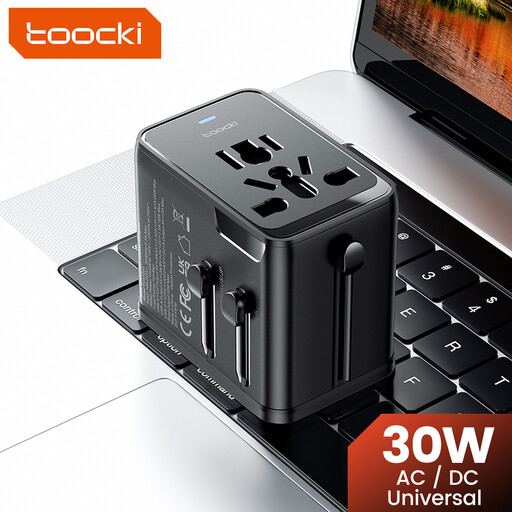
Power: 30 W PD. Connections: one USB-A and two USB-C ports. The title lists plug options for the EU, UK, US and Australia.
 No image available
Could suit you if you want to connect several devices via USB and the power source is compatible with your trimmer manual.
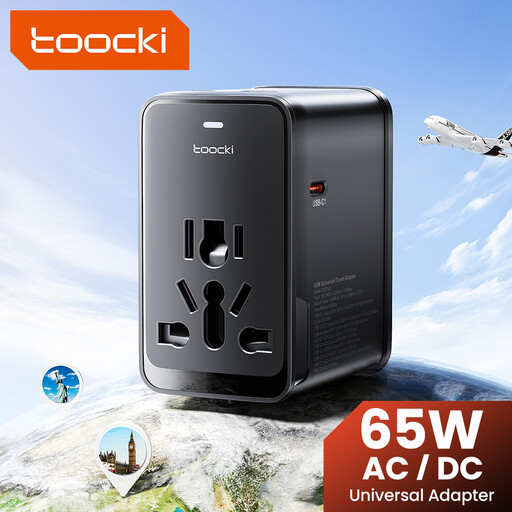
Power: 65 W PD. Connections: one USB-A and three USB-C ports. The title lists plug options for the EU, UK, US and Australia.
Not necessarily; follow the power and charging instructions for your model. For the grooming products described, Philips states that charging via, for example, a laptop USB port can take considerably longer than using a suitable adapter.
Don’t assume so just because your trimmer is water-resistant. For the Philips USB products described, Philips requires an IPX4 adapter when charging in a damp environment; the manual for a specific model may set its own conditions. Also check that the electrical supply and charging location are suitable for that room.
According to the Netherlands Food and Consumer Product Safety Authority, electrical products covered by the Dutch Commodities Act Decree on Electrical Equipment must carry a CE marking. The marking doesn’t replace an independent assessment of each individual product; check the product information and follow the instructions for use.
That isn’t clear from the Dutch government guidance we consulted, which lists specific device categories but doesn’t mention hair trimmers. For your trimmer, check the actual connection and manual rather than assuming there’s a general USB-C requirement.
Don’t use a damaged cable or charger, and unplug the trimmer before cleaning it with water. Place the charger in an open area so heat can dissipate.