
Groups with seats to the side
If people will be sitting at the ends of the sofa or table, compare the viewing angle of the exact model. The Consumers’ Association includes viewing angle in its TV ratings.


Start with the seats furthest to the side and the distance to the viewers furthest away. Check the viewing angle of the exact model, then decide which screen size suits your set-up. Next, compare how visible the picture is in your living room’s lighting and check speech clarity separately. OLED and mini-LED LCD TVs don’t guarantee the same performance across every model.
If people will be sitting at the ends of the sofa or table, compare the viewing angle of the exact model. The Consumers’ Association includes viewing angle in its TV ratings.
Measure the distance from the seats at the back before choosing a screen size. Viewing distance is a useful starting point for comparing sizes, not a fixed rule for every set-up.
Compare brightness and screen reflections in lighting similar to your living room. The Consumers’ Association assesses visibility in ambient light and reflections separately.
First, measure the viewing distances and check the picture from the side. Then assess reflections and speech clarity separately, so a large screen or a particular screen technology isn’t the deciding factor on its own.
| What to consider | What to look for | Who is this important for? |
|---|---|---|
| Viewing angle | View the exact model from the seats furthest to the side, and check colour, contrast and visibility. | If I’m sitting at an angle to the screen, I want to keep following the details. Around 36% of consumers put viewing angle first. |
| Screen size for viewers at the back | Measure from the furthest seats and compare screen sizes suited to that viewing distance. | If I’m sitting at the back, I want to see actions and text clearly without choosing a screen size by guesswork. Around 29% of consumers put screen size first. |
| Daylight and reflections | Compare brightness and glare in similar ambient light, including from seats at an angle. | In a bright living room, I want to keep following the picture and take windows or lamps into account. Around 21% of consumers prioritise visibility in daylight and reflections. |
| Speech clarity | Listen to speech at a realistic volume and check reviews of the exact model. | When watching conversations and explanations with a group, I want to be able to follow the voices clearly. Around 14% of consumers put speech clarity first. |
A good impression from one seat doesn’t tell you what the screen will look like to guests sitting at the side.
Compare the exact model from the seats furthest to the side and in lighting similar to the conditions at home.
Screen technology alone doesn’t determine how a particular model performs in terms of viewing angle and reflections.
Assess brightness, reflections and the picture from the side separately for the models you’re considering.
The dimensions with the stand and the space available on a unit or on the wall matter too.
Measure the available space and check the manual for the exact model before choosing a bracket or mounting option.
The 65-inch OLED C6 and mini-LED QNED93 are examples of two different screen technologies you can compare side by side.
The 65OLED810/12 combines OLED with Ambilight. This combination may be worth considering if you also want to factor in ambient lighting.
The 65-inch product ranges mentioned include OLED and Neo QLED models, giving you different screen types to compare.
The BRAVIA 7 K-65XR70 may be worth considering if you want to check whether its dimensions with the stand will fit your unit.
This selection includes 75- and 85-inch TVs for anyone looking to match a larger screen to the distance of the furthest viewers. Measure that distance first; screen size alone tells you nothing about the viewing angle or reflections of the exact model.
 No image available
Compare the 85-inch size with the viewing distance from the seats at the back; measure that distance before you choose.
4K; QD-Mini LED; Onkyo 2.1-channel audio.
 No image available
The 75-inch size is one option to compare with the viewing distance of those sitting at the back; first check the dimensions of the space where it will go.
4K; QD-Mini LED dimming; Onkyo 2.1-channel audio; Google TV.
 No image available
Compare the 75-inch size with the distance from the furthest seats and the space available for the TV.
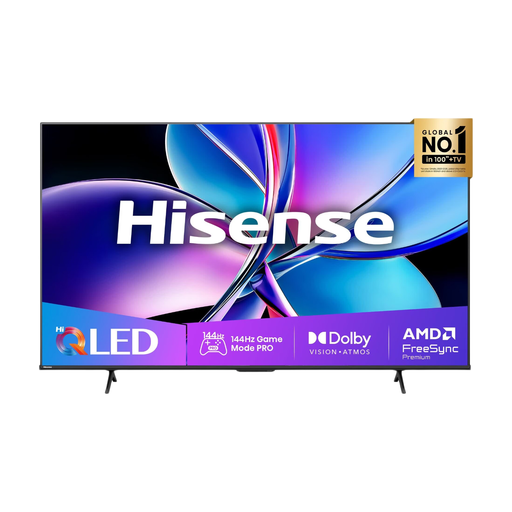
4K; Mini-LED; 144 Hz.
 No image available
The 75-inch size may suit a longer viewing distance; measure your set-up and check the viewing angle of this specific model.
4K; QLED.
 No image available
Compare the 75-inch size with your viewing distance and assess visibility from the side for this exact model.
4K; Mini-LED; 144 Hz.
Measure the distance from the seats, including those furthest away. The Consumers’ Association suggests dividing the viewing distance by 2,4 as a starting estimate for the screen diagonal in centimetres. Compare nearby sizes too, as this isn’t a required size.
Check the manual for the exact model, the type of wall and the appropriate bracket. LG recommends professional installation because it requires expertise and could otherwise result in damage; this is the manufacturer’s advice, not a general legal requirement.
Compare the figures on the EU energy labels and check which picture mode was used. According to the European Commission, the label shows consumption in kWh per 1000 hours; the EU scale runs from A to G.
No. According to ACM ConsuWijzer, statutory rights apply alongside any manufacturer’s guarantee: a product must meet your reasonable expectations when used normally. There’s no fixed two-year guarantee period for every TV; if it develops a fault too soon, the retailer is responsible for providing an appropriate solution.
According to ACM ConsuWijzer, for a standard online purchase of a new TV, you’ll generally have a statutory cooling-off period of up to 14 days after delivery. Before buying, also check the terms for returning a large parcel; your statutory rights and any additional service offered by the retailer aren’t the same thing.