What should you look for?
Start with the content of your lesson plans. Then work out how many copies you’ll print and whether anyone will need to handle paper originals.
| What to consider |
What to check before buying |
Who is this important for? |
| Multiple text-based plans |
Check the paper capacity, automatic double-sided printing and whether the stated speed suits your documents. |
If I print lots of text-based plans for a group session, I don’t want to keep turning the paper over or refilling the tray by hand. Around 30% of consumers prioritise print volume. |
| Colour in worksheets |
Decide whether colour is needed to understand the information, then check the colour and double-sided printing options for each model. |
If colour differences in a chart or activity are meaningful, I want them to print clearly. Around 20% of consumers prioritise colour. |
| Running costs |
Compare options using the same expected number of black-and-white and colour pages, and include the purchase price and consumables. |
If the group prints handouts regularly, I want to factor in ongoing costs rather than just the purchase price. Around 20% of consumers prioritise running costs. |
| Scanning and copying |
Check whether the model can scan and copy. Also consider separately whether you need an automatic document feeder for batches of originals. |
If volunteers provide paper lesson plans, I want to be able to process them without a separate scanner. Around 20% of consumers prioritise copying and scanning. |
| Connecting to group devices |
Check that the printer has connections for the devices you use, and print a test page in advance. |
If several volunteers print from different devices, I want the printer to be accessible from the devices they use. Around 10% of consumers put connectivity first. |
Joybuy printers
This selection includes colour printers and multifunction models, as well as black-and-white dot matrix printers. Focus on comparing the paper size, connections and features you need.
 No image available
Brother MFC-J6760DW A3 colour printer
A colour printer to consider if your lesson plans include colour and you also want to scan or copy paper originals.
A3; automatic double-sided printing; 50-sheet automatic document feeder; 250-sheet paper tray; Wi-Fi, Ethernet and USB.
31 ppm; 1200 x 4800 DPI.
View at Joybuy
 No image available
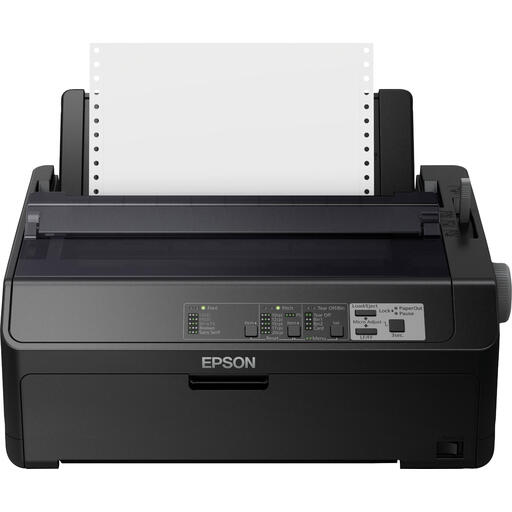
Epson FX-890IIN black-and-white dot matrix printer
A black-and-white dot matrix printer with Ethernet. Check in advance that the connection and document layout are compatible with the group’s devices.
240 x 144 DPI; up to 612 characters per second; Ethernet and serial connection.
View at Joybuy
 No image available
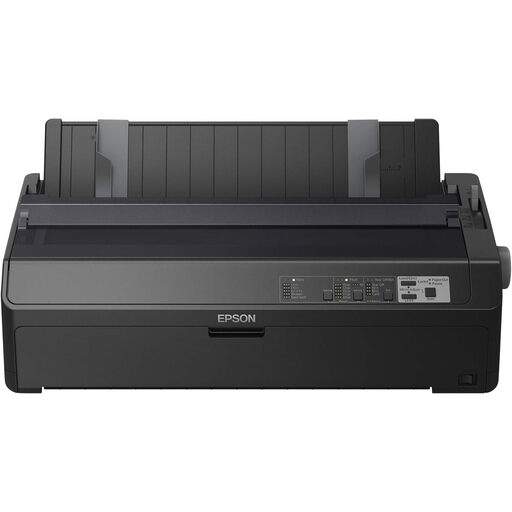
Epson FX-2190IIN black-and-white dot matrix printer
A black-and-white dot matrix printer with Ethernet. Check in advance that the connection and document layout are compatible with the group’s devices.
240 x 144 DPI; up to 738 characters per second; Ethernet and serial connection.
View at Joybuy
 No image available
Canon PIXMA MG2556S A4 inkjet printer
An A4 inkjet printer to consider if you want to print in colour and also scan or copy paper lesson plans.
Black-and-white and colour printing; scanning and copying; 60-sheet input capacity; USB 2.0.
4800 x 600 DPI.
View at Joybuy
 No image available
Epson WorkForce Pro WF-C5390DW A4 colour printer
An A4 colour printer to compare if colour and automatic double-sided printing are important for your lesson plans.
Automatic double-sided printing; total input capacity of 330 sheets; Wi-Fi and Ethernet.
4800 x 1200 DPI.
View at Joybuy
Frequently asked questions
Do you automatically need an all-in-one printer for paper lesson plans?
No, not if all your originals are digital files. Choose scanning and copying if the group handles paper originals. If you have stacks of loose sheets, check separately whether you need an automatic document feeder.
What should you check if volunteers can’t find the printer over Wi-Fi?
Check that the printer and computer are on the same network and that the correct printer is selected. The Consumentenbond also recommends restarting your devices as a step to try when you have connection problems.
How do you compare the cost of ink or toner?
Compare all options at the same expected print volume and with the same balance of black-and-white and colour printing. Include the purchase price and consumables. If you use an inkjet printer infrequently, extra ink for print-head cleaning may be worth considering. Without estimating your own usage, there’s no sound basis for choosing the cheapest model.
Does the statutory guarantee apply if the group buys the printer?
For consumer purchases in the Netherlands, you’re entitled to a product that meets reasonable expectations. According to the Dutch Government, there is no fixed statutory guarantee period. Whether consumer protection rules apply when an association or another organisation buys the printer depends on who is legally making the purchase. Check the buyer’s status and the applicable terms. The Authority for Consumers and Markets explains the statutory guarantee for products sold to consumers.
Can the group copy and hand out other people’s text or images in lesson plans?
Not automatically: according to the Dutch Government, a private copy for personal use can’t simply be distributed. There are exceptions for education, subject to certain conditions, but organising lessons doesn’t by itself establish whether an exception applies to the group. Check the rights, permission or terms of any applicable exception before distributing protected material. Auteursrecht.nl explains the educational exception.


