
Interview panel in a small room
You’re sitting with several interviewers in front of one screen and want everyone to be visible and able to speak clearly.


For a job interview with several people, a front-facing USB video bar is generally a good fit when everyone is looking at the same screen. If people are sitting around the table, compare this setup with a 360° tabletop camera. Before the interview, check that everyone is clearly in shot and can be heard, and make sure the camera works with your computer and meeting app.
You’re sitting with several interviewers in front of one screen and want everyone to be visible and able to speak clearly.
You’re not all sitting opposite the same camera and want to include people at the sides in the shot too.
You’re setting up a room for regular use and want to decide on the connection and meeting mode in advance. Logitech describes several ways to set up a room with the Rally Bar Huddle.
A good fit when: everyone is looking at one screen and sitting in front of the camera. HP describes the Poly Studio R30 as a USB video bar for small rooms, with a stated 120° field of view and three microphones.
Keep in mind: it needs a PC connection and a separate power supply. The stated field of view doesn’t tell you whether everyone will be clearly visible or audible from their seats.
A good fit when: people are sitting around the table and a front-facing camera can’t show everyone from a useful angle. Owl Labs specifies a 360° camera, eight microphones and an audio pickup range of 5.5 m for the Meeting Owl 4+.
Keep in mind: the device takes up table space and offers a different perspective from an eye-level camera. Check the picture and sound quality in your meeting app.
A good fit when: the room is used regularly and you need a fixed installation or a specific meeting mode. Logitech describes BYOD, appliance and room PC use for the Rally Bar Huddle.
Keep in mind: decide in advance which mode and any room components will work with your computer and platform.
| What to consider | What to look for when buying | Who is this important for? |
|---|---|---|
| Clear audio | Test the microphone position and ask the person furthest away to speak in the app you plan to use. | If I want everyone at the table to be able to answer questions, I focus on the voice of the person furthest away. Around 36% of consumers put clear audio first. |
| Everyone in shot | Check the picture with everyone in their planned seats, and look at the final framing in the app. | If I want all the interviewers to be visible at once, I check the people sitting at the edges of the frame. Around 29% of consumers prioritise seeing the whole group. |
| Connection and preparation | Check the PC connection, power supply and meeting mode. Select the right camera and microphone in the app before the interview. | If I don’t want to waste time connecting equipment just before an interview, I decide in advance which equipment and mode I need. Around 21% of consumers prioritise an easy connection. |
| Perspective around the table | Sketch out the seating plan and compare a test image from the proposed position in the middle of the table with one from a front-facing camera. | If people are sitting on different sides of the table, I want a camera angle that suits the layout. Around 14% of consumers prioritise this tabletop perspective. |
A stated field of view doesn’t tell you whether faces will appear large enough from the planned seating positions.
Test the full table setup in your meeting app and, if needed, compare a front-facing camera with a 360° tabletop view.
Specifications can’t account for every condition in your room, and microphones may also pick up background noise.
During a test call, ask people to speak from every seat, especially the person furthest from the microphone.
A USB setup with a PC needs different preparation from a dedicated room with a built-in meeting mode.
Decide in advance which computer, power supply, meeting mode and mounting position you’ll use.
HP presents the Poly Studio R30 as a USB video bar for small rooms, designed for a front-facing camera setup.
Owl Labs describes the Meeting Owl 4+ as a 360° tabletop camera for conversations with people sitting around the device.
Logitech describes the Rally Bar Huddle as suitable for small collaboration spaces, with different ways to set up a meeting room.
This selection features PC webcams for online interviews. Check whether the field of view and microphone provide enough coverage for everyone in your own meeting setup.
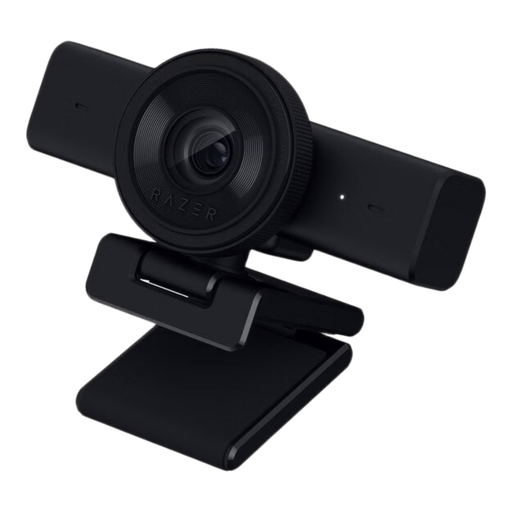 No image available
A PC webcam to consider if you’re looking for a camera and microphone for video calls. Test whether your setup shows and picks up several people clearly.
The product description lists 1440p at 30 fps, 1080p at 60 fps, an adjustable 80° field of view, a built-in omnidirectional stereo microphone, USB connectivity and a physical privacy shutter.
 No image available
A webcam for PC meetings. With everyone in their seats, check whether the camera gives you a useful view of the whole group.
The product name lists PDAF autofocus, two microphones, a lens cover, a 75° field of view and USB-A and USB-C connections.
 No image available
A webcam for PC meetings. Test in your meeting app whether the field of view suits the group’s seating positions.
The product name lists 4K, a 99° field of view and a noise-cancelling microphone. The description mentions monitor, desk or tripod mounting and a USB connection.
 No image available
A webcam for PC or laptop calls. Check in advance that the mounting position gives you a clear view of the group.
The product name lists 4K UHD, autofocus and two built-in microphones. The product description mentions a privacy cover and USB-A connection.
 No image available
A PC webcam for calls from a laptop or desktop. Check that the clip mount suits the position you want to use to show the group.
The product name lists 2K QHD and a noise-cancelling microphone. The description mentions a clip mount for laptops and desktop monitors, plus tripod mounting.
Hold a test call in the app you plan to use, with everyone in their planned seats. Check the seats at the edges, ask the person furthest away to speak and see which camera and microphone the app is using. Microsoft recommends matching the equipment to the room and points out that microphones can also pick up background noise.
Not always: HP describes the Poly Studio R30 as having both a USB connection to a PC and a separate power supply. Check which connections you need, then test the meeting app you’ll use for the interview.
Don’t assume that recording or sharing is permitted. The Dutch Data Protection Authority describes identifiable images as personal data and says an organisation must establish an applicable GDPR legal basis before processing them. Whether a particular recording can be made or shared depends on its purpose and the circumstances. Discuss this in advance in line with the organisation’s privacy policy.