For overview shots of greeting cards, a smartphone can be a sensible place to start. If you often want to capture different crops or details, consider a mirrorless camera with a suitable lens. Adobe lists a smartphone as an option for product photography, while Canon Netherlands recommends using a tripod to keep your framing consistent. Test the lens you choose with your card size and working distance to check that it captures both the whole card and the details you want in sharp focus.
Who is this guide for?
Greeting card collection creator
If you regularly photograph several cards, consistent framing, a simple background and manageable lighting are important. Canon Netherlands explains how a tripod can help you keep the composition consistent across product photos.
Greeting card seller focused on detail
If you want to show small text or finishes as well as the whole card, check whether the lens can capture the crop you want in sharp focus at your available working distance.
Beginner photographer at home
If you want to start with simple photos without buying a complete camera kit straight away, try using your smartphone with a fixed setup. Adobe lists a smartphone as an option for product photography.
What should you consider when choosing?
First decide whether you mainly want to photograph whole cards, create a consistent series of colours or capture close-ups of small details. Then choose a lens and setup that suit your goal and the space available on your table.
| What to consider |
What should you check? |
Who is this important for? |
| Card and table space |
Check that the whole card fits in the frame and stays in focus with your card size, camera height and lens. |
I want to capture the whole card on my small table without moving the camera further away. Around 37% of consumers are most concerned about framing and available table space. |
| Colour and consistency |
Look out for changes in the lighting and check whether you can adjust the white balance or correct it afterwards. |
When I photograph several cards, I want consistent colours and framing throughout the series. Around 27% of consumers prioritise colour consistency. |
| Small details |
Test your current lens at the distance you want to shoot from before choosing an additional lens. Also check that it fits your camera mount. |
For small lettering or finishes, I want to know whether a close-up will be sharp and large enough on my table. Around 18% of consumers are most concerned about fine details. |
| Complete setup |
Check whether the offer includes just a camera body or a lens too, and see what setup accessories you already have. |
I want to know what I can already use for my photos before adding a camera, lens or mount. Around 18% of consumers focus mainly on the complete setup. |
Common buying mistakes
-
Focusing only on megapixels or the camera body
A camera specification alone won’t tell you whether the lens can capture the whole card or the details you want in sharp focus at your working distance.
Test the specific lens with your card size and table setup before buying an additional lens.
-
Confusing a camera kit with a body-only option
A camera may be offered as a body only or with a lens. For the Sony ILCE-6400A, Sony lists a body-only version as well as bundles with different lenses.
Check the full version name and what’s included in the offer before choosing.
-
Buying a new camera without improving your setup
A fixed position and manageable lighting are still important for consistent framing and comparable product photos.
First try a fixed camera setup, a simple background and controlled lighting, even with your current camera.
Camera brands to consider
Canon
The EOS R50 with an RF-S 18-45mm lens is a good starting point if you’re looking for a mirrorless camera with a standard zoom lens.
- Canon Netherlands lists a 24.2-megapixel APS-C sensor and an RF mount for the EOS R50.
- These specifications don’t tell you whether the included lens can capture the detail you want on your table. Test the combination at your intended working distance.
Sony
The ILCE-6400A range offers different versions, giving you the option to match the lens to your shooting distance.
- Sony lists options including a body-only version and bundles with a 16-50 mm II power zoom lens or an 18-135mm zoom lens.
- Check which lens is actually included with each offer and whether it suits your working distance.
Nikon
The Z50II with the NIKKOR Z DX 16-50mm f/3.5-6.3 VR is a mirrorless camera kit with a standard zoom lens.
- Nikon lists 20.9 million effective pixels for the Z50II and includes the lens in the kit contents.
- The kit name doesn’t tell you whether the lens offers enough detail at your short working distance. Check with a test setup.
Fujifilm
The X-S20 is an interchangeable-lens option, so you can choose a lens that suits your working distance.
- Fujifilm lists a 26.1-megapixel sensor and in-body image stabilisation for the X-S20.
- Choose a lens that works for both whole cards and any close-ups you want to take. These features alone won’t tell you what crop you can achieve on a small table.
Cameras at Joybuy
These Joybuy products range from compact cameras to models with an interchangeable zoom lens. Pay particular attention to the listed lens and version, and compare them with the crop and working distance you need.
 No image available
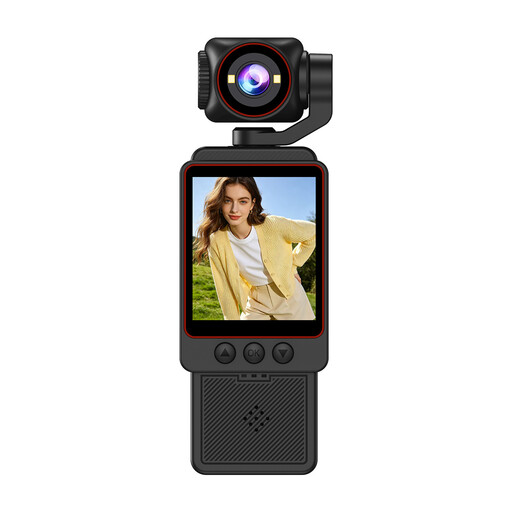
1080P HD compact video camera
Worth considering if you’re looking for a compact camera for overview shots. Check whether the crop works for your table.
The product name lists HD Photo, fast focusing, Wi-Fi transfer and an included SD card.
View at Joybuy
 No image available
Songdian Pocket Camera 4K 44MP, pink
A pocket camera to compare if you want a compact option with a listed zoom. Test the card crop you want at your working distance.
The product name lists 4K, 44MP and 16X zoom.
View at Joybuy
 No image available
Songdian retro 48MP digital camera
Worth comparing if you want to see whether the screen and viewfinder suit the way you frame your shots, as well as take overview photos.
The product name lists 5K Ultra HD, a 2.8-inch LCD screen and an optical viewfinder.
View at Joybuy
 No image available
Sony ZV-E10 + 16-50mm Zoom, black
The listed zoom lens may be useful if you want to adjust the crop from a full card to a detail. Check the working distance with your card.
The product name lists a 16-50mm zoom lens. A compatible SD memory card and an adapter/charger are not included.
View at Joybuy
 No image available
Sony Alpha A6100 + 16-50mm f/3.5-5.6 OSS II
Worth considering if you’re looking for a mirrorless camera with a listed zoom lens. Check that the lens can handle your card size and the crop you want.
The product name lists a 16-50mm f/3.5-5.6 OSS II lens.
View at Joybuy
Frequently asked questions
Do I need a macro lens to photograph a whole greeting card?
Not necessarily. First check whether your current lens can capture the whole card in sharp focus at your working distance. A macro lens is one option for close-ups; for a full card, the crop you want is what matters.
How can I keep photos of several cards consistent?
Use a fixed camera setup and watch out for changes in the lighting. Canon Netherlands explains how a tripod can help you keep your framing consistent; Adobe explains how white balance can help you assess or correct colour differences caused by lighting.
What should I check if a camera I bought online doesn’t meet my expectations?
Check exactly what’s included in the bundle and the terms that apply to your purchase. According to the Dutch Government, a 14-day cooling-off period applies to many online purchases. The legal guarantee for a faulty product is separate from any manufacturer’s warranty, as ACM ConsuWijzer explains.
Can I publish cards featuring other people’s text or images online?
Don’t assume you can publish a card without permission if it contains copyright-protected text or images. The Dutch Government states that you need the creator’s permission to use other people’s copyright-protected text and photos. Check the rights for the specific card before sharing the photo publicly.


