
Greeting card seller
You photograph designs for product pages and want clear details and colours that look as consistent as possible from one photo to the next. Adobe and the Greeting Card Association offer advice on product and card photography.


For the occasional card photo, try your smartphone first, using filtered window light and a stable set-up, before buying a separate camera. Adobe lists a smartphone as an option for product photography, while the Greeting Card Association recommends using a tripod and self-timer for card photos. If you take photos regularly, consider a mirrorless camera if you want to change lenses and settings, or a compact camera if a fixed lens better suits the way you work. Always check the focusing distance and how glare looks in your set-up.
You photograph designs for product pages and want clear details and colours that look as consistent as possible from one photo to the next. Adobe and the Greeting Card Association offer advice on product and card photography.
Your cards feature foil, varnish or other reflective elements, and you want to be able to adjust the light and camera angle. The Greeting Card Association and Etsy Seller Handbook cover points to consider when photographing cards and using window light.
You only take photos now and then, and want to see whether your current phone will do the job before buying a separate camera. Adobe lists a smartphone as an option for product photography on a limited budget.
Start with your set-up: Etsy Seller Handbook describes filtered window light, while the Greeting Card Association recommends a tripod and self-timer for card photos. Nikon USA explains how white balance can affect the way colours look. Take a test shot to work out which problem a separate camera would actually solve for your cards.
| What to consider | What should you check? | Which shoppers is this for? |
|---|---|---|
| Consistent colour | Check the white balance and, if needed, take a neutral reference shot under the same lighting. Compare it with the card, not just with the camera screen. | When I photograph cards for a product page, I want the paper and print to look true to life across successive photos. Around 36% of shoppers make colour consistency their top priority. |
| Sharp details | Check the lens’s minimum focusing distance at the zoom setting you want to use. Also see whether you can use a tripod and self-timer. | For small lettering and illustrations, I want to be able to focus at my chosen shooting distance. Around 29% of shoppers prioritise clear details. |
| Glare on glossy finishes | Try filtered window light and adjust the position of the card, camera or light source before buying extra equipment. | For foil or varnish, I want to show the finish without distracting glare overpowering the design. Around 21% of shoppers prioritise controlling reflections. |
| Simple set-up | Take a test shot first, then decide whether a separate camera, lens, memory card or tripod will solve any remaining issues. | If I only photograph a card now and then, I want to take usable photos without buying unnecessary extra equipment. Around 14% of shoppers prioritise a simple purchase and set-up. |
A new camera won’t automatically fix harsh window light or movement when you press the shutter. The Greeting Card Association recommends a stable set-up with a self-timer, while Etsy Seller Handbook describes how to filter window light.
First, take a series of test shots using filtered window light, a stable camera and the self-timer. Then see which camera feature you still need.
The lens and your chosen shooting distance also affect whether small details look sharp. Canon Netherlands and Sony Netherlands list focusing distances that vary by lens or zoom setting.
Compare the included lens and its focusing distance at the zoom setting you want. Test whether you can frame your card size and details clearly.
Nikon Netherlands describes Picture Controls as settings for styling the look of photos. A style like this does not, by itself, prove that special print colours or varnish will be reproduced accurately in digital images.
Assess a test shot with neutral settings alongside the card. If necessary, photograph glossy details from a different angle too.
The EOS R50 kit with an RF-S 18-45mm lens is a mirrorless camera kit to compare if you’re looking for an interchangeable lens.
According to Nikon Netherlands, the Z50II kit comes with the NIKKOR Z DX 16-50mm f/3.5-6.3 VR zoom lens.
The RX100 VII is a compact camera with a fixed zoom lens, for anyone who doesn’t want to change lenses.
These products are separate camera options for anyone who wants to photograph cards and is looking for a device to use alongside an existing smartphone. The models vary in form and in the specifications given in their product name or product information.
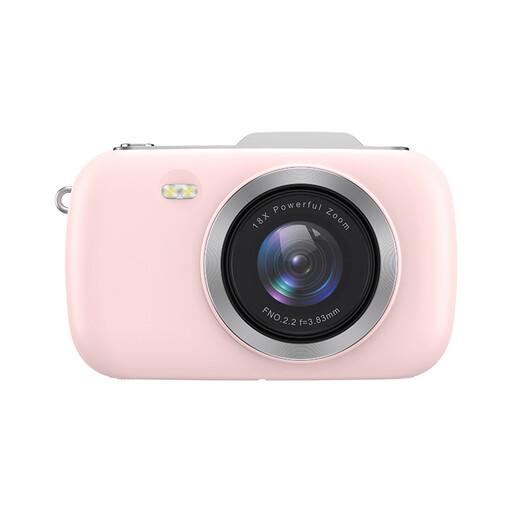 Image unavailable
An option if you’re looking for a separate camera for photography in a portable point-and-shoot format.
The product name lists 4K, 80MP and 18X zoom.
 Image unavailable
This camera is an option if optical zoom is important to you when choosing a separate camera.
The product name lists 4K, 64MP, 12X optical zoom and WiFi.
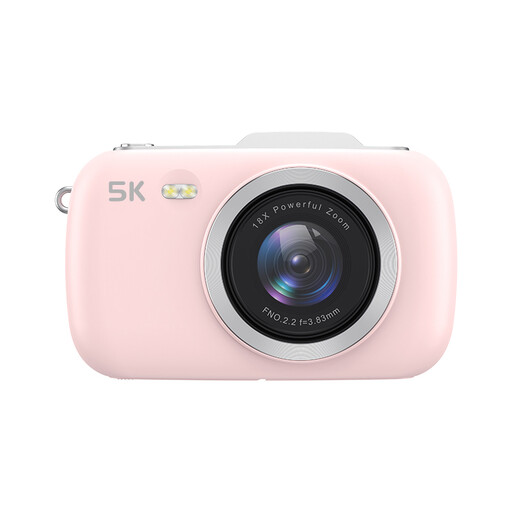 Image unavailable
A portable point-and-shoot option if you’re looking for a separate camera and would rather buy the card yourself.
The product name lists 5K, 80MP and 18X zoom; an SD card is not included.
 Image unavailable
A pocket camera option if you’re looking for a compact device for photography and video.
The product name lists 4K, 44MP and 16X zoom. A microSD card is not included, according to the product information.
 Image unavailable
A mirrorless camera option if you’re looking for an interchangeable lens and a subject-focused setting for product shots.
The product information lists a 24.2MP APS-C sensor and a 16–50mm lens. The setting can shift focus from a face to an object; an SD memory card is not included.
You can filter bright window light with a light net curtain, for example, and use white paper or foam board to bounce light back if needed. The Greeting Card Association recommends using a tripod and self-timer to reduce movement when you press the shutter.
White balance affects how white and other colours appear in a photo; Nikon USA demonstrates this with examples of white balance settings. If needed, take a neutral reference shot under the same lighting and compare it with the card. This won’t guarantee that special print colours look exactly the same on every screen.
When you buy as a consumer, you’re entitled to a product that is fit for purpose, but there is no fixed statutory warranty period in the Netherlands. The Dutch government explains that the expected lifespan varies by product. Compare any additional warranty terms with your statutory rights.
Don’t publish someone else’s readable name, address or other personal information without first checking whether you need their permission. According to the Dutch Data Protection Authority, consent is required in most cases; an exception applies to personal or household use under the stated conditions. Keep such details out of shot in product photos.