
Vandaag of morgen in huis

Kwaliteit gegarandeerd

Welkomstaanbiedingen ontgrendelen: GRATIS bezorging | Tot 80% korting | Gratis 30 dagen JoyPlus-proefperiode
Download de app
A new graphics card can make your PC suitable for modern games, video editing or 3D software. However, more memory or a higher boost clock is not automatically the right choice. The card must also fit your case, power supply, monitor and processor.
The most common purchasing mistakes:
The GPU is the graphics processor. NVIDIA GeForce and AMD Radeon cards use different architectures and software features. Ray tracing simulates more realistic lighting and reflections, but can increase the workload. NVIDIA cards can also use features such as DLSS; check which technology is supported for each game.
For many users, these guidelines are practical:
Also pay attention to the difference between GDDR6 and GDDR7. GDDR7 can offer higher memory speeds, but capacity and bus width remain important. A graphics card with 8 GB GDDR7 and a 128-bit bus has a different use profile from a card with 16 GB GDDR6 and a 256-bit bus.
Measure the available space inside your case before ordering. Check:
A low-profile graphics card is designed for compact systems, but be aware: not every short card is also low-profile. The MSI GT 710 2GD3H LP, for example, has a compact design and passive cooling. That makes it suitable for office and multimedia systems, not modern demanding games.
An active cooler with two or three fans can remove heat more effectively during prolonged workloads. Passive cooling is quiet, but is mainly suitable for cards with low power consumption and light tasks.
Check the manufacturer's recommended wattage as well as the cables available from your PSU. According to the product specifications, an RTX 5080 version in this selection requires a power supply of around 850 W and uses a 16-pin PCIe Gen 5 connector. An RX 9060 XT uses a single 8-pin connector and has a lower stated power consumption.
PCIe 5.0 is the current interface on several new models. A card will often also work in an older PCIe system, but check the motherboard and graphics card manuals. Some RTX 5060 Ti models list PCIe 5.0 x8, even though the physical connector may be x16.
Finally, check the display outputs. Three DisplayPort connections and one HDMI port are useful for multiple screens, but check the HDMI and DisplayPort versions when using high refresh rates, HDR or 4K/8K.
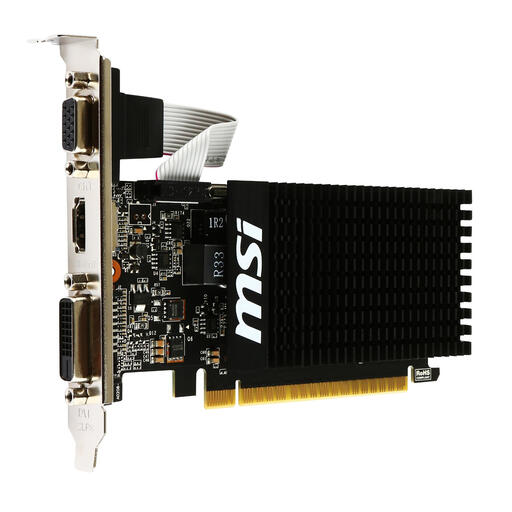
Why it suits this profile: This compact card is designed for office work, multimedia, older lighter games and multiple screens. No additional power connection is required.
The product details clearly state passive cooling, a low-profile design and support for HDMI, DVI-D and VGA. Do not expect performance suitable for modern demanding games.
1 slot, 2 GB DDR3, stated power consumption of 19 W and three different display outputs.
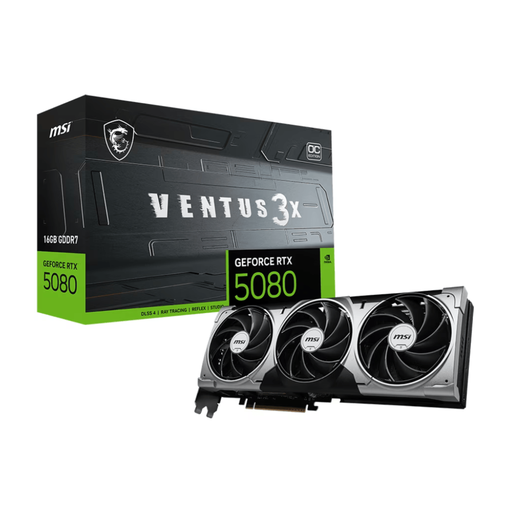
Why it suits this profile: Suitable for users with high demands for 4K gaming, creative software and multiple modern displays.
The specifications state power consumption of 360 W, a recommended PSU of 850 W and a 16-pin connector. Check these points in advance rather than looking only at the GPU name.
16 GB GDDR7, 256-bit memory bus, three fans and 3x DisplayPort plus HDMI.
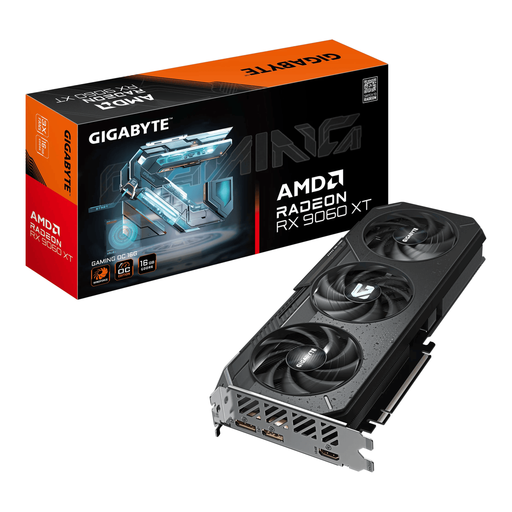
Why it suits this profile: This AMD Radeon card is aimed at 1440p gaming, high refresh rates and creative workflows, with relatively moderate stated power consumption.
The card combines 16 GB of memory with a stated TDP of 160 W and a single 8-pin connector. However, check the exact PSU requirement for your complete system.
16 GB GDDR6, PCIe 5.0 x16, three fans and DisplayPort 2.1a plus HDMI 2.1b.
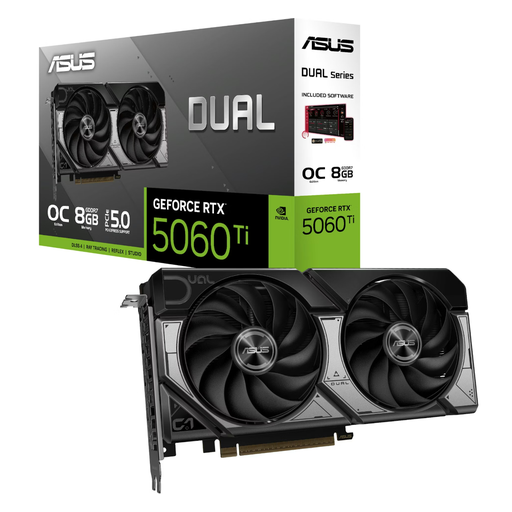
Why it suits this profile: At 229 mm long, with a dual-fan design, this card is an interesting option for smaller PC cases and 1080p or 1440p gaming.
The product page lists the dimensions, a single 8-pin connector and a recommended power supply of 550 W. Even so, measure the available space and check the slot thickness.
8 GB GDDR7, PCIe 5.0, 4,608 CUDA cores and 3x DisplayPort plus HDMI.
We have put together a complete, up-to-date list of products that fully meet these strict selection criteria and the applicable European safety regulations.
Shut down the PC completely and unplug it from the mains. Before installation, touch an earthed metal component to reduce static electricity. Seat the card firmly in the correct PCIe slot, secure the bracket and connect the specified power cable.
Then install the latest driver from NVIDIA or AMD. After the first start-up, check that the monitor is connected to the graphics card and not accidentally to the motherboard's video output. Keep the fans and air filters free of dust. With a heavy card, secure mounting is important to reduce pressure on the PCIe slot.
Its lifespan depends on hours of use, temperatures, dust, power supply and workload. A card that is under sustained load every day puts more strain on the cooling system and fans than one used for office work. Good airflow and regular maintenance help to reduce wear, but they do not guarantee a fixed service life.
It varies by GPU. Check the recommended wattage, stated power consumption and power connectors. According to the listed product specifications, an RTX 5080 may require an 850 W PSU and a 16-pin connector. An RTX 5060 Ti or RX 9060 XT requires less, but always check the complete configuration, including the processor, storage and other components.
No. More video memory helps with high resolutions, large textures and certain creative applications, but GPU speed, memory bus, drivers and software support remain important. Compare the full list of specifications and match the card to your games or programmes.
