
Panorama editor with limited desk space
You stitch photos together on a computer screen and mainly need a small space for pen input when finishing your edit.


For editing panoramas on a small desk, a compact graphics tablet without a screen is a space-saving option if you stitch your photos together on a computer screen and mainly make local adjustments. Adobe describes Photomerge in Photoshop Elements as the feature for combining photos; a tablet is an input device for editing, not the tool that creates the panorama. Compare both the overall dimensions and the active area, and choose a pen display only if drawing directly on the image matters more than the extra desk space its screen takes up.
You stitch photos together on a computer screen and mainly need a small space for pen input when finishing your edit.
You refine details after stitching and want to balance the active drawing area against the tablet’s overall dimensions.
You want to know whether shortcut keys, a scroll wheel or a wireless connection will suit your workflow.
First, measure the space available on your desk. Then compare the active area and decide whether you need extra controls or a different connection for your editing.
| What to consider | What should you check? | Who is this important for? |
|---|---|---|
| Desk space | Compare the overall dimensions of the exact version with the space available, including room for the cable. | If I want to keep my keyboard and mouse where they are, the whole tablet needs to fit; around 36% of consumers prioritise how well it fits on their desk. |
| Active area | Check the active area of the exact version and weigh it against the overall dimensions. | If I want to touch up seams or masks locally, I need enough room for pen movements without choosing a tablet larger than my desk can accommodate. Around 29% of consumers put retouching space first. |
| Controls | Check which keys or navigation controls are available and whether you can customise them in your photo-editing software. | If I switch tools frequently while retouching, shortcut keys or a scroll wheel can be useful; around 21% of consumers prioritise quick controls. |
| Connection | Check the connection type and, if you plan to use it wirelessly, the connection method and whether the exact version needs charging. | If cables get in the way of my small workspace or I need a particular connection, I want to make sure it will work with my computer before buying. Around 14% of consumers prioritise connectivity and cable management. |
The active area is smaller than the tablet itself. The overall dimensions and space needed for the connection also determine whether the tablet will fit on your desk.
Measure the available space and compare it with the overall dimensions of the exact version; then check the active area.
The XPPen Deco mini7 and Deco mini7W V2 are different versions, with different connection and pen specifications.
Check the full model name, connection type and box contents before comparing versions.
A wireless version may need more consideration when it comes to charging or connectivity. Check what applies to the model you choose.
Xencelabs says that Quick Keys are sold separately for the Pen Tablet Small.
Check the specific bundle if physical shortcut keys are important to your workflow.
You’ll need to buy the remote separately for this version if you want to use one.
The manufacturer lists dimensions of 215 × 163 mm for the Intuos Pro Small PTK470K0B, with an active area of 187 × 105 mm.
According to Huion, the Inspiroy 2 S has an active area of 160 × 100 mm in PC mode, six keys and a scroll wheel.
For the wired Deco mini7, XPPen lists overall dimensions of 260.2 × 162.2 mm and an active area of 177.8 × 111.1 mm.
The ugee EU product page lists dimensions of 21.53 × 16.25 × 1.21 cm and ten customisable keys for the wired S640.
Xencelabs describes the Pen Tablet Small as a compact tablet with a 16:9 active area and two included pens.
The Joybuy products below include compact graphics tablets without screens, as well as a pen display with a built-in screen for pen input when editing photos.
 Image unavailable
A compact graphics tablet without a screen, for pen input when editing photos on your computer screen.
Active area: 152 × 95 mm. Four ExpressKeys and a battery-free pen with 4,096 pressure levels.
 Image unavailable
A small graphics tablet without a screen, with customisable controls for retouching on a computer screen.
Overall dimensions: 215 × 163 mm. Active area: 187 × 105 mm. Four customisable ExpressKeys; USB-C and Bluetooth.
 Image unavailable
A small graphics tablet without a screen, for pen input when drawing and editing photos.
Active area: approximately 148 × 105 mm. Bluetooth 5.1 and USB-C; the pen is battery-free.
 Image unavailable
A larger graphics tablet without a screen for anyone who wants more active pen space when retouching; bear in mind how much room it takes up on a small desk.
Overall dimensions: 290 × 206 mm. Active area: 263 × 148 mm. ExpressKeys, Touch Ring, USB-C and Bluetooth.
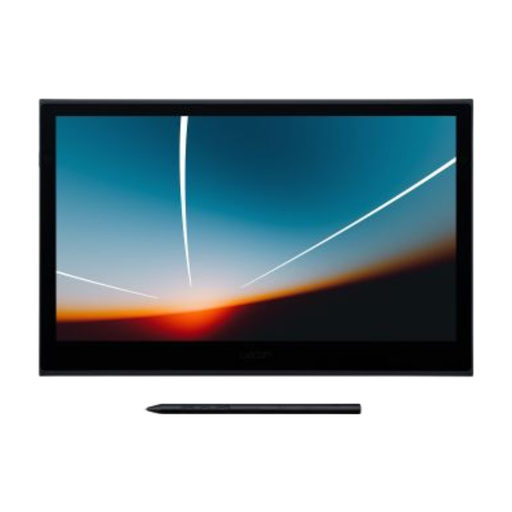 Image unavailable
A pen display for anyone who wants to draw directly on the image on screen; allow room for the display and its connection.
Built-in 13.3-inch OLED screen, pen with 8,192 pressure levels and USB-C for data and power.
No, the photos are stitched together in photo-editing software. Adobe describes Photomerge in Photoshop Elements as the feature that combines source photos into a single panorama; for automatic stitching to work, the photos need to overlap sufficiently.
Check both: the overall dimensions determine how much desk space the tablet takes up, while the active area shows how much room you have for pen movements. Compare the measurements for the exact version with the space available on your desk and the way you want to retouch.
That depends on the model and its settings. Xencelabs says that you can use the full active area or just part of it in the settings for its tablet; check the manual and software for the version you’re considering.
For many distance purchases from a business, the Dutch government says you have a 14-day cooling-off period. Check whether this applies to your specific purchase; this is separate from your rights if a product is faulty.
Check the exact model version, the connection types it supports and whether it needs charging. For example, the wired XPPen Deco mini7 is not the same version as the wireless Deco mini7W V2, so compare the full model name and specifications.