Joybuy product picks
These Joybuy product picks are for taking handwritten notes at home. Options include writing on a pen device connected to a computer, a digital writing surface or a tablet with a pen.
 No image available
Wacom One pen display 14.0″
Suitable if you want to write directly on a screen while the device is connected to a computer.
The product description lists a 14-inch Full HD screen and an active area of 309 × 174 mm.
The description mentions USB-C for data and power. Check that your computer has a suitable connection.
View at Joybuy
 No image available
Wacom Intuos Pro Pen Tablet Medium
Suitable if you want to add handwritten input to work on a connected computer, without writing on the tablet itself.
The product description lists an active area of 263 × 148 mm and connection via USB-C or Bluetooth.
The description specifies a Wacom driver for pen features and shortcut keys. Check that your computer meets this requirement.
View at Joybuy
 No image available
Wacom One pen tablet small - S
Suitable if you want to use pen input as part of a computer workflow and are looking for a small writing surface.
The product description lists an A6 size and connection via USB-C or Bluetooth.
The description mentions Windows and macOS, and installation of a Wacom driver. Check the requirements for your computer.
View at Joybuy
 No image available
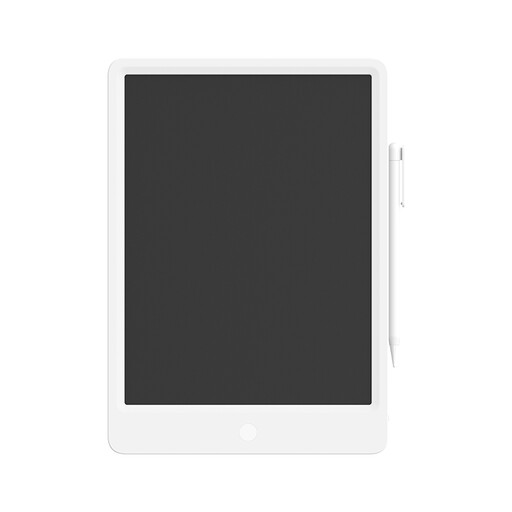
Mi LCD Writing Tablet 13.5 Digital
Suitable if you want to use a stylus to make notes or memos on a digital writing surface.
The product description lists a 13,5-inch screen and an included stylus.
According to the description, the erase function clears the whole screen at once.
View at Joybuy
 No image available
TECLAST ArtPad Pro 12.7 inch
Suitable if you’re looking for an Android tablet with a pen for taking notes and sketching. Check that your preferred note-taking app meets your needs.
The product description lists a 12,7-inch screen, Android 15, 256 GB of storage and an included T-Pen.
View at Joybuy
Frequently asked questions
Can I use a graphics tablet without a screen with OneNote?
OneNote supports writing and drawing with a pen or mouse. Also check that your chosen graphics tablet, its driver and your computer work with the version of the app you use. General support in OneNote doesn’t confirm compatibility with every tablet model.
Will a pen display work if my computer’s USB-C port doesn’t support video output?
Not through that connection alone with the Wacom One 12. Wacom says this model needs a USB-C port with graphics output, or an alternative set-up with USB-A, HDMI, a 3-in-1 cable and a power supply. Before buying, check which cables and power supply are required for your chosen model version.
How can I keep my handwritten notes usable when I change devices?
Before you buy, check the device and note-taking app’s export and syncing features. With reMarkable, handwriting search, unlimited cloud storage and syncing are part of Connect, so don’t assume every cloud feature you need is available without a subscription.
What are my rights when buying online in the Netherlands?
According to ACM ConsuWijzer, online purchases generally come with a statutory 14-day cooling-off period after delivery, although exceptions depend on the purchase. The seller is also responsible for the statutory guarantee if a consumer product doesn’t meet what you can reasonably expect from it; a manufacturer’s warranty doesn’t replace this right.


