Who is this choice relevant to?

Student with a small desk

You work through problems alongside an existing laptop and want to put the input device away when you’re finished. Compare the active drawing area with the overall dimensions, and check which connection is compatible with your computer.

Student who wants to write on screen

You want to see your work directly beneath the pen tip and can make room for a pen display. Check that your computer can output the required video signal and that the necessary cables will work with your setup.

Student who wants to convert equations

You may want to convert handwritten symbols into typed maths. Microsoft describes features for this in specific apps, so check the feature and terms for the software you use.

What should you consider when choosing?

Screenless graphics tablet

A good fit if: you work at a small desk with an existing laptop or monitor and don’t need another screen.

The trade-off: you look at your computer screen rather than the pen tip, and the active drawing area may be smaller than the tablet’s overall dimensions.

Pen display

A good fit if: writing directly on screen matters more to you than keeping your desk setup as simple as possible.

The trade-off: check that your computer can send a video signal to the display and that you have enough space. Huion lists a 13.3-inch screen with 1920 × 1080 pixels for the Kamvas 13 (Gen 3).

What to consider What should you check? Who is this for?
Writing space on a small desk Compare the active drawing area and overall dimensions with the space beside your laptop. For the H640P, Huion lists these as 160 × 100 mm and 260 × 147,7 mm respectively. If I need room to show my working but don’t want my laptop pushed off the desk, I focus on the usable area. Around 33% of consumers would make a compact workspace their top priority.
Writing directly on a screen Decide where you want to look while working through problems and whether you have room for another screen. If you’re considering a pen display, check the video connection too. If I want to see my work directly beneath the pen tip, that matters more to me than having a simple setup. Around 27% of consumers would want to write directly on the screen.
Connecting to your own computer Check compatibility with your operating system and port. For a single-cable connection to the Huion Kamvas 13 (Gen 3), Huion lists DisplayPort Alt Mode among the requirements. If I want to keep using my existing computer, I want to know in advance whether the connection will work with the model I choose. Around 20% of consumers would make computer compatibility their top priority.
Converting handwriting into maths Test your chosen app with an equation of your own. Microsoft describes Ink to Math for apps including OneNote for Windows; Microsoft says the separately described Math Assistant requires a Microsoft 365 subscription. If I need equations as typed symbols, I first check that my software supports this. Around 20% of consumers would make equation conversion their top priority.

Common mistakes

  • Assuming a USB-C connector means a pen display will receive a video signal

    For the single-cable connection described by Huion, both video support on the computer port and the cable matter.

    Check your computer’s port specifications and which cables are supplied with the model you choose.

  • Expecting the tablet itself to convert handwriting into typed maths

    Pen input, ink conversion and maths assistance are different features. The software you use determines which are available.

    Try an equation with fractions and symbols in the app you plan to use, and check the terms for the feature you want.

  • Confusing the overall dimensions with the available writing area

    The active area is not the same as the size of the tablet’s body. Huion lists these measurements separately for the H640P.

    Compare both measurements with the space beside your laptop and the room you need to work through problems.

Brands to consider

Wacom

According to Wacom, the Wacom One S is a screenless graphics tablet with Bluetooth, designed for use with Windows, Mac, Android and Chrome OS, among others.

  • Wacom says the One S can connect by cable or Bluetooth.
  • Wacom says automatic driver installation is not available for the One S on Mac.

Huion

The models reviewed illustrate two different approaches: the screenless Inspiroy H640P and the Kamvas 13 (Gen 3), which you write on directly.

  • Huion lists an active area of 160 × 100 mm and a Micro-USB connection for the H640P.
  • For the Kamvas 13 (Gen 3)’s single-cable connection, Huion lists requirements for the port and cable; a USB-C connection alone does not confirm compatibility.

XPPen

The Deco mini7 V2 is a screenless graphics tablet, while the Artist 12 (2nd Gen) is a pen display.

  • XPPen lists an active area of 177,8 × 111,1 mm and support for Chrome OS 88 or later for the Deco mini7 V2.
  • Check the operating system versions specified for the exact model. Manufacturer claims about drawing performance are not an independent assessment of how well it works for maths.

Joybuy products

The products below include graphics tablets for pen input on a computer and devices for handwritten notes on a screen. To convert equations into typed maths, check separately whether your software and operating system support the feature you want.

Wacom Intuos Pro Pen Tablet Small

Wacom Intuos Pro Pen Tablet Small

A screenless graphics tablet for handwritten work on a computer.

Active area: 187 × 105 mm. Four ExpressKeys. Bluetooth and USB-C. The description lists a battery-free pen, compatibility with Windows and macOS, and a weight of 240 g.

Joybuy

Wacom One S pen tablet, small

Wacom One S pen tablet, small

A compact graphics tablet for pen input on a computer, with no screen on the tablet itself.

Active area: A6. Bluetooth 5.1 and USB-C. The description lists a pressure-sensitive, battery-free pen and compatibility with Windows and macOS.

Joybuy
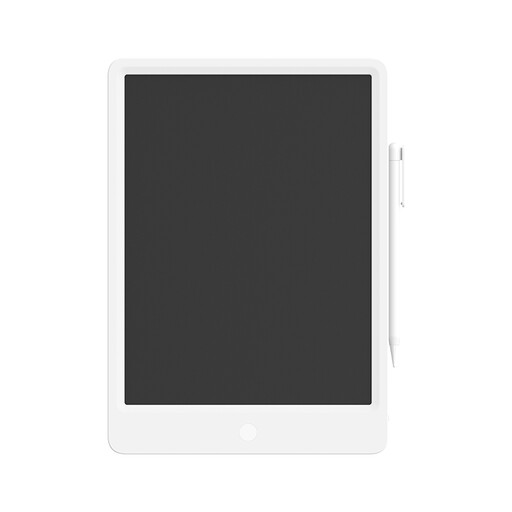
Mi LCD Writing Tablet 13.5 with stylus

Mi LCD Writing Tablet 13.5

For handwritten notes on the LCD screen using the supplied stylus.

Screen: 13.5 inches. The description says that pressing the erase control once clears the entire screen.

Joybuy

TECLAST ArtPad Pro, 12.7-inch, Android 15

TECLAST ArtPad Pro, 12,7 inch, Android 15

A tablet for handwritten notes with pen input; the product information lists a pressure-sensitive T-pen.

Screen: 12.7 inches. Operating system: Android 15. The product title lists compatibility with a T-pen.

Joybuy
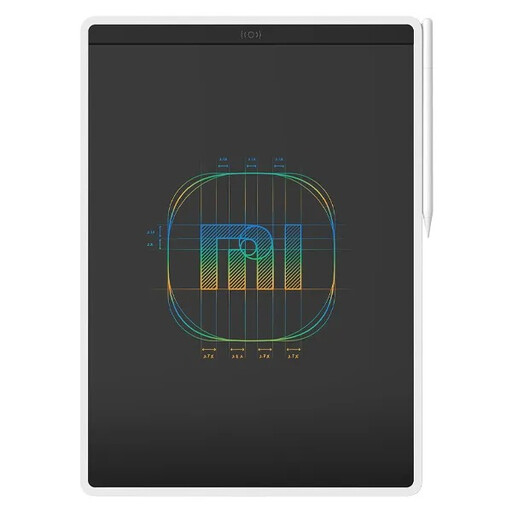
Xiaomi LCD Writing Tablet 13.5 Color Edition

Xiaomi LCD Writing Tablet 13.5 Color Edition

For handwritten notes on an LCD screen using a stylus.

Screen: 13.5 inches. The description lists a pressure-sensitive screen, an erase control that clears the screen instantly, and a button cell battery.

Joybuy

Frequently asked questions

Do I need a tablet with a screen to write maths in OneNote?

No, a screenless graphics tablet can enable pen input on a computer. Microsoft also describes writing with a mouse; check separately which conversion features your version of OneNote offers. Microsoft says the Math Assistant feature it describes requires a Microsoft 365 subscription.

Can I connect a pen display to any USB-C port?

No, check the specifications for both the port and the cable. For a single-cable connection to the displays mentioned by Huion, the computer port must support DisplayPort Alt Mode, among other things.

How can I check whether a graphics tablet will work with my study computer?

Check the driver instructions for the exact model and make sure it supports your operating system. For example, Wacom says automatic driver installation for the One S is not available on Mac; Huion and XPPen provide system information for specific models.

What if a tablet I bought online isn’t suitable or develops a fault?

For an online consumer purchase in the Netherlands, you generally have a statutory cooling-off period of up to 14 days after delivery, subject to exceptions. If a product is faulty, your statutory guarantee applies alongside any manufacturer’s warranty. ACM ConsuWijzer explains the relevant consumer rights and terms.
