
Formula writer with a full extension lead
You already have a computer and want to add handwritten workings without a separate power supply for your graphics tablet. A screenless USB pen tablet with a battery-free pen could suit the way you work.


If you already have a suitable computer and want to avoid needing another power socket for your graphics tablet, start by looking at a USB pen tablet with a battery-free pen. If you’d rather write directly on the screen, check that your computer can provide both video and enough power over USB-C. A standalone graphics tablet works without a connected computer, but needs charging itself. Before making a specific purchase, also check the connections, what’s included in the box and the applicable CE marking; the Dutch government explains the CE requirements for electronic devices on the EU market.
You already have a computer and want to add handwritten workings without a separate power supply for your graphics tablet. A screenless USB pen tablet with a battery-free pen could suit the way you work.
You want to see exactly where the pen touches the screen as you explain something. First, check that your computer supports the required video output and power through the connection you plan to use.
You want to be able to write down formulae without a connected computer, and are happy to charge a standalone device when needed.
Choose this if: you have an existing computer and can follow your formulae on its screen.
Bear in mind: you write on the tablet, not on the screen.
Choose this if: seeing the pen tip directly matters more to you than having a simple connection.
Bear in mind: a single USB-C cable will work only if your computer supports the required video signals and power.
Choose this if: you don’t want to rely on a connected computer while writing.
Bear in mind: the device has its own battery, which you’ll need to charge.
| What matters when buying | What to look for | Which consumers this suits |
|---|---|---|
| No extra power socket | Check the USB connection, the data cable included and the computer port available. A battery-free pen doesn’t mean the computer uses no power. | If I want to write formulae using my existing computer without a separate power supply for the pen tablet, a screenless USB model suits my priority; around 40% of consumers also prioritise avoiding an extra power socket. |
| Writing on the screen | For a single USB-C cable, the computer must support DisplayPort Alt Mode and 15 W (5 V/3 A) Power Delivery through that port, according to Wacom. Otherwise, check which adapter and cable you’ll need. | If I want to look directly at the pen tip as I write, that matters more to me than having the simplest connection; around 30% of consumers say writing on screen is their main buying concern. |
| Connection and software | Check the full model name against your operating system, available port and driver information. Also make sure your chosen writing app works with the combination you plan to use. | If I want to keep using my existing computer and writing app, I want to know in advance whether everything will work together; around 20% of consumers prioritise compatibility. |
| Writing without a computer | Check that the app and storage or export method you want are available on the standalone device. Remember that its battery will need charging. | If I want to write down formulae without connecting a computer, I accept that the device itself needs power; around 10% of consumers prioritise standalone use. |
With the Wacom One 12, single-cable use depends on the computer providing both a video signal and enough power. If it can’t provide both, you may need a different connection setup.
Depending on your computer and the connection setup you choose, you may need a suitable power adapter or cable.
Check the capabilities of the specific port you plan to use, and see which cables and adapters are included with your chosen version.
One by Wacom is a screenless pen tablet, while the Wacom One 12 is a pen display. They offer different ways of looking and writing, and have different connection requirements.
Check the full model name and whether the product description refers to a pen tablet or a pen display.
The Wacom MovinkPad 11 works without a connected computer, but it has a built-in battery.
Choose this option if you want to write without a computer and can charge the battery when needed.
The HS64 is a compact, screenless pen tablet for use with a compatible computer or Android device.
The Deco mini7 is a screenless USB model for writing on a connected device.
The S620 is a compact, screenless model that GAOMON also positions for note-taking.
The range includes the Wacom One 12, a pen display connected to a computer, and the standalone MovinkPad 11.
The selection below consists mainly of screenless graphics tablets for use with a connected computer; the LCD writing tablet is a separate option. It doesn’t include a pen display or standalone graphics tablet, so for those options, see the connection and battery requirements above.
 No image available
Ideal if you want to write formulae on a connected computer without a separate pen charger.
USB-powered connection and a battery-free pen; a computer is required, as this isn’t a standalone device.
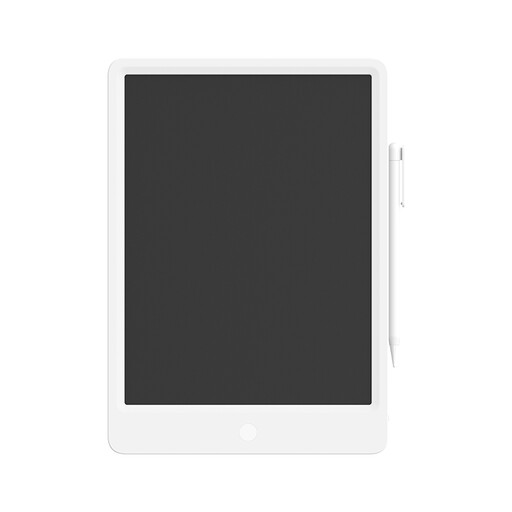 No image available
A separate writing option if you want to put notes or formulae straight onto an LCD writing surface.
The product information lists a CR2025 battery and an erase function that clears the whole screen.
 No image available
An option if you want to write on a connected computer and also have the choice of a Bluetooth connection.
USB-C and Bluetooth; the tablet has a rechargeable battery, so remember to charge it when using it wirelessly.
 No image available
Suited to anyone who wants to write on a connected computer and have Bluetooth as an option.
USB-C and Bluetooth; the tablet has a rechargeable battery, so wireless use means you’ll need to charge it.
 No image available
A screenless pen tablet for writing on a connected computer, with Bluetooth as a wireless connection option.
USB-C and Bluetooth; the built-in rechargeable battery needs charging when you use the tablet wirelessly.
No. With a screenless pen tablet, the pen doesn’t need charging, but the tablet is connected to another device. A standalone graphics tablet has its own battery, which will need charging later.
Yes, if the computer port you’re using supports DisplayPort Alt Mode and 15 W (5 V/3 A) Power Delivery, according to Wacom. If it doesn’t provide enough power, you may need an adapter; for HDMI and USB-A, Wacom describes a 3-in-1 cable with an adapter.
First, check that the model, connection and operating system are compatible, and consult the driver information for that model. Replace a worn pen nib according to the instructions for that particular pen; a battery-free pen doesn’t need charging.
In the Netherlands, the seller must offer a solution if a product doesn’t meet what you’re entitled to expect, according to the Dutch government; there’s no fixed legal two-year guarantee period. When you buy online from a business, you generally have a 14-day cooling-off period, subject to legal exceptions.
The Dutch government states that electronic devices placed on the EU market must have a CE marking. Check that the relevant marking is present on the specific version you’re considering.