
Vandaag of morgen in huis

Kwaliteit gegarandeerd

Welkomstaanbiedingen ontgrendelen: GRATIS bezorging | Tot 80% korting | Gratis 30 dagen JoyPlus-proefperiode
Download de app
Buying a new graphics card seems straightforward until you discover that models with similar names can differ considerably in memory, power consumption, dimensions and connections. A gaming graphics card that fits easily in one PC might be too long or too thick for a smaller case. Even a powerful NVIDIA GeForce RTX or AMD Radeon RX is of little use if your power supply or processor can’t keep up.
So pay particular attention to these three common pitfalls:
For basic desktop tasks and older games, an entry-level model with 4 or 6 GB may be enough. For modern games, video editing and 3D software, 8 GB of video memory is often a better choice. If you work with high texture settings, 4K resolution or large creative projects, 16 GB may be beneficial.
Don’t just look at the capacity. GDDR6 is a common memory type used across a wide range of products. GDDR7 features in newer NVIDIA GeForce RTX models and offers higher memory speeds according to the product specifications. Actual gaming performance also depends on the graphics processor, drivers, game settings and processor.
A PCIe 5.0 graphics card uses a PCI Express x16 slot. Check that your motherboard has a physically compatible x16 slot. In many cases, a PCIe card will also work in an older compatible slot, but the available bandwidth may differ.
Also check the monitor outputs:
An HDMI adapter, such as a USB-C to HDMI model, is a different product from a graphics card. It converts an existing output, but doesn’t add any graphics processing power.
Measure the available space in your case before buying. Check the following:
For example, an MSI RTX 5080 Ventus 3X OC is 303 mm long, 121 mm wide and three slots thick. The recommended power supply is listed as 850 W. An ASUS Dual GeForce RTX 5050 OC is more compact at approximately 203 × 120.2 × 40 mm. It uses one 8-pin PCIe connector and has a listed recommended power supply of 550 W.
Bear in mind that a higher boost clock figure doesn’t automatically mean a significant performance gain. Factory settings, temperature, cooling and the rest of your system all affect the results.
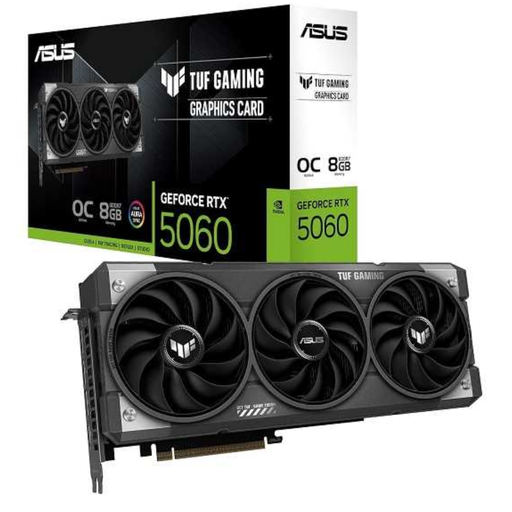
Why it suits this user: Its compact, two-slot design is practical for a standard desktop PC. It also offers modern connections without going straight for a large, heavy model.
The dimensions, single 8-pin connector and recommended 550W power supply are clearly listed. Just check that your power supply has this connector.
8GB GDDR6, PCIe 5.0, three DisplayPort 2.1b outputs, HDMI 2.1b and a dual-fan cooler.
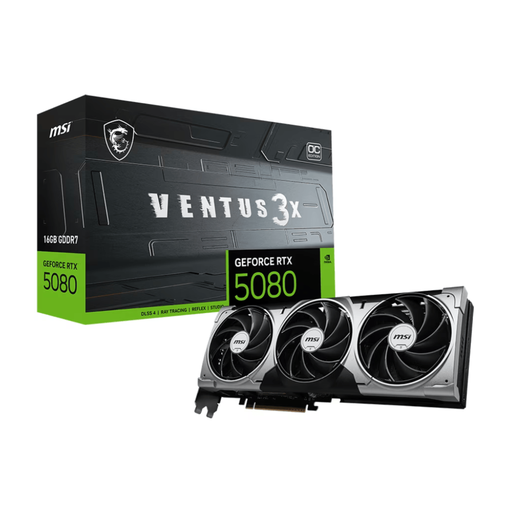
Why it suits this user: This card is aimed at users with demanding needs, from 4K gaming and ray tracing to VR and GPU-accelerated creative software.
Its size and power consumption make it clear that this card won’t suit every case or power supply. Check that you have room for its 303 mm length, allow for three slots and factor in the recommended 850W power supply.
16GB GDDR7, 256-bit memory bus, PCIe 5.0 x16, three DisplayPort 2.1b outputs and HDMI 2.1b.
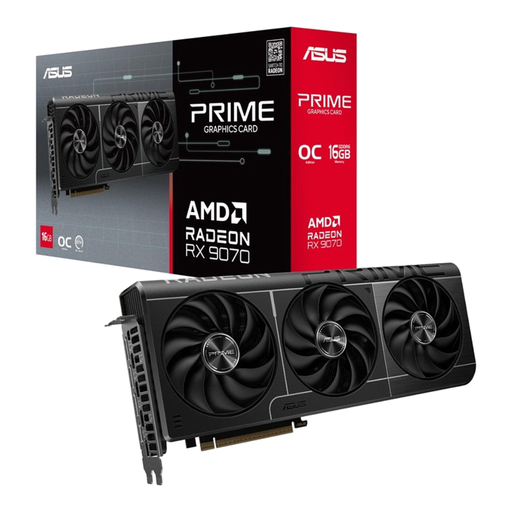
Why it suits this user: An option for gamers and creators looking to combine 16GB of memory, high resolutions and several modern screen outputs.
The specifications list a length of 312 mm, three slots and two 8-pin connectors. This lets you check in advance that your case and power supply are suitable.
16GB GDDR6, PCIe 5.0 x16, three DisplayPort 2.1a outputs, HDMI 2.1b and ray tracing support.
We’ve put together a complete, up-to-date list of products that meet these strict selection criteria and the applicable European safety regulations.
Not every computer upgrade calls for a new graphics card. If your desktop doesn’t have a wireless connection, a USB Wi-Fi adapter may be all you need. The ASUS USB-AC53 Nano supports Wi-Fi 5, dual-band 2.4 and 5 GHz, and a maximum transfer speed of 867 Mbit/s according to the product specifications.
A Bluetooth USB adapter adds Bluetooth to a PC without built-in support. The TP-Link UB400 uses Bluetooth 4.0 and has a range of up to 10 metres in suitable conditions, according to the product information. If your screen doesn’t have a suitable input, an HDMI adapter such as the TP-Link UA520C or Anker 518 USB-C Adapter can be useful. Check that your USB-C port supports video output, as not every USB-C port does.
When choosing a graphics card for 4K gaming, don’t just look at resolution support. Consider GPU performance, video memory, cooling, power supply and the games you play too. Models with 16GB of memory, such as certain RTX 5080 and Radeon RX 9070 cards, are designed for more demanding workloads. Also check whether your monitor supports HDMI 2.1 or DisplayPort.
Its lifespan depends on workload, temperature, dust, airflow and software support. A card with enough memory and suitable performance may remain useful for longer if you lower the settings later on. Keep the ventilation clear and make sure the card is firmly seated in the PCIe slot.
That depends on its power consumption, how many hours you use it and your energy tariff. According to the product information, a powerful card such as an RTX 5080 has higher listed power consumption than a compact entry-level model. So compare not only the purchase price, but also the recommended power supply and expected usage.
