
Scriptwriter
You write and revise long passages of text and want to read scenes and sections comfortably, arranged one below the other.


Choose a screen based on how you write: a 3:2 display may suit long passages of text arranged vertically, while a 21:9 screen gives you more room to place your script and outline side by side. Then check that text is comfortable to read from your usual viewing distance, the screen fits your workspace, and your computer supports the resolution and connection you need. If you only write, you may not need extra colour features.
You write and revise long passages of text and want to read scenes and sections comfortably, arranged one below the other.
You keep a section outline or reference document alongside your script while writing, and want to use both windows at once.
You write scripts and also review illustrations or page layouts, so colour settings and screen positioning may be important.
Suitable for: long scripts and section outlines that you mainly read vertically. BenQ specifies a 28.2-inch screen with a resolution of 3840 × 2560 pixels for the RD280U.
Bear in mind: choose a comfortable text size for yourself; this screen format is less suited to wide window layouts.
Suitable for: anyone who often keeps two documents open side by side and has enough desk space. LG lists a 34-inch screen, 21:9 aspect ratio and 3440 × 1440 pixels for the 34WQ75C-B.
Bear in mind: the stated width with the stand is 816,7 mm; measure your workspace and check that both windows will remain easy to read.
Suitable for: anyone who writes as well as doing other work. Dell specifies a resolution of 2560 × 1440 pixels, height adjustment and USB-C charging up to 90 W for the P2725DE; ASUS lists colour settings and a swivel stand for the PA278CV.
Bear in mind: if you use USB-C, check that your computer supports video output through that port and that the charging power is suitable for your laptop.
Suitable for: anyone who usually works with one script window or has less desk space. Philips specifies a 23.8-inch screen with a resolution of 1920 × 1080 pixels for the 24E1N1300AE/00.
Bear in mind: check the adjustment options and choose a text size that is comfortable to read from your usual viewing distance.
Compare the screen layout with how you use windows every day, then check readability, positioning and connections against your own workspace.
| Consideration | What should you check? | Who is it for? |
|---|---|---|
| Reading space for long scripts | Compare the aspect ratio and resolution; try out the text size and check how your writing software displays the section outline. | If I mainly read long scenes and sections vertically, I want enough space without the letters becoming too small. Around 36% of consumers say space to read long texts is their main priority. |
| Two windows side by side | Consider the window layout you actually use and measure the available desk width and depth. | If I keep my script and outline open at the same time, I want to be able to look between them without constantly switching windows. Around 29% of consumers prioritise using two windows at once. |
| Readability and positioning | Check the height and tilt adjustment, glare, text size, ambient light and screen position. | If I write for long stretches, I want to be able to position the screen well and read text comfortably. Around 21% of consumers prioritise workspace setup and readability. |
| Reviewing illustrations too | Decide which colour settings your work requires and check that your computer and monitor support the connections you need. | If I review illustrations or page layouts as well as scripts, I want to know whether the display settings are suitable for that work. Around 14% of consumers say reviewing images is their main priority. |
A high resolution alone does not tell you whether letters will be comfortable to read at your chosen scaling. According to Arboportaal, small characters, glare and poor ambient lighting can make text harder to read.
Check text from your usual viewing distance and consider brightness, glare and adjustable text scaling.
According to LG, the 34WQ75C-B is 816,7 mm wide with its stand. A wide screen layout also takes up physical space.
Measure the available width and depth, and decide in advance how large you need your script and outline to appear on screen.
The models reviewed specify different USB-C charging capacities. The connection will work with your setup only if your computer, cable and monitor are compatible.
Check whether your computer can output video through the USB-C port you plan to use, how much charging power your laptop needs and whether the required cable is included.
According to ACM ConsuWijzer, statutory warranty rights exist alongside a commercial guarantee; the retailer remains responsible for your statutory rights.
Before choosing an additional plan, read what it covers and what terms and conditions apply.
BenQ markets the RD280U, a 3:2 model, as a programming monitor; its extra vertical document space may also be useful for long scripts.
The 34WQ75C-B offers a wide 21:9 setup for anyone who wants to place their script and outline side by side.
The P2725DE is a 27-inch QHD USB-C hub monitor for a versatile 16:9 setup.
The ProArt PA278CV is worth considering if you review images as well as scripts.
The 24E1N1300AE/00 is a more compact 23.8-inch Full HD model for a simple writing setup.
This selection includes monitors for using a script and outline side by side, a versatile 27-inch setup and more compact text work. Compare the screen layout, resolution and adjustability with your workspace.
 No image available
An option for working with a script and outline side by side, if a wide screen layout suits your desk.
34 inches; 21:9; 3440 × 1440 pixels; Thunderbolt 4; USB Power Delivery up to 100 W; height adjustment.
 No image available
A 27-inch option for writing and other work; check that the aspect ratio suits the way you arrange your windows.
27 inches; 2560 × 1440 pixels; IPS Black; height adjustment, tilt and pivot.
 No image available
A more compact choice for a writing setup where you mainly use one text window.
24 inches; Full HD; IPS; 100 Hz.
 No image available
A 27-inch screen to compare if you want a high resolution and an adjustable setup.
27 inches; 3840 × 2160 pixels; 4K Ultra HD; height and tilt adjustment.
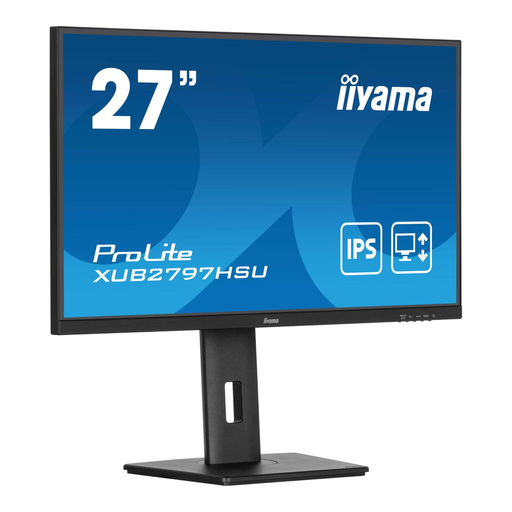 No image available
A 27-inch Full HD option; check whether this resolution and screen size work well with your chosen text size.
1920 × 1080 pixels; 100 Hz; USB hub; height-adjustable stand.
Place the screen directly in front of you so that you look slightly downwards. Arboportaal recommends positioning the top of the screen just below eye level; also adjust the text size and ambient lighting.
Only if your laptop can output video through the USB-C connection you are using and the monitor provides enough charging power. Dell lists up to 90 W for the P2725DE and ASUS lists 65 W for the PA278CV; check the specifications of both devices and the cable.
Compare the EU energy label and model information for similar usage. The European Commission says that energy labels also apply to computer monitors; annual energy use will also depend on how long you use the monitor and your electricity tariff.
For a standard online consumer purchase, you generally have a statutory cooling-off period of up to 14 days after delivery, subject to legal exceptions. ACM ConsuWijzer says there is no fixed term for the statutory warranty: if a product does not meet reasonable expectations when used normally, the retailer is responsible for providing an appropriate solution.
Not automatically. Arboportaal describes workplace requirements for employees who work with screens for more than two hours a day; this condition does not automatically apply to every writer using a screen privately.