
Portrait photographer making prints
Wants to know in advance whether the intended crop and image file will work for the planned exhibition print size.


Choose your camera and portrait lens as a set, taking into account your working distance, the available light at the location and the final print size. A manageable APS-C kit can work well for portraits on location. If you’re considering full frame, factor in the lens and the crop you’ll need too. The Dutch Consumers’ Association notes that mirrorless cameras offer a range of lens options, so check the mount and whether your preferred lens is included.
Wants to know in advance whether the intended crop and image file will work for the planned exhibition print size.
Photographs graduates indoors and outdoors, weighing up portability, available light and a suitable lens.
Wants to choose a camera and lens together, and check that the body and included or separately purchased lens suit their portrait plans.
A good fit if: you want to put together a manageable kit and can control the lighting at the location.
Bear in mind: the lens and crop both affect whether the image will work for your intended portrait and print size.
A good fit if: you specifically want to put together a full-frame system with a suitable portrait lens.
Bear in mind: full frame alone doesn’t guarantee a successful exhibition print. Consider your working distance, lighting and crop too.
A good fit if: you already have a suitable body and portrait lens, or have a specific compatible kit in mind.
Bear in mind: the Dutch Consumers’ Association notes that DSLRs are generally larger than mirrorless cameras. Check the lens mount too.
With a mirrorless camera, you need to consider the body, lens mount and desired framing together. The Dutch Consumers’ Association explains that there are different types of lenses available.
| Point to consider | What should you check? | Who should give this more weight? |
|---|---|---|
| Portrait framing and lens | Check the mount, the included lens and whether you can take both a close-up and a portrait with the surroundings from your available working distance. | If I want to know in advance which lens and working distance will give me the framing I need, I focus on the combination of body and lens. Around 33% of consumers prioritise the lens and portrait crop. |
| Print suitability | Ask the venue or printer about the print size and file requirements. Check the pixel dimensions of a test file after applying the planned crop. | I want to know whether my cropped image file will work for the planned exhibition print size. Around 27% of consumers prioritise the final print. |
| Lighting at the location | Test the complete kit with your intended lens at the location. Check that the focus, shutter speed and exposure work for the portrait. | If I’m shooting indoors or in changing light, I want to assess the whole combination in those conditions. Around 20% of consumers focus mainly on the lighting during the shoot. |
| Complete, manageable kit | Check what’s included, the lens mount, battery and memory card, and see how the combination feels in your hands. | I want to take a practical kit to the location without missing anything essential. Around 20% of consumers prioritise ease of use and a complete kit. |
With a mirrorless camera, the lens also affects framing and how the camera performs in the space available for your portrait. A body without a suitable lens isn’t a complete portrait kit.
Compare complete combinations and check the lens mount and exactly what’s included.
If you buy a body only, you may need to purchase a suitable lens separately.
A substantial crop leaves you with fewer pixels. The stated megapixel count alone won’t tell you what a particular print will look like.
Confirm the print size and assess a test print made from the actual cropped file.
Camera stabilisation can help compensate for camera shake, but it won’t stop your subject from moving. Fujifilm’s stated stabilisation performance also applies under the specified test conditions.
Test the complete kit with your subject and the lighting at the location, rather than comparing the stated number of stops alone.
The models reviewed include the APS-C EOS R50 and full-frame EOS R8, as well as separate RF portrait lenses.
The X-S20 reviewed is an APS-C mirrorless camera with an X mount, designed for building a kit with interchangeable lenses.
The Z5II reviewed is a full-frame camera with a Z mount. Nikon also offers a separate 85mm portrait lens.
The α7 IV reviewed is a full-frame E-mount camera for anyone looking for a body with RAW recording and around 33,0 effective megapixels.
This selection includes compact digital cameras, a vlogging camera and a Sony APS-C mirrorless camera kit. For portrait work, check that the saved image file and lens or zoom options meet your cropping needs and print requirements.
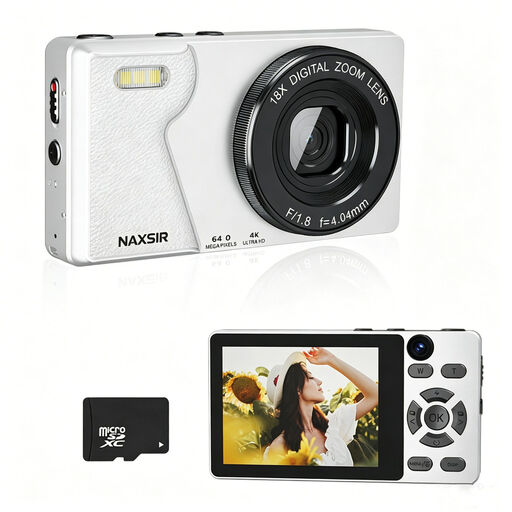 Image unavailable
The stated autofocus and digital zoom are worth bearing in mind when framing your shot. Digital zoom is not the same as optical zoom.
The product name lists 64 MP photo resolution and 18× digital zoom. Check a test file after applying your intended crop before using it for a print.
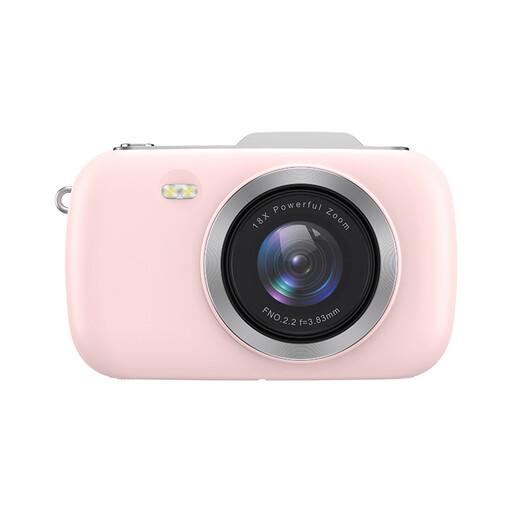 Image unavailable
The product name refers to photography and a portable camera. Check that the image files and crop meet the requirements for your exhibition.
The product name lists 80 MP, 18× zoom and 4K video. Check the exact camera and recording specifications that matter for your photos.
 Image unavailable
The product description mentions still photography as well as video. Check that this vlogging camera and its saved photos suit your portrait and print needs.
The product information lists a 1-inch CMOS sensor, 4K/120fps video and 3-axis stabilisation.
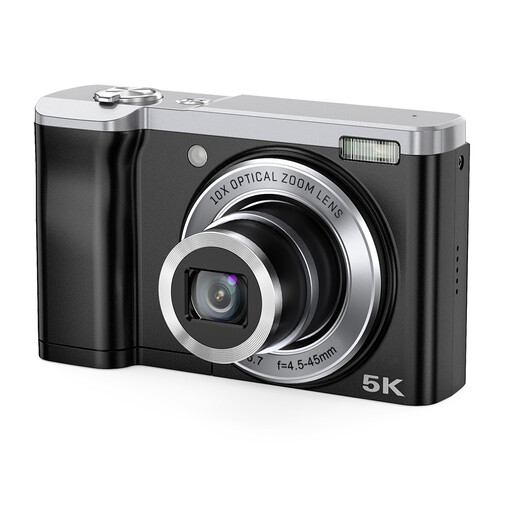 Image unavailable
The stated optical zoom may be useful when framing your shot. Also assess the actual saved file after applying your planned crop.
The description lists a 16 MP front camera and a 12 MP rear camera; the stated 56 MP is interpolated.
 Image unavailable
According to the product description, this APS-C mirrorless camera kit includes a 16-50mm zoom lens. Check that the range suits the space and portrait framing you have in mind.
The product description lists a 24,2 MP APS-C sensor and a vari-angle screen. A compatible SD memory card is not included.
No, not automatically. First decide on the print size and the crop you’ll need, then assess a test file. The APS-C and full-frame cameras reviewed have different stated sensors and pixel dimensions, but those details alone won’t show you what a particular print will look like.
Don’t assume so. Check the exact listing to see whether it’s for the body only or a kit, and whether the included lens suits your intended portrait framing and available space.
Take a test portrait with your chosen lens in similar lighting, and check the focus and exposure. Submit a test file according to the printer’s requirements, and keep the original files and an extra copy. A test is a check, not a guarantee of a particular print quality.
According to ACM Consumer Information, if a product is faulty, the seller may, depending on the circumstances, repair or replace it free of charge, or refund the purchase price. There is no single fixed statutory warranty period for cameras; the assessment depends in part on what you could reasonably expect from the product.
First check which privacy rules and rights apply to taking and sharing the images. The Dutch Data Protection Authority says that the GDPR may apply when images are used for organisational or professional purposes, and when photographs are taken at an event; you’ll need a valid legal basis, such as consent. If a school publishes images of pupils itself, the Authority specifies that consent is needed; for pupils under 16, it refers to consent from a parent. Before the exhibition, establish who is taking and publishing the images, and what consent or other legal basis applies to that use. Also check whether you need the photographer’s permission to use their work.