
Vandaag of morgen in huis

Kwaliteit gegarandeerd

Welkomstaanbiedingen ontgrendelen: GRATIS bezorging | Tot 80% korting | Gratis 30 dagen JoyPlus-proefperiode
Download de app
A new high-end graphics card like the Gigabyte GeForce RTX 5080 is a significant investment. The specifications look impressive on paper, but the market is filled with marketing jargon and subtle differences that can have a major impact on your purchase. Before you decide to buy a Gigabyte RTX 5080, it's crucial to know what to look for to avoid wasting money on unnecessary features or, worse, buying a card that doesn't fit in your system.
We'll outline the most common pitfalls and provide objective criteria to help you make the right choice.
Many buyers focus solely on the "RTX 5080" name, but the specific model of the card is at least as important. Two mistakes are particularly common:
To avoid a bad purchase, focus on the following three concrete specifications. These determine the actual performance and compatibility of your new Gigabyte graphics card.
The performance of a modern GPU is heavily dependent on its cooling. If the card gets too hot, it will automatically lower its clock speed to prevent damage (thermal throttling). A robust cooling system, like Gigabyte's WINDFORCE with multiple fans and a large heatsink, ensures the card stays cool under heavy load and can run at maximum speed.
Always check:
The GeForce RTX 5080 is a powerful card with significant power consumption, often around 360W (TGP). Gigabyte typically recommends a power supply of at least 850W with an 80+ Gold certification.
Essential points:
The RTX 5080 16GB spec doesn't tell the whole story. The combination of memory size, type, and bus speed determines the bandwidth, which is crucial for 4K gaming and demanding creative tasks.
Based on these objective criteria, we have selected several Gigabyte cards that suit different user profiles.
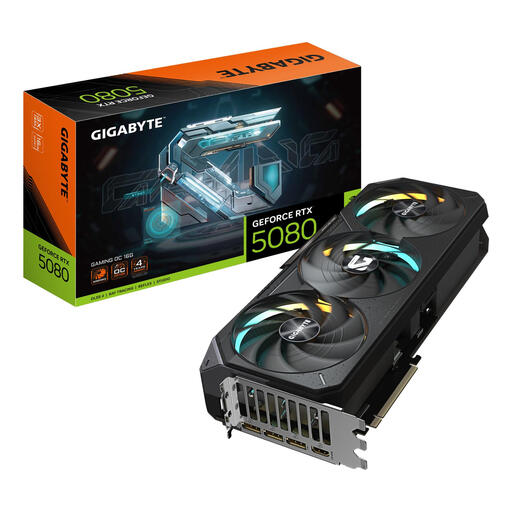
Why it's a match: For the gamer or creator who makes no compromises. This card is designed for maximum, stable performance in 4K gaming, ray tracing, and demanding professional applications.
The premium price of this OC model is justified by its superior WINDFORCE 3X cooling system with a vapor chamber, ensuring sustained high performance rather than just a brief peak.
Excellent thermal design for consistent performance. Features a Dual BIOS for a quiet or performance-oriented mode.
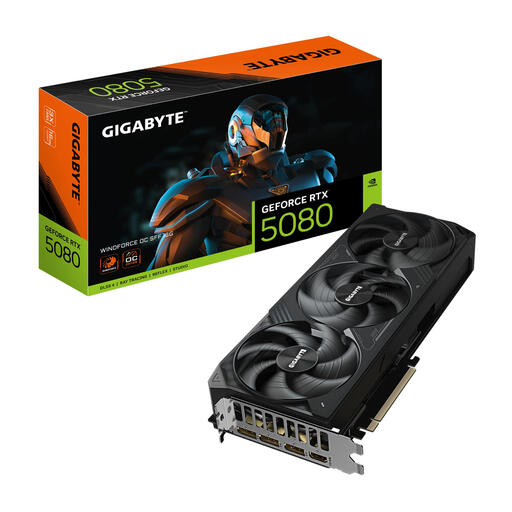
Why it's a match: Perfect for PC builders who want a Small Form Factor (SFF) system without compromising on graphics power. This card is specifically designed for compact cases.
This model directly solves the "will it fit?" problem. Its more compact size (304 mm length) is designed for SFF cases where larger cards won't fit.
Delivers full RTX 5080 power in an SFF-friendly format. The WINDFORCE cooling system is optimised for efficiency in smaller spaces.
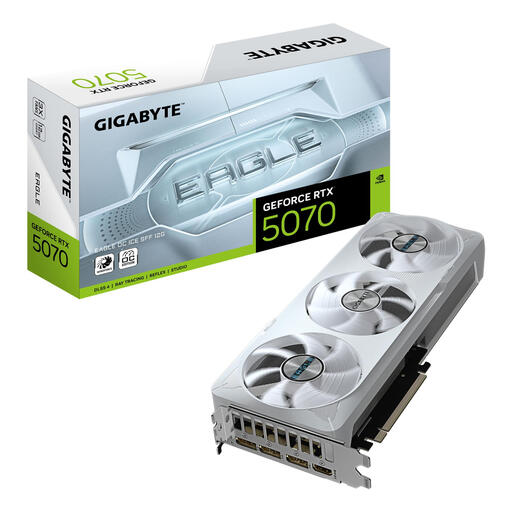
Why it's a match: For those who want a major performance leap for 1440p and light 4K gaming but find the GeForce RTX 5080 price too high. An excellent balance between price and performance.
This card avoids the premium price of the top-tier model while still letting you benefit from the latest NVIDIA architecture. Its lower power consumption (250W) can also save you from a costly PSU upgrade.
Strong price-to-performance ratio for modern games. It benefits from technologies like DLSS 4 and is a huge upgrade over older generations.
We have compiled a complete, up-to-date list of products that fully meet these strict selection criteria and EU regulations.
Most likely, yes. Gigabyte recommends a power supply of at least 850W with an 80+ Gold certification for stable performance. It is also crucial that your PSU supports the 12+4-pin (PCIe 5.0) connector, either natively or via the included adapter. An underpowered or old PSU is a risk to your system.
The GAMING OC is typically Gigabyte's higher-tier model. These cards often feature a more advanced cooling system, a higher factory overclock, and extras like a Dual BIOS. The WINDFORCE model is the more standard, yet still very capable, version that focuses on reliable performance at a more accessible price point. For most users, a WINDFORCE is an excellent choice, while the GAMING OC is aimed at enthusiasts who want to get the absolute maximum out of their hardware.
For the foreseeable future of 4K gaming, 16GB of fast GDDR7 memory is a very solid foundation. This provides more than enough capacity for the high-resolution textures and complex, ray-traced worlds of the latest and upcoming games. With this, you are well-prepared for the graphical demands of the coming years.
