
Home office with large backups
You want to connect a backup server and work computer using Ethernet and check whether their network ports support 2.5GbE. TP-Link documents 2.5GbE switches, while QNAP describes 2.5GbE connections for backups.


A gigabit switch is enough if your backup server and the computers involved support up to 1GbE; 2.5GbE is only worthwhile if both ends and the switch ports support that speed. Factor in the connection to your router and the number of ports you need, and choose management or PoE only if you plan to use those features. The stated port speed does not guarantee a particular backup speed.
You want to connect a backup server and work computer using Ethernet and check whether their network ports support 2.5GbE. TP-Link documents 2.5GbE switches, while QNAP describes 2.5GbE connections for backups.
You want to connect your server and computers because your router doesn’t have enough spare network ports, but you don’t need management features. The TP-Link TL-SG105 and TL-SG1005D are examples of switches with five gigabit ports.
You want to configure features such as VLANs or port diagnostics and are happy to adjust the settings. TP-Link lists these features for the TL-SG105E.
When setting up a wired backup server in a home office, your choice mainly comes down to the speed supported by your connected devices, the number of connections you need and any features you’ll actually use.
| What to consider | What should you check? | Who is this important for? |
|---|---|---|
| Backup connection speed | Check the Ethernet specifications for your server and computers, and the speed of the ports that will be connected to each other. | If my server and work computer support 2.5GbE, I want to know whether the switch can handle that speed on the relevant connections. Around 36% of consumers say backup connection speed is their top priority. |
| Simple setup | Decide whether you actually want to use VLANs, monitoring or other configurable features. | I want to connect devices without having to configure features I don’t need. Around 29% of consumers prioritise a simple setup and avoiding unnecessary features. |
| Number of ports | Count the connection to your router, server, computers and any other wired devices. | If I want to connect several devices, I also need to leave a port free for the connection to the router. Around 21% of consumers mainly choose based on the number of ports needed for their planned devices. |
| Management and PoE | Decide which management feature you’ll use. For PoE, check the device’s standard and the switch’s total power budget. | For example, I may want to set up VLANs or power a compatible device through the network cable, but I don’t want to pay for features I won’t use. Around 14% of consumers say network management features are their top priority. |
A 2.5GbE switch won’t automatically make a connection faster: the relevant devices and switch ports must support that speed. The switch specification alone doesn’t tell you how long a backup will take.
First, check the network ports on your server and computers, and see which devices will be connected to each other.
The cable connection to your router also uses a port. So a five-port switch won’t have all five ports available for other devices.
Count all the wired connections you’re planning, including the one to your router, before choosing the number of ports.
If your setup doesn’t fit, you may need an additional switch.
VLAN management and PoE serve different purposes from simply connecting a backup server using Ethernet. PoE is only relevant if you have a compatible device that uses Ethernet for power.
Decide in advance which management feature you want to configure or which device you want to power. For PoE, also check the supported standard and the total power budget.
TP-Link documents separate options for unmanaged gigabit, unmanaged 2.5GbE, gigabit with management features and 2.5GbE with PoE.
According to NETGEAR, the MS305 is an unmanaged switch with five 2.5G ports for home or office use.
QNAP describes 2.5GbE connections between network equipment and compatible NAS or computer connections, including for backups.
The Zyxel XMG-100 documentation describes a different technical option, with 2.5G device ports and a 10G-SFP+ uplink.
The products below cover gigabit and 2.5GbE switches for wired connections, with management features and/or PoE on some models.
 No image available
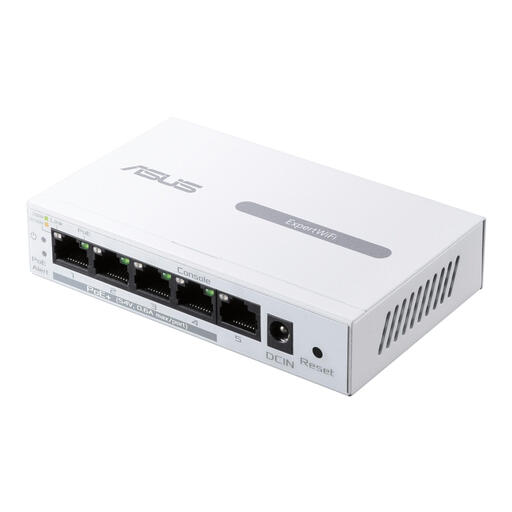
A gigabit option if the relevant devices use up to 1GbE and you also want to power compatible devices over Ethernet.
Five gigabit ports; four PoE ports supporting 802.3af.
 No image available
An option for several wired devices if you also want to use network monitoring or cable diagnostics.
Eight gigabit ports and four PoE ports. The product information lists management via a web interface.
 No image available
An unmanaged 2.5GbE option if your server and the computers involved support that speed, and you also want to power compatible devices using PoE+.
Five 2.5GbE ports, four of which are PoE+ ports; total PoE budget of 60 W. The product information recommends ventilation and notes that the metal casing may become warm under heavy PoE loads.
 No image available
A managed gigabit option if you want to configure network features and power compatible devices over Ethernet.
Five Ethernet connections up to 1 Gbps and a PoE budget of 60 W. The product information specifies indoor use only and an operating temperature of 0–40 °C.
 No image available
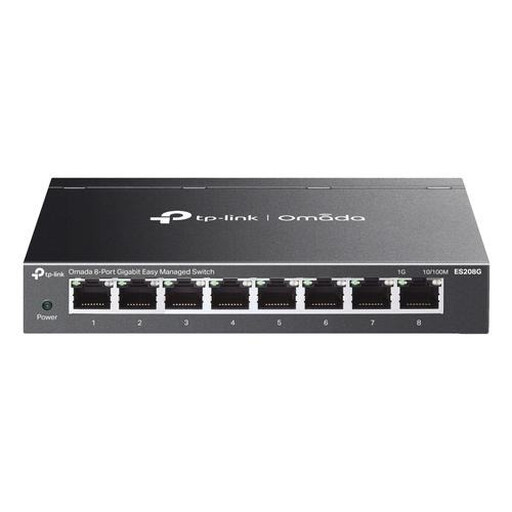
A managed gigabit option for anyone who wants to connect several wired devices and manage network traffic with features such as VLAN or QoS.
Eight gigabit ports; the product information lists VLAN, QoS, link aggregation and port mirroring. According to the product information, this model does not have PoE.
Yes. For a 2.5GbE connection, the network interfaces involved and the switch ports in use must support that speed. A 2.5G port on the switch alone won’t make a device with a 1GbE port any faster.
The manufacturer does not list any configuration requirements for the unmanaged TP-Link TL-SG105 and NETGEAR MS305. Connect the switch to the power supply, then use Ethernet to connect it to your router and devices. If you have problems, check the physical connections and the negotiated speed.
Remember to count the connection to your router: it also uses a switch port. Then add your server, computers and other wired devices to work out how many ports you need.
A network switch sold in the Netherlands must meet the applicable CE conformity requirements. According to the Netherlands Enterprise Agency, CE is a conformity mark applied by the manufacturer, not an independent quality mark. Check the specific switch and version.
For a consumer purchase in the Netherlands, you can contact the retailer to exercise your statutory rights. According to the Dutch government, there is no fixed statutory warranty period for every product; any manufacturer’s warranty is in addition to your statutory rights.