
Student looking to avoid interruptions
You take part in interactive lessons from a separate garden office and want to know whether the video, audio and overall experience work well enough there.


Don’t replace your main router straight away. First, check the connection in your garden office and between your home and the outbuilding. Choose a wired Wi-Fi access point if you can run a cable, wireless mesh if the extra unit gets a strong enough connection at its planned location, or try powerline if you don’t want to run a network cable. None of these options on its own guarantees an uninterrupted lesson.
You take part in interactive lessons from a separate garden office and want to know whether the video, audio and overall experience work well enough there.
You want to connect your garden office without running a network cable between the buildings, and are comparing wireless extension with powerline.
You want to extend your Wi-Fi without replacing your main router unnecessarily. Check that the extra unit works with your current system and where it can be placed.
Choose this if: you can run a suitable network cable to your garden office and want to provide Wi-Fi there.
Bear in mind: you’ll need to install the cable and provide power; an access point won’t fix a problem with your home’s internet connection.
Choose this if: you don’t want to run a cable between the buildings and can confirm there’s a usable network connection where you plan to put the extra unit.
Bear in mind: distance and obstacles can affect the wireless connection. Also check that the device works with your existing mesh system.
Choose this if: you’d like to try using your existing electrical wiring instead of installing a new network cable.
Bear in mind: performance depends on the electrical installation at your property. Test the sockets and connection before relying on it.
For online lessons in a garden office, the key things to consider are the connection where you’ll be taking the lesson, the route between the buildings and compatibility with your existing equipment.
| What to consider | What should you look for when buying? | Who should consider this? |
|---|---|---|
| Stable connection for lessons | Test video and audio where you’ll be taking the lesson, and check the connection quality in your meeting app. Microsoft says a poor connection can cause video and audio issues, delays or dropped calls. | If I want to hear, see and take part in an interactive lesson without problems, I focus on the connection in the garden office. Around 36% of consumers name a stable connection for lessons as their top buying priority. |
| Range without a cable | Test the connection where you plan to place the extra unit and check that the device works with your existing mesh network. | If you want to get Wi-Fi to your garden office without running a cable between the buildings, focus on the coverage where the extra unit will go. Around 29% of consumers name wireless range as their top buying priority. |
| Connection through electrical sockets | Check that the kit provides Wi-Fi in your garden office, and test the intended sockets and connection for your lesson. | If I’d rather try using the existing electrical wiring than install a network cable, I check whether powerline works in both locations. Around 21% of consumers name this cable-free connection as their top buying priority. |
| Installation and compatibility | Check the exact model, required management environment, connections and power supply method. | If you’re looking for an extension that works with your existing equipment and power supply, check these requirements before buying. Around 14% of consumers name straightforward, compatible installation as their top buying priority. |
A quoted maximum speed doesn’t automatically tell you how well video and audio will work where you’re taking your lesson. Microsoft says a poor internet connection can cause quality issues, delays and dropped calls.
Test a call in the intended location and check the connection quality in your meeting app during the test.
The extra unit must be able to reach your existing network. For the wireless Deco X50-Outdoor, TP-Link gives model-specific distance figures; these aren’t a general limit for other mesh devices.
Check the connection where you plan to install it, or choose a wired connection if that’s an option.
ASUS distinguishes between the ZenWiFi BD4 and the ZenWiFi BD4 Outdoor. The IP65 specification applies to the Outdoor version and not automatically to a model with a similar name.
Check the full model name and follow the placement instructions for that specific version.
According to devolo, dLAN range adapters can’t be combined with Magic adapters in a single powerline network.
Check the product range of the adapters and test the sockets you plan to use.
Worth considering if you want to extend a Deco mesh network or are looking at a standalone Omada access point.
Worth considering if you want to try powerline to connect your garden office using your existing electrical wiring.
Worth considering if you’re looking at an AiMesh unit suitable for outdoor placement and have checked that it’s compatible with your existing ASUS setup.
Worth considering if you already use UniFi management or are looking at a separate connection between buildings.
These products cover wireless mesh, powerline and wired access points. Check the connections, compatibility and placement requirements for each model in your garden office.
 No image available
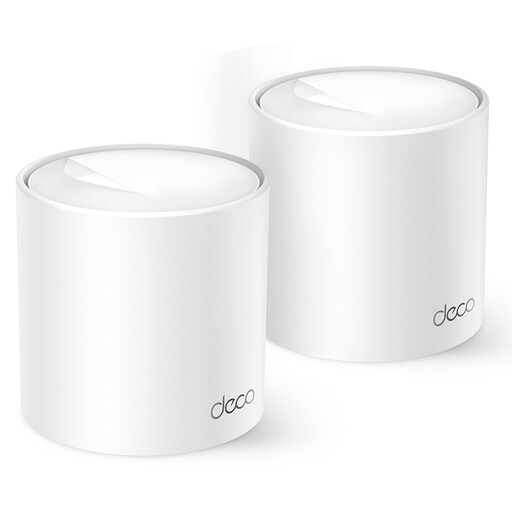
An option if you’re looking for a Deco mesh solution with two units. Check that it works with your existing network and provides a connection where you plan to use it.
 No image available
A starter kit for anyone looking to use existing electrical wiring to get Wi-Fi to their garden office. Performance depends on the electrical installation; test the intended sockets before relying on it.
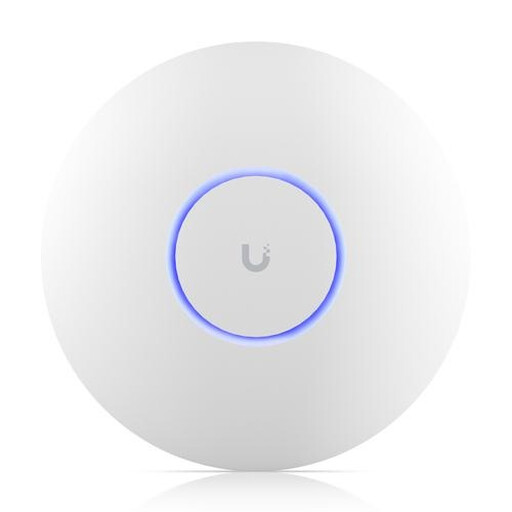 No image available
An access point for anyone who can run a wired connection to their garden office. Bear in mind that it requires PoE power through the network connection.
 No image available
An option if you want to extend your Wi-Fi with multiple Deco mesh units. The product information advises keeping the device away from water, moisture and environments with high humidity.
The product name specifies dual-band 2,4 GHz / 5 GHz and Wi-Fi 6 (802.11ax).
 No image available
An access point for anyone who can run a wired connection to their garden office. Check the required power connection and configuration beforehand.
According to the product information, keep the device away from water, moisture and direct sunlight.
Not before checking the connection. During a lesson or test call, check both your workspace and the connection between your home and garden office; an extra Wi-Fi point also needs a usable connection to the network. In Microsoft Teams, you can view network and video data.
Make a test call from the place where you take your lessons and check the video, audio and connection quality. Microsoft Teams displays information including network and outgoing video quality; a quoted maximum speed isn’t a substitute for checking the connection on site.
Follow the instructions for the exact model. For the Deco X50-Outdoor, TP-Link specifies IEEE 802.3at PoE or mains power; for outdoor mains power, the installation guide requires a waterproof outdoor socket and protection from rain. TP-Link also specifies that it must be mounted upright.
No, the connection depends on the electrical installation and conditions at your property. Test the intended sockets and check that the kit you choose provides Wi-Fi where you’ll be taking your lesson.
According to ACM ConsuWijzer, you have the freedom to choose your router, but a provider may refuse to support your own device in certain circumstances, for example if it’s unsafe. According to the Dutch Authority for Digital Infrastructure, Wi-Fi on designated frequencies is licence-exempt if you comply with the conditions of use; no notification or registration is required for this type of licence-exempt frequency use.