What should you look for when buying?
First, work out whether you can run a cable. Then choose between a wired connection, wireless mesh or a model suitable for outdoor installation.
Wired access point or mesh node
Choose this when: you can run a cable to your garden office and want to avoid a wireless link between the buildings.
Consider: running the cable and providing any necessary power takes work; an access point won’t improve your internet service itself.
Wireless mesh
Choose this when: you can’t run a cable and the connection between the mesh nodes is strong enough at your chosen location.
Consider: distance, walls and insulating glass can weaken the connection. Adding another node doesn’t guarantee a stable connection for your workshop.
Outdoor Wi-Fi access point
Choose this when: the device will actually be installed outdoors in an exposed location.
Consider: check that the exact model is suitable for outdoor use, along with its power and installation requirements. A weatherproof casing won’t automatically fix a weak wireless connection.
| What to consider |
What to look for when buying |
Who is this important for? |
| Stable connection |
Check whether you can run a cable and test the connection at your workspace. |
If I need a stable connection during an interactive workshop, I want to know whether I can run a cable to my garden office and test the connection there. Around 36% of consumers prioritise a stable connection. |
| Range without a cable |
Test the connection where you plan to put the extra node and check that it works with your existing system. |
If I can’t run a cable, I want to check whether the wireless node will still connect to my home network at the chosen location. Around 29% of consumers prioritise range without a cable. |
| Outdoor installation and power |
Check that the exact model is suitable for outdoor use, along with its installation requirements and power supply. |
For exposed installation, I want a model designed for outdoor use and to know in advance how it will be installed and powered. Around 21% of consumers prioritise suitability for outdoor use. |
| Keeping existing equipment |
Check whether the device works with your router as an access point over LAN and which management features are available together. |
If my router still meets my needs, I want to see whether a single extra wired node can provide coverage in my garden office. Around 14% of consumers want to keep their existing equipment. |
Joybuy products
These products are suited to a wired access point setup or extending your network with indoor mesh. Before buying, check the CE marking on the specific model. The Dutch Authority for Digital Infrastructure states that radio equipment sold in Europe must meet the applicable requirements and carry a CE marking.
 No image available
TP-Link Omada EAP653
An access point for extending Wi-Fi to a workspace over a wired connection. Check that your setup provides the required PoE power.
PoE is listed in the product name.
Joybuy
 No image available
Ubiquiti U7 Pro
An access point to consider for extending Wi-Fi over a wired connection. Check that you have a suitable PoE power supply before buying.
The product name lists 5800 Mbit/s and PoE.
Joybuy
 No image available
TP-Link EAP725-Wall
An access point to consider for a wired network extension. Check that the PoE power requirements suit your setup.
The product name lists 5012 Mbit/s and PoE.
Joybuy
 No image available
TP-Link Deco XE75 Pro (3-pack)
A mesh system to consider for extending your network wirelessly indoors. Test that the connection between the nodes is strong enough at your chosen location.
The product name lists tri-band, Wi-Fi 6E and frequency bands of 2,4 GHz, 5 GHz and 6 GHz. Not suitable for exposed outdoor installation.
Joybuy
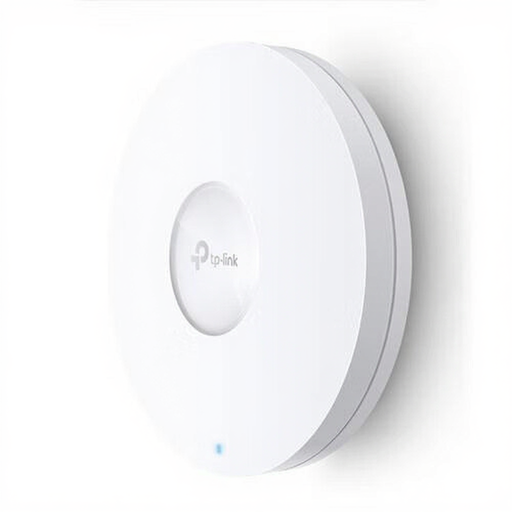 No image available
TP-Link Omada EAP620 HD
An access point to consider for extending a wired connection to your garden office. Check that you can connect the required PoE power supply.
PoE is listed in the product name.
Joybuy
Frequently asked questions
Do I need to replace my router if the Wi-Fi is only poor in my garden office?
Not necessarily. If your existing router and internet connection are otherwise up to the job, you can add a suitable access point or wired Wi-Fi node. Test the connection in your garden office before deciding that you need a replacement.
Can I install a standard Wi-Fi booster outdoors?
Don’t assume you can. For exposed outdoor installation, choose a device specifically designed for outdoor use and follow the installation and power instructions for the exact model.
Do the advertised Wi-Fi speed and coverage guarantee an uninterrupted workshop?
No. TP-Link states that actual throughput and coverage vary, among other things, with building materials, obstacles and the devices used. Test both your network connection and workshop software at your workspace. A higher advertised Wi-Fi speed doesn’t prove that your internet connection will be stable there.
Who can help if a product develops a fault, and what does the warranty mean in the Netherlands?
According to the Dutch government, if there’s a problem with a consumer purchase, the seller must provide a solution. A manufacturer’s warranty or an extended warranty you’ve bought comes in addition to your statutory rights. The expected lifespan depends, among other things, on the product and the information provided at the point of sale.
Do I need a licence or registration for standard Wi-Fi in the Netherlands?
According to the Dutch Authority for Digital Infrastructure, Wi-Fi uses frequencies that don’t require a licence or registration. The applicable terms of use and product requirements still apply, so check the CE marking on the specific model.


