What should you look for?
Start by checking the connection where you work, then consider file sharing, security and the installation you’ll need.
| What to consider |
What to look for when buying |
Who is this important for? |
| Connection to the garden office |
Check whether you can run an Ethernet cable and whether an access point or mesh point is suitable for the intended location. |
If I work in the garden office, I need a reliable connection there; around 36% of consumers prioritise coverage in their workspace. |
| Local file sharing |
Check whether the exact model makes a connected drive available locally to your computers, for example via SMB. |
If you want to open project files from several computers, a shared storage location matters; around 29% of consumers prioritise local file sharing. |
| Access and recovery |
Check the options for secure file access and router updates, and arrange a separate back-up. |
If you work with files you can’t afford to lose, you need both access management and a recoverable copy; around 21% of consumers prioritise file security. |
| Installation and purchase |
First consider whether you can keep your existing router and what additional cables, Wi-Fi points or storage you’ll need. |
If I want to avoid unnecessary work or extra equipment, I’ll compare the installation requirements before replacing anything; around 14% of consumers prioritise ease of installation and purchase. |
Joybuy products for mesh and access points
These Joybuy products are designed for mesh expansion or use as an access point while keeping your existing router. Check how you’ll connect your home to your garden office and where you’ll store your project files.
 No image available
TP-Link Deco BE68, 2-pack
Suitable for a setup with multiple mesh points and wired devices in your garden office.
The product information lists tri-band Wi-Fi and WAN/LAN ports of 10, 2.5 and 1 Gbps per unit.
View at Joybuy
 No image available
Linksys Velop Pro 7 Tri-Band, Wi-Fi 7, white
Suitable for anyone considering a mesh setup with wired connections.
The product information lists the 2.4, 5 and 6 GHz frequency bands, gigabit and 2.5-gigabit ports, and expansion with Velop Pro 7 or compatible Linksys Cognitive Mesh units.
View at Joybuy
 No image available
TP-Link EAP725-Wall, 5012 Mbit/s
Suitable for anyone who wants to keep their existing router and install an access point in their garden office.
The product information lists Wi-Fi 7, PoE and three Ethernet ports, including a 2.5 Gbps port. PoE is the stated power supply method.
View at Joybuy
 No image available
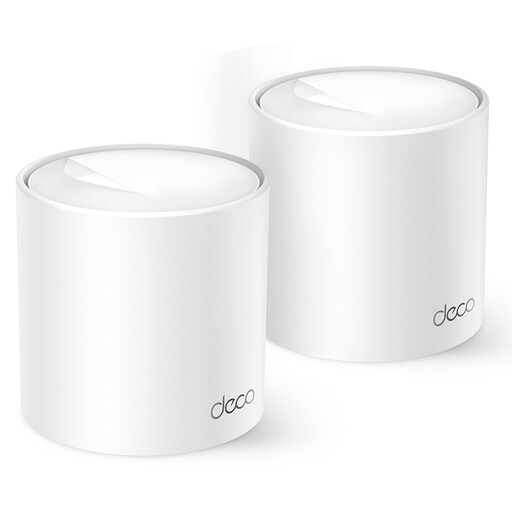
TP-Link Deco X10, dual-band, Wi-Fi 6
Suitable for anyone who wants to use multiple Deco points and connect wired devices too.
The product information lists the 2.4 and 5 GHz bands, two Ethernet ports per unit and expansion with other Deco models.
View at Joybuy
 No image available
TP-Link Omada EAP613, Wi-Fi 6
Suitable for anyone who wants to keep their existing router and install an access point.
The product information lists mesh support, roaming, wall or ceiling mounting, and management via Omada SDN or a local controller. Power options include PoE, passive PoE and DC.
View at Joybuy
Frequently asked questions
Should I replace my router if the Wi-Fi in my garden office is weak?
Not necessarily. First, check the connection and router position: distance and obstacles can weaken the signal. Then compare a wired access point with an extra Wi-Fi point in a location where the connection works.
Can I use a USB drive with any router to share project files?
No, check the features of the exact model. TP-Link describes local access to a connected drive via SMB or FTP for compatible routers; also check which security settings are available.
Is a shared drive automatically my back-up?
No. A back-up is a separate copy that lets you restore files if they’re lost. Keep and maintain this copy separately from your shared work location.
How do I keep my own router up to date?
Set up automatic updates if your router supports them. Otherwise, VeiligInternetten recommends checking regularly for available updates yourself.
Can I use my own router in the Netherlands, and do I need a licence for Wi-Fi?
ACM ConsuWijzer explains that you’re free to choose your own router; if you connect it directly, the device must meet the applicable requirements. According to the Dutch Authority for Digital Infrastructure, Wi-Fi is licence-exempt as long as you follow the designated frequency bands and conditions of use, for both private and business use.


