What should you look for when choosing?
Network cable to the garden office
When is this a good option? If running a cable is practical and you upload files regularly.
Bear in mind: Running a cable and providing power take extra work. Choose a Wi-Fi access point that suits your LAN setup. TP-Link Netherlands and FRITZ! describe models that can be connected via LAN.
Wireless mesh connection
When is this a good option? If you don’t want to run a cable and can place an extra access point somewhere it still has a good connection.
Bear in mind: An extra access point won’t fix a weak connection between mesh points. For wireless installation of the Deco X50-Outdoor, TP-Link recommends a maximum distance of 15 metres from the nearest Deco, with 10 metres as the ideal guide. Also take obstacles and the actual placement into account.
Point-to-point connection between buildings
When is this a good option? If running a cable isn’t practical and both buildings have suitable mounting points and power supplies.
Bear in mind: The bridge connects the buildings, but it doesn’t automatically provide Wi-Fi for your laptop. Ubiquiti Europe describes a two-unit kit with a 60GHz connection and a 5GHz backup radio. You may need an additional Wi-Fi access point.
The key question when buying is where upload speeds are being limited: at your internet connection, between your home and garden office, or by the Wi-Fi in your workspace.
| What to consider |
What should you check? |
Who should pay particular attention? |
| Reliability during uploads |
Test the connection in your workspace and check whether you can connect a Wi-Fi access point by cable. |
If I regularly send large design files, I want a reliable connection while they upload. Around 36% of consumers put upload reliability first. |
| Range between the buildings |
Assess the distance, obstacles and connection quality at the planned location for the extra access point. |
If I don’t have a cable route, I want to know whether the signal will reach my garden office. Around 29% of consumers make coverage between home and workspace their top priority. |
| Upload speed included in your package |
Compare a measurement taken at your main router with the upload speeds included in your fixed broadband package. ACM ConsuWijzer explains the minimum and normally available upload speeds that providers list. |
If upload speeds are already disappointing at the main router, I want to find out first whether my connection is the limiting factor. Around 21% of consumers prioritise their package’s upload speed. |
| Compatibility and installation |
Check that the access point works with your existing mesh network and that you have the cable, power supply and mounting location you need. |
If I want to extend my current network, I want to know in advance whether the equipment and installation are compatible. Around 14% of consumers give compatibility and installation work top priority. |
Joybuy products for this situation
These products are suited to extending wireless mesh or setting up a wired Wi-Fi access point in your garden office. They won’t automatically increase the upload speed of your broadband package.
 Image unavailable
ASUS RT-AX52 AX1800 AiMesh router
Suitable for extending an AiMesh network wirelessly indoors; the product information advises against outdoor placement.
Wi-Fi 6, dual-band (2,4 GHz / 5 GHz) and three gigabit ethernet ports.
View at Joybuy
 Image unavailable
TP-Link Deco X50 3-pack
Suitable for a mesh setup with multiple access points; check where an extra unit can still connect to the existing network.
Wi-Fi 6; three units, each with three gigabit ethernet ports.
View at Joybuy
 Image unavailable
TP-Link Deco XE75 Pro 3-pack
Suitable for a mesh setup with multiple access points; check the connection between units at the intended locations.
Tri-band Wi-Fi 6E (2,4 GHz / 5 GHz / 6 GHz); three units with ethernet ports, including a 2,5-gigabit port on each unit.
View at Joybuy
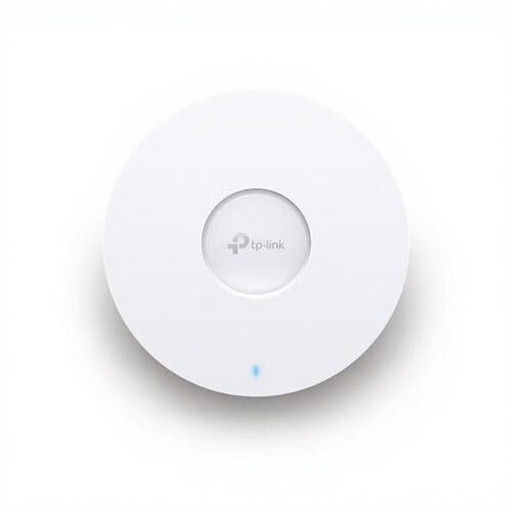 Image unavailable
TP-Link Omada EAP670
Suitable for a wired connection to a Wi-Fi access point in your garden office; check that you have the PoE+ equipment you need.
Wi-Fi 6, a 2,5-gigabit ethernet port, PoE+ power and wall or ceiling mounting.
View at Joybuy
 Image unavailable
TP-Link Omada EAP613
Suitable for an access point connected via a network cable; check which power method and mounting option suit your setup.
Wi-Fi 6, mesh and seamless roaming; wall or ceiling mounting and power via PoE, passive PoE or DC.
View at Joybuy
Frequently asked questions
How can you tell whether you need a new router for slow uploads?
Compare repeated upload speed tests at your main router, ideally using a cable, with tests in your workspace and the upload speeds listed by your fixed broadband provider. If the connection is already inadequate at the main router, an extra Wi-Fi access point won’t automatically fix it. ACM ConsuWijzer explains which upload speeds are listed for a fixed connection.
Can you mount an ordinary Wi-Fi access point outside your garden office?
For an exposed outdoor location, choose a model whose manufacturer provides guidance on outdoor use and mounting. For the Deco X50-Outdoor, TP-Link lists an IP65 enclosure, upright mounting and separate power supply requirements. An indoor model won’t gain these features just by being mounted outside.
Do you need a licence for Wi-Fi or a connection between the buildings?
It depends on the equipment and configuration. The Dutch Authority for Digital Infrastructure gives Wi-Fi as an example of frequency use that is licence-exempt under certain conditions. For point-to-point radio links, the RDI specifically lists an exception for 60 GHz below 10 W e.i.r.p. Check that your chosen setup meets the requirements.
What do you need to arrange before having a cable buried to your garden office?
For mechanical excavation work, the Dutch government says you must submit a digging notification to the Land Registry at least three working days in advance. This rule doesn’t automatically mean the same notification is required for other installation methods; check which rules apply to your plans.
Is the legal guarantee on a router in the Netherlands always exactly two years?
No. ACM ConsuWijzer explains that the legal guarantee depends on what you could reasonably expect the product’s lifespan to be; the law doesn’t set a fixed two-year period. If your product develops a fault and you want to claim under the legal guarantee, contact the seller.


