
Gamer with usable Wi-Fi close to the house
Your garden office has weak Wi-Fi, but there’s still a usable signal in a sheltered spot closer to the router. TP-Link recommends placing a repeater within range of the router.


A Wi-Fi repeater can work if it can still receive a usable Wi-Fi signal at a point between your router and garden office; TP-Link recommends placing the repeater within range of the router. A stronger signal in the garden office won’t fix a weak connection between the repeater and router. If a wireless connection isn’t possible, compare running a network cable with using an access point, or test powerline if your electrical wiring is suitable. For outdoor installation, you’ll need equipment designed for that purpose.
Your garden office has weak Wi-Fi, but there’s still a usable signal in a sheltered spot closer to the router. TP-Link recommends placing a repeater within range of the router.
Distance or walls make a wireless connection from the house unreliable. You can check whether your electrical wiring is suitable for powerline; devolo says a shared electrical circuit is required for use in a garden shed.
You can run a network connection to the garden office, then provide Wi-Fi there or connect a gaming device directly. FRITZ! describes a LAN connection between a repeater and the home network.
Choose a solution based on the connection you can bring to your garden office, not just the maximum speed printed on the box.
| What to consider | What to look for | Who is this most important for? |
|---|---|---|
| Wi-Fi between the house and repeater | Find a spot between the router and garden office where Wi-Fi is still usable; test the connection where you’ll be downloading. | If I don’t want to run a cable, I need to find a suitable spot where the repeater can still receive the signal. Around 36% of consumers prioritise having a usable wireless point between the router and their destination. |
| Distance or walls | Check whether your electrical wiring is suitable for powerline, and test the kit using the sockets you plan to use. | If distance or walls weaken the Wi-Fi from the house, I want to know whether powerline will work with my electrical wiring. Around 29% of consumers prioritise coverage over distance or through walls. |
| Wired connection | Check whether you can run a cable and whether the access point has a suitable Ethernet connection and access point mode. | If I can run a cable to the garden office, I want to avoid a wireless connection between the house and access point. Around 21% of consumers prioritise a wired connection. |
| Outdoor installation | Work out whether the device will actually be installed outdoors. If so, check the weather resistance, power supply and mounting requirements for the exact model. | If the device needs to be installed outdoors, I want a model designed for that location and suitable for the way it will be mounted. Around 14% of consumers prioritise suitability for outdoor installation. |
A repeater depends on the signal it receives. If Wi-Fi is already weak at every possible position between the router and your garden office, it can’t improve the connection to the office.
First, check reception at potential installation points. If coverage is inadequate, compare running a network cable or, if your electrical wiring is suitable, using powerline.
Depending on the mode, an Ethernet port may be for connecting a device or for a wired connection to the repeater.
Check whether the device works wirelessly as a repeater or connects to the router by cable and is set up as an access point.
A device designed for indoor use isn’t automatically suitable for outdoor installation.
Install an indoor model in a sheltered spot, following the instructions. Outdoor installation may require a device designed for the purpose, along with suitable mounting or power supply.
The RE705X is designed for indoor use as a repeater or wired access point; the Deco X50-Outdoor is a separate model designed for outdoor use.
The Magic 2 WiFi 6 next Starter Kit is a powerline option if your electrical wiring to the garden office is suitable.
The FRITZ!Repeater 1200 AX is an option if you’re looking for a repeater with a LAN connection.
The EAX15 is an indoor repeater with Wi-Fi 6 and a gigabit Ethernet port.
The RP-AX58 is a repeater with access point mode and AiMesh features when used with a compatible ASUS router.
This Joybuy selection includes powerline Wi-Fi, a wireless repeater and wired Wi-Fi access points. Choose based on the connection you can bring to your garden office.
 Image unavailable
Suitable for a garden office where you want to try powerline using your existing electrical wiring. The connection depends on the suitability of that wiring, so test the kit using the sockets you plan to use.
 Image unavailable
A wireless repeater may work if there’s still usable Wi-Fi between the router and garden office. Test reception at the intended location; the device will still depend on the connection it receives.
 Image unavailable
A wired Wi-Fi access point for a location where you can run a network cable. The product name includes PoE; check that the wired connection and power supply required are suitable for your setup.
 Image unavailable
The name lists both access point and extender functions, for setups with wired or wireless connections respectively. Check which mode suits the connection to your garden office.
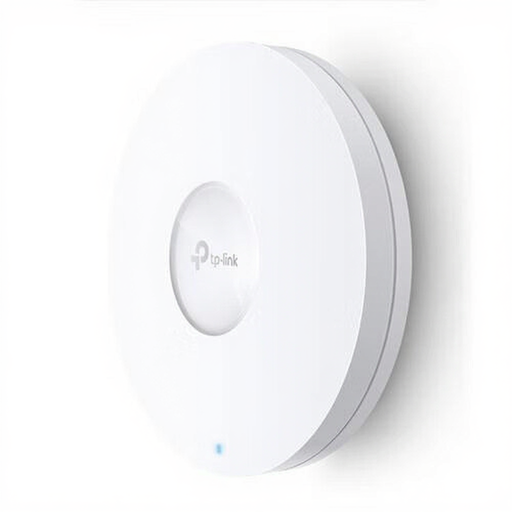 Image unavailable
A wired Wi-Fi access point for a garden office where you can run a network cable. The product name includes PoE; check that the cable and power supply required are suitable for your setup.
Place a repeater somewhere it can still receive the existing router signal, rather than automatically putting it where reception is worst. TP-Link recommends placing it between the router and the problem area; then check the connection in your garden office.
No. The stated Wi-Fi speed alone won’t predict download speeds in your garden office. The connection to the router and conditions at your location also matter; the model speeds listed are manufacturers’ figures, not measurements taken where you’ll be downloading.
Test the connection where you’ll be downloading, change any default administrator password, secure the Wi-Fi network with a suitable password and keep the equipment up to date. These are security recommendations, not product performance measurements.
According to ACM ConsuWijzer, statutory consumer rights apply alongside any seller’s or manufacturer’s warranty: a product must meet what you can reasonably expect from it under normal use. If a product is faulty, the seller is responsible for providing an appropriate remedy free of charge; don’t assume there is one fixed statutory warranty period.
According to the Dutch Authority for Digital Infrastructure (RDI), you don’t need a licence to use Wi-Fi at home or in a business building, provided you follow the rules for the designated frequencies and their use. The RDI also says that equipment must carry the CE marking; check this on the model you choose, as a mention on a retailer’s website isn’t a substitute for checking the device itself.