Choose a connection that can actually reach your garden office: a repeater needs a usable Wi-Fi signal where it is placed, while an access point connected by Ethernet does not rely on a wireless signal between the buildings. If running a cable isn’t practical, powerline may be an option if your electrical installation meets the requirements of the system you choose. Test the connection at your desk while backing up files; extending your Wi-Fi coverage alone won’t make your backups secure.
Who should consider these options?
Working with a weak signal in the garden office
You want to improve your existing Wi-Fi without installing a new network cable. TP-Link and the Consumers’ Association explain why the position of a repeater and the strength of its source signal matter.
Regularly making large backups
You prioritise a reliable network connection for transferring documents and may want to consider a wired access point. TP-Link and FRITZ! explain how to connect access points using an Ethernet cable.
Unable to run an Ethernet cable
You’re looking for another way to connect your home and garden office. Check whether your electrical installation or a suitable outdoor setup meets the requirements of the solution you choose. TP-Link outlines model-specific requirements for powerline and outdoor setups.
What should you look for?
Wireless Wi-Fi repeater
Suitable when: there’s already a usable Wi-Fi signal in a suitable spot between your router and garden office, and you want to improve a weak area.
Bear in mind: the connection back to your router remains wireless and can be affected by obstacles.
Ethernet cable with access point
Suitable when: you can run a suitable network connection into your garden office.
Bear in mind: installation takes extra work. Also check that the exact model supports the access point mode you need.
Powerline with Wi-Fi access point
Suitable when: running an Ethernet cable isn’t practical and your electrical installation is compatible with the system you choose.
Bear in mind: performance depends on your electrical installation. TP-Link specifies a shared electrical circuit as a requirement for the solution described.
Outdoor mesh point
Suitable when: you need to install a network point outdoors and have a suitable data connection and power supply available.
Bear in mind: a weatherproof enclosure won’t automatically provide a connection back to your home.
| Consideration |
What should you check? |
Who is this important to? |
| Backup connection |
Compare wireless reception with a wired connection, and test a backup at your workstation. |
I don’t want document transfers to depend on a weak connection between the buildings. Around 36% of consumers put backup reliability first. |
| Coverage to the garden office |
Check whether a repeater can still receive a good signal from the router in a possible midway position. If there are obstacles, consider other ways to connect. |
If I mainly need Wi-Fi in my garden office, I want to know whether the signal can cope with the distance and obstacles. Around 29% of consumers say coverage is their top priority. |
| Installation and connection |
Find out whether you can run an Ethernet cable and whether your electrical installation meets the requirements of the powerline system you choose. |
I want to minimise installation work, but I don’t want to assume that any socket will work with powerline. Around 21% of consumers prioritise the practicalities of installation. |
| Security and management |
Check for updates and security settings; arrange backup storage and protection separately. |
I also want to know how network access and stored backups are managed. Around 14% of consumers say security and management are their main reasons for buying. |
Wi-Fi buying pitfalls for a garden office
-
Buying a repeater for a spot with barely any Wi-Fi
A repeater picks up the existing signal and broadcasts it again. Obstacles can interfere with reception where you place it.
First, find a midway spot where the repeater still gets a good signal. If reception is poor, compare other ways to connect the buildings.
-
Assuming powerline will work in every garden room
Whether adapters can communicate over your electrical installation depends on the installation itself and the requirements of the system you choose.
Check the requirements before buying. For the powerline solution described, TP-Link specifies a shared electrical circuit.
-
Confusing Wi-Fi speed with backup speed
A product specification won’t tell you how quickly the connection at your workstation can transfer files to your backup destination.
Test the connection and backup process where you work, rather than relying solely on a speed rating.
-
Confusing wider Wi-Fi coverage with secure backups
A network point won’t automatically manage backup storage and security, or updates for network equipment.
Keep your equipment up to date, and arrange backup storage and protection separately. The National Cyber Security Centre advises against keeping backups permanently connected to a computer because of ransomware.
Brands and models to consider
TP-Link
The models described offer different options: the RE705X as a repeater or wired access point, the Deco PX50 with powerline backhaul, and the Deco X50-Outdoor for a suitable outdoor setup.
- The model specifications describe several ways to extend Wi-Fi to a garden office.
- These aren’t independent performance tests. Check the connection, power supply and compatibility requirements for each model.
FRITZ!
According to FRITZ!, the FRITZ!Repeater 1200 AX has a gigabit LAN port and can be connected to a FRITZ!Box via LAN.
- The wired connection may be useful in an access point setup.
- According to the manufacturer, the mesh integration mentioned applies to a FRITZ! network. The same features aren’t automatically available when you use another router.
devolo
The Magic 2 WiFi 6 next Starter Kit uses powerline with a Wi-Fi access point, which has two gigabit ports.
- The combination provides Wi-Fi and wired connections at the access point.
- The suitability of your electrical connection remains key. In its guidance on Wi-Fi in a garden room, devolo specifies a shared electrical circuit.
NETGEAR
According to NETGEAR, the EAX12 is a Wi-Fi 6 range extender with a gigabit Ethernet port.
- The Ethernet port lets you connect a device by cable.
- A wireless extender still needs a usable source signal. The port alone tells you nothing about backup speeds between your home and garden office.
Joybuy products for your garden office
This selection includes powerline Wi-Fi and access points for a garden office where the electrical connection is suitable or a network connection can be installed.
 No image available
TP-LINK TL-WPA7517 KIT Powerline Starter Kit
May be suitable if running an Ethernet cable isn’t practical and your electrical installation is compatible with powerline.
The product description mentions a connection via existing electrical wiring and Wi-Fi extension; it doesn’t measure the backup connection at your workstation.
Joybuy
 No image available
TP-Link Omada EAP653 Wireless Access Point
May be suitable if a network connection is available in your garden office and you need a Wi-Fi access point there.
The product description lists Wi-Fi 6, a gigabit Ethernet port, PoE power and WPA3.
Joybuy
 No image available
TP-Link TL-WA801N Wireless Access Point
May be suitable if there’s a network connection to your garden office and you want to provide Wi-Fi there.
The product name and description list 2.4 GHz, up to 300 Mbit/s, two antennas, WPS and Passive PoE. The stated maximum wireless data rate is not a measured backup speed.
Joybuy
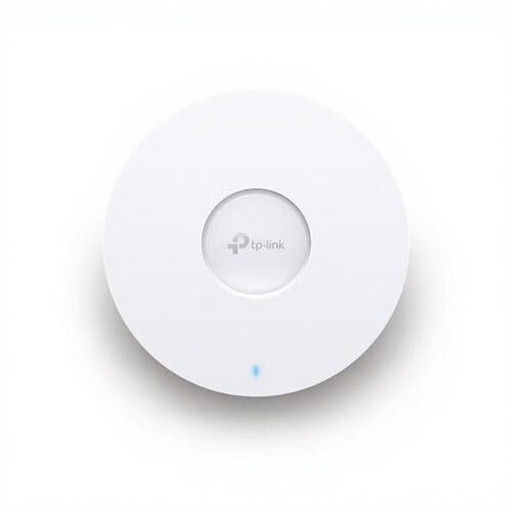 No image available
TP-LINK Omada EAP670 Wireless Access Point
May be suitable if a network connection is available in your garden office and you want to install an access point there.
The product description lists Wi-Fi 6, a 2.5-Gbit/s Ethernet port and PoE power.
Joybuy
 No image available
TP-Link Omada EAP613 Wireless Access Point
May be suitable if a network connection is available to your garden office and you need a Wi-Fi access point there.
The product description lists Wi-Fi 6 and PoE or DC power.
Joybuy
Frequently asked questions
Where should you put a wireless Wi-Fi extender?
Place it somewhere it can still get a good signal from your router, between the router and the area with poor reception. TP-Link suggests starting at around the halfway point; then check the connection from your garden office.
Is a Wi-Fi connection the same as a backup?
No. You need to arrange the creation and storage of backups separately. VeiligInternetten covers both automatic and manual backups; the National Cyber Security Centre warns against keeping backups permanently connected to a computer because of ransomware.
Does a manufacturer’s warranty replace your statutory rights?
No. According to the Netherlands Authority for Consumers and Markets, the seller remains responsible for the statutory guarantee; a separate guarantee from the manufacturer or seller does not replace that responsibility.
Do you need a licence for Wi-Fi in a garden office in the Netherlands?
According to the Dutch Authority for Digital Infrastructure, Wi-Fi in homes and business premises is licence-exempt if you use the designated frequencies and comply with the conditions of use. The RDI also states that the equipment must carry the appropriate CE marking.


