
For users with a weak signal
You want to access the archive from your garden office and can place a repeater where the existing router signal still reaches. NETGEAR recommends placing a repeater within the router’s range.


Choose a standard Wi-Fi repeater only if there’s still a strong enough router signal at an intermediate point; running a cable to the garden office avoids a wireless connection between the house and office. Powerline can be an alternative if your existing electrical wiring can support the connection, while an outdoor unit needs suitable mounting, power and network compatibility. Secure access to the club archive separately from your Wi-Fi coverage.
You want to access the archive from your garden office and can place a repeater where the existing router signal still reaches. NETGEAR recommends placing a repeater within the router’s range.
You can run a cable, or you want to check whether your electrical wiring could provide a practical alternative for connecting the house and office. Manufacturers describe both wired access points and powerline Wi-Fi solutions.
You need coverage around a detached office and must assess the power supply, mounting and suitability of an outdoor unit. TP-Link sets out specific installation requirements for the Deco X50-Outdoor.
Choose this option: if there’s still a router signal at an intermediate point and you have a power socket there.
Bear in mind: the repeater can’t pass on a connection if it’s outside the router’s range.
Choose this option: if you can run a cable to or near the garden office and want to avoid a wireless link between the two.
Bear in mind: installation and a suitably powered access point are part of the setup.
Choose this option: if the unit needs to be installed outdoors and your network and power supply are compatible with the model you choose.
Bear in mind: the Deco X50-Outdoor works with other Deco units; you’ll also need to arrange the connection and power supply at the installation point.
Choose this option: if you don’t want to run a new network cable and can first test the connection using your existing electrical wiring.
Bear in mind: your wiring and electrical layout can weaken or block the connection.
To access the club archive, the key factors are the connection between the house and office, where you place the equipment and the conditions at the installation point.
| What to consider | What should you check? | Who is this important for? |
|---|---|---|
| Signal from the house | Test an intermediate point with a power socket, then check the connection in the garden office. | If I want to use a repeater, it needs to reach the router before it can pass the signal on. Around 36% of consumers say wireless range is their main requirement. |
| Wired connection | See whether you can run a cable, and check the access point’s connections and power supply. | For archive work, I want to avoid a wireless connection between the house and office if running a cable is practical. Around 29% of consumers say a wired connection is their main requirement. |
| Outdoor installation | Check the protection rating, mounting position, power supply and compatibility with your existing network. | If the unit is going to be installed outdoors, I want its casing and installation to suit the location. Around 21% of consumers say outdoor installation is their main requirement. |
| Powerline | Test the adapters in the wall sockets you plan to use and check the connection while in use. | If I don’t want to run a new network cable, I want to find out first whether my existing electrical wiring will work for my office. Around 14% of consumers say powerline is their main requirement. |
Also check that your chosen version carries the CE mark. The Dutch Authority for Digital Infrastructure states that radio equipment covered by the relevant European requirements may only be sold with a CE mark.
A repeater needs a working connection to the router. A stated Wi-Fi link speed won’t solve the problem if there’s no router signal where you place the repeater.
First, test reception at an intermediate point, then check that you can open the club archive from the garden office.
You may need to move the equipment or run a cable after all.
Being suitable for outdoor use isn’t a given for an indoor repeater; mounting, casing and power requirements depend on the model you choose.
Decide where you’ll install the unit and check the specifications and installation instructions for that exact model.
An outdoor setup may require suitable mounting or power equipment.
Your wiring and electrical layout affect the connection. Separate circuits or phases can weaken or block the signal.
Plug both adapters directly into the wall sockets you plan to use for the installation and test them there.
If the test connection isn’t good enough, you may need to use a different connection method.
A working Wi-Fi connection doesn’t determine who can open club files. If they contain personal data, the organisation must put appropriate security and access permissions in place.
Agree within the club who should have access and how accounts and archive files will be secured.
The RE705X is an indoor repeater with access point mode, while the Deco X50-Outdoor is a separate outdoor mesh unit. They’re designed for different types of connection.
The Magic 2 WiFi 6 next Starter Kit offers a powerline Wi-Fi option if you don’t want to run a new network cable.
The FRITZ!Repeater 1200 AX is an option for a FRITZ!Box network or a LAN connection.
The EAX15 is an indoor model for extending an existing Wi-Fi network in a spot that still receives the router signal.
The UniFi U6 Mesh is a PoE-powered access point for indoor or outdoor use when UniFi management suits your setup.
These product picks include Wi-Fi repeaters, wired access points and a powerline Wi-Fi kit for a garden office. A wired access point is suitable for outdoor use only if the installation and protection are appropriate.
 No image available
Suitable for a wired access point setup if UniFi Network management and PoE+ work with your installation.
Wi-Fi 7, 2.5 GbE connection and PoE+ (802.3at).
The description states that it’s for indoor use unless installed in a suitably protected environment.
 No image available
Suitable if you want to avoid running a new network cable, provided your existing electrical installation can deliver a usable connection.
Powerline Wi-Fi starter kit; the description lists IEEE 1901 and Wi-Fi up to 802.11ac.
Test the connection in the sockets you plan to use for your final setup.
 No image available
Suitable for extending an existing wireless network if the repeater can still receive the router signal at an intermediate point.
The description lists 2.4 GHz, up to 300 Mbps and WPA-PSK/WPA2-PSK.
The stated maximum speed is a specification; check the connection where you’ll be accessing the archive.
 No image available
Suitable for a setup using one of the operating modes described, provided you can install it in a wired location.
The specifications list 2.4 GHz, up to 300 Mbit/s and 10/100 Mbit/s Ethernet LAN.
The description lists access point, range extender and client modes, plus passive PoE.
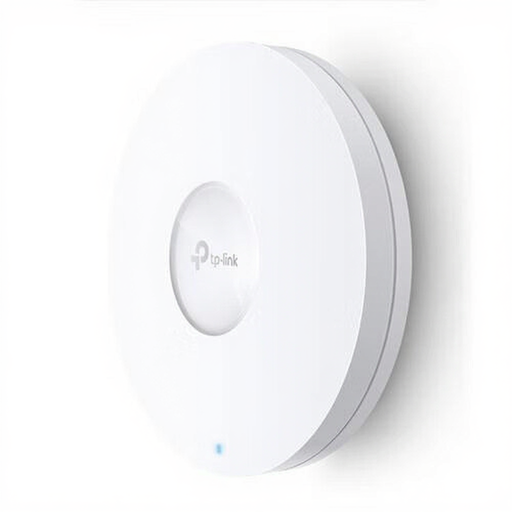 No image available
Suitable for a wired access point setup if an Ethernet connection and compatible PoE power supply are available.
Wi-Fi 6, up to 1201 Mbit/s, MU-MIMO, WPA3 and Gigabit Ethernet.
The stated maximum speed is a product specification; the setup requires an Ethernet connection and a compatible PoE power supply.
Only if it can still receive a strong enough signal from the router there. NETGEAR recommends placing it between the router and your workspace, within the existing signal range; check the connection at your workspace too.
A network cable avoids a wireless connection between the house and office, while powerline uses your existing electrical wiring. With powerline, the result depends on your electrical installation, so test the connection in the sockets you plan to use.
Check the power supply, mounting and connection to a compatible Deco network before installing the unit. TP-Link specifies 802.3at PoE or AC power; for an outdoor installation using AC power, the installation guide requires a weatherproof outdoor socket and protection for the connection and cable from rain. Mount the unit upright as instructed.
According to the Dutch Authority for Digital Infrastructure, radio equipment covered by the relevant European requirements must carry a CE mark to be sold. Check the mark and version of the device on offer; a matching model name alone doesn’t confirm this.
Yes. If the archive contains personal data, the organisation must protect it appropriately and manage access permissions. The Dutch Data Protection Authority stresses that access to personal data must be suitably secured; Wi-Fi coverage doesn’t replace these measures.