What should you look for?
Getting a working connection to your garden office and accessing your music files are two separate considerations. Choose a connection option that suits the location, installation and playback system.
Indoor wireless repeater
Choose this if: there’s a suitable spot between your router and garden office with usable Wi-Fi reception and a power socket.
Bear in mind: a repeater can only extend a connection it can receive itself. An ordinary indoor repeater isn’t automatically suitable for use in the rain.
Ethernet cable and access point
Choose this if: you can run a cable and the wireless connection between your home and garden office isn’t strong enough.
Bear in mind: running the cable, providing suitable power and installing the equipment take extra work. Check that the device can operate as an access point or LAN bridge.
Outdoor mesh point or access point
Choose this if: the Wi-Fi point will be outside and its design, mounting, power supply and connection suit your existing network.
Bear in mind: an outdoor point still needs to cover the distance and overcome any obstacles. Different management systems won’t automatically form a single mesh.
Powerline adapter with Wi-Fi point
Choose this if: you don’t want to run an Ethernet cable and the electrical connection to your garden office proves suitable for this set-up.
Bear in mind: performance depends on your electrical wiring, so test the connection where you plan to use it.
| What to consider |
What should you check? |
Who should pay particular attention? |
| Coverage between home and office |
Test reception at a possible spot for the intermediate point, then in your garden office. If reception is poor, compare a cable with other connection options. |
I want to know whether Wi-Fi can cover the distance and overcome any obstacles before choosing equipment; around 36% of consumers put usable coverage at the top of their buying priorities. |
| Access to your music library |
Check the path across your local network, folder permissions and player requirements. Test access from your office. |
If I want to play music from a computer or NAS, the player must also be able to access the shared files; around 29% of consumers give access to their music library top priority. |
| Placement and power |
Decide where the device will go, then check that its casing, mounting and required power supply or cable are suitable for that location. |
I want to install a point where the chosen model and connection will work, indoors or out; around 21% of consumers put installation and placement first. |
| Complete set-up |
Check how it connects to your existing router or mesh, how many points you need, the power supply and whether any cables need to be run. |
If I want to avoid buying a standalone device that won’t work for me, I compare the cost of the complete set-up; around 14% of consumers prioritise the total purchase and installation costs. |
Products on Joybuy
This selection of Joybuy products includes mesh equipment, repeaters and access points for different ways of extending your network. Check that the connection, power supply and intended installation location are suitable for your garden office.
 No image available
TP-Link Deco BE68 2-pack
A good fit if you’re looking for a mesh system with multiple points and the Deco option suits your network.
Wi-Fi 7; mesh system; wired or wireless backhaul; three network ports per unit.
View at Joybuy
 No image available
Ubiquiti UniFi AP U7 Long-Range
A good option if you can run an Ethernet cable to your garden office and want an access point with PoE+ power.
Supports 2.4 and 5GHz bands; 2.5GbE connection; wall or ceiling mounting. The PoE+ power supply described requires compatible PoE+ equipment. The product description specifies indoor use, unless the device is installed in a suitably protected environment.
View at Joybuy
 No image available
Wifi Repeater Pro Black
A good fit if there’s still Wi-Fi reception at a halfway point and you want to extend an existing wireless network.
2.4GHz signal; two external aerials. The product description recommends pairing it near the router, then finding a suitable location for it.
View at Joybuy
 No image available
TP-Link Omada EAP653
A good option if you’re looking for an access point with Ethernet and PoE for a wired extension.
Dual-band Wi-Fi; Ethernet connection; PoE support; wall or ceiling mounting. Check that the intended installation location and power supply suit your set-up.
View at Joybuy
 No image available
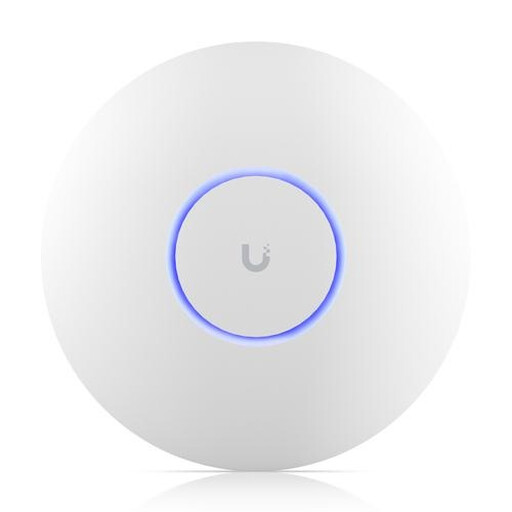
Ubiquiti U7 Pro, 5800 Mbit/s, white, with PoE
A good option if you’re considering a wired access point with PoE and can provide the required connection and power supply.
Supports 2.4, 5 and 6GHz bands; Ethernet connection; PoE power; wall or ceiling mounting.
View at Joybuy
Frequently asked questions
Can a Wi-Fi extender on its own make a shared music library accessible?
Not necessarily. The player must be able to access the music source on your local network, and the shared folder must have the right permissions. If you use Sonos with a NAS, Sonos specifies SMBv2 or SMBv3 as a requirement for sharing the library.
Where should you place a wireless repeater?
Don’t place it where the signal has already dropped out. The Consumers’ Association recommends keeping obstacles between Wi-Fi points to a minimum; an indicator or app can help you find the right spot. Then test whether the connection is usable in your garden office.
Do you need a frequency licence for ordinary Wi-Fi use in the Netherlands?
According to the Dutch Authority for Digital Infrastructure, you don’t need a licence to use Wi-Fi on home or business premises if you use the designated frequencies and comply with the conditions of use. Radio equipment must also carry the CE marking.
Does a long manufacturer’s warranty automatically reflect the full Dutch statutory guarantee?
No. The Netherlands Authority for Consumers and Markets’ ConsuWijzer explains that statutory rights apply alongside a manufacturer’s or seller’s warranty. The seller must resolve issues with a faulty product under the applicable conditions; the statutory guarantee doesn’t automatically have a fixed, general two-year term.


