What should you look for when choosing?
Start with the connection between your home and garden office. Then choose between wireless extension, a cable, powerline or an outdoor unit, depending on the location and coverage you need.
| Consideration |
What should you check? |
Who is this important to? |
| Connection at your workspace |
Find a spot where the extender itself still receives a good signal from the router, then test whether you can open and send a video file from there. |
If I want to share family videos from my workspace, the connection needs to work there in particular. Around 36% of consumers prioritise a reliable connection in that spot. |
| Extending your network without a cable |
Check whether the mesh features you want are compatible with your existing router and whether there’s a power socket where you can place the device. |
If you want to extend your existing network without installing cables, you’ll need to consider whether the wireless signal is still strong enough where you plan to place the device. Around 29% of consumers prioritise easy expansion. |
| An alternative connection to your home |
Compare the feasibility of a network cable with a powerline kit, and test the latter using the sockets you intend to use. |
If wireless reception between your home and office is inadequate, you may need to use a different type of connection. Around 21% of consumers prioritise this kind of alternative. |
| Outdoor coverage |
Decide whether you need Wi-Fi outside the office. For an outdoor model, check the mounting, power supply and network compatibility. |
If you also want to get online around your garden office, outdoor coverage itself is a factor to consider. Around 14% of consumers prioritise outdoor coverage. |
Joybuy products for these connection options
These product options cover powerline using your existing electrical wiring, mesh and a wired access point. The right choice depends on the connection you can set up to your garden office. The RDI states that radio equipment sold in the Netherlands must meet the applicable European requirements and carry the correct CE marking. Check this for the version you receive.
 No image available
TP-LINK TL-WPA7517 KIT Powerline Adapter Starter Kit
A possible option if wireless reception between your home and garden office is weak and installing a network cable isn’t practical. The product description says it provides network and Wi-Fi over your existing electrical wiring; performance depends on the installation at your property.
View at Joybuy
 No image available
Huawei eKit OptiX FG736 BE3600 Dual-Band WiFi 7 Mesh Router
Worth considering if you’re looking to set up a mesh network. The product description mentions multiple units working together under one network name. Check which equipment and how many units you’ll need for the coverage you want.
View at Joybuy
 No image available
TP-Link Omada EAP653 Wireless Access Point, 2976 Mbit/s, white, PoE
Suitable for a wired access point setup if you can run a network connection to your garden office. Check in advance which cables and power supply you’ll need for your installation.
View at Joybuy
 No image available
TP-Link Deco XE75 Pro, 3-Pack, Tri-Band, 2.4 GHz/5 GHz/6 GHz, Wi-Fi 6E
A mesh system to consider if you want to extend coverage using multiple units. Check that it works with your existing network and that the units can be positioned suitably along the route to your garden office.
View at Joybuy
 No image available
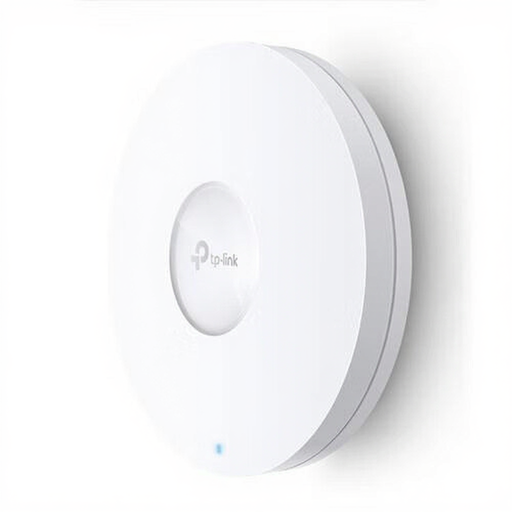
TP-Link Omada EAP620 HD Wireless Access Point, 1201 Mbit/s, white, PoE
Designed for a wired access point setup if you can run a network cable to your garden office. Check what power supply and mounting you’ll need for your location.
View at Joybuy
Frequently asked questions
Where should you place a wireless Wi-Fi extender?
Place it between the router and the area with weak reception, somewhere it can still receive a good signal from the router itself. TP-Link recommends this midway position. Then check the connection in your garden office, rather than choosing a spot based only on whether there’s a power socket.
Do you need a network cable to use the TP-Link RE705X as an access point?
Yes. According to TP-Link, access point mode uses a wired connection through the Ethernet port to provide Wi-Fi. Without the cable, you can’t use this specific wired mode.
Will powerline work through the power supply to my garden office?
You’ll need to test it using the sockets you intend to use. devolo lists interference and the quality of your electrical installation among the factors affecting actual throughput.
Will a mesh point work with any router?
Not necessarily. According to TP-Link, OneMesh requires compatible devices; FRITZ!’s mesh features require compatible FRITZ! equipment. Check that your exact router and product range are compatible before choosing.
What should you look for in Wi-Fi equipment in the Netherlands?
The RDI states that radio equipment sold in the Netherlands must meet the applicable European requirements and carry the correct CE marking. Check the marking on the version you receive and follow the installation and usage instructions.


