
Anyone with a Wi-Fi dead spot
You can download files at home, but the connection drops out in your garden office or downloads take a long time. The positioning and connection between Wi-Fi points matter more than router speed alone.


Don’t automatically replace your main router: first check the connection between your home and garden office, then try adjusting the positioning or settings if needed, as the Consumers’ Association recommends. With a network cable, you can set up a separate access point there. Without a cable, mesh may be an option if the node itself has a usable connection to your home network where you plan to put it. If it will be installed in an exposed location, you’ll need a model designed for outdoor use. Also check the power supply, mounting requirements and whether the version is suitable for use in the Netherlands.
You can download files at home, but the connection drops out in your garden office or downloads take a long time. The positioning and connection between Wi-Fi points matter more than router speed alone.
There’s already a cable running to the outbuilding, or you can install one, and you’re looking for a separate Wi-Fi access point there.
You can’t put the Wi-Fi point indoors in a sheltered location, so you also need to consider weather resistance, power and mounting.
Choose this when: there’s a usable network cable running to the garden office, or you can install one.
Bear in mind: you’ll need to install a cable and configure the device correctly; an indoor device isn’t suitable for exposed outdoor installation.
Choose this when: running a cable isn’t practical and there’s still a usable wireless connection to your home network in a suitable location.
Bear in mind: the connection between the nodes remains crucial; advertised speeds don’t tell you how well the signal will perform through walls and over distance.
Choose this when: the access point needs to be mounted outdoors to cover the garden or the route to the garden office.
Bear in mind: power, connections and mounting; a weather-resistant casing doesn’t guarantee a good connection in the garden office.
Choose this when: you’re not yet sure whether the problem is caused by the positioning, settings or connection to the garden office.
Bear in mind: testing the connection and checking the settings takes time, but could save you an unnecessary purchase.
Start by checking the connection where you read and download files. Then decide whether a cable, wireless access point or adjustment to your existing setup is right for your situation.
| What to consider | What should you check? | Who is this important for? |
|---|---|---|
| Range to the garden office | Test the connection where you read and at possible intermediate locations; check that the additional node has a connection there itself. | If I’m reading in the garden office, I want to know whether the signal reaches it. A faster router won’t automatically fix a weak connection. Around 36% of consumers put range to the garden office first. |
| Reliable downloads | Check whether a network cable is available and whether the device has the access point or LAN bridge mode you need. | When downloading files, I want a connection I can rely on, not just a high theoretical Wi-Fi speed. Around 29% of consumers give reliable downloads top priority. |
| Total cost | First compare your existing connection and positioning. If you’re adding another access point, factor in the cable, power and mounting too. | I want to avoid replacing equipment when adjusting my existing setup would be enough. Around 21% of consumers prioritise avoiding unnecessary costs. |
| Outdoor installation and power | Check whether the model is designed for outdoor use and what power supply, connections and mounting the manufacturer specifies. | If the access point needs to be installed outdoors in an exposed location, I want to know whether its casing and installation are designed for that. Around 14% of consumers name outdoor installation as their main consideration. |
An advertised speed or coverage claim doesn’t tell you how fast downloads will be in your garden office, as distance and walls affect the connection.
First, assess the connection where you’ll use it and at possible locations for an intermediate node.
Only specific models are designed for outdoor use. For example, TP-Link states that the Deco X50-Outdoor has an IP65 rating; this doesn’t automatically apply to other equipment.
For exposed installation, choose a model designed for outdoor use and follow the installation instructions for power and connections.
The Dutch government states that there is no fixed statutory warranty period in the Netherlands. A manufacturer’s warranty and your statutory rights are not the same thing.
Keep your proof of purchase and contact the retailer if a product is faulty. Consider the manufacturer’s warranty separately.
The Deco X50-Outdoor is an example of an outdoor mesh node which, according to TP-Link, can work with other Deco models.
According to FRITZ!, the FRITZ!Repeater 1200 AX can be used as a wired access point in a dry garden office.
The UniFi U6 Mesh is an indoor and outdoor access point for a compatible UniFi network with PoE power.
These products are designed for a wired access point or a wireless mesh network to provide Wi-Fi in your garden office. Before buying, check that your chosen model and configuration are compatible with your existing network and suitable for use in the Netherlands.
 Image unavailable
A wired access point for a garden office with a network connection and a suitable PoE+ power supply.
Wi-Fi 7, five spatial streams, a 2.5 GbE port and PoE+.
Designed for indoor use unless installed in a suitably protected environment.
 Image unavailable
A wireless mesh router for anyone who wants to extend Wi-Fi to their garden office without running a network cable there.
The product name specifies dual-band and WiFi 7. Check whether the model is compatible with your existing network.
 Image unavailable
A wired access point for a garden office where a network cable is available to connect the device.
Wi-Fi 6, 2.4 and 5 GHz bands, a gigabit Ethernet port and PoE support.
Suitable for wall or ceiling mounting; check which power supply and configuration you need.
 Image unavailable
A mesh system for anyone looking to add wireless Wi-Fi points; check compatibility with your existing network first.
The product name specifies tri-band, the 2.4 GHz, 5 GHz and 6 GHz bands, and Wi-Fi 7 (802.11be).
According to the product description, compatible mesh devices and additional Velop nodes can be added.
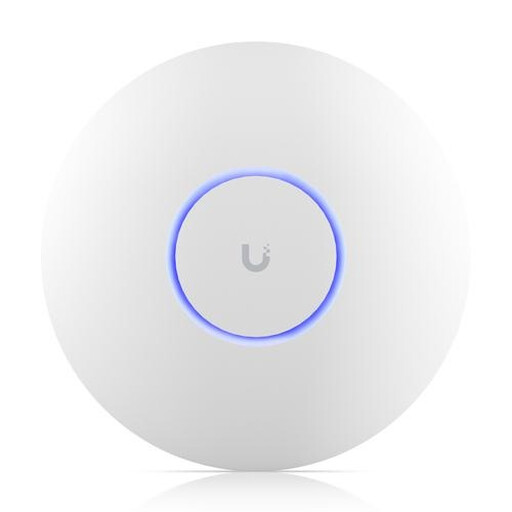 Image unavailable
A wired access point for a garden office with an Ethernet connection and a suitable PoE power supply.
The product name specifies 5800 Mbit/s; the description mentions tri-band Wi-Fi, MU-MIMO, VLAN support and PoE.
According to the description, the device can be mounted on a wall or ceiling.
Not before you’ve checked the connection where you’ll be using it. The Consumers’ Association points out that adjusting the settings or positioning can sometimes help. If the main issue is poor range to the outbuilding, look into a suitable additional access point or a mesh setup.
Yes. FRITZ! documents a LAN bridge mode for this model when it’s connected to a router from another brand. Follow the setup instructions and only place the indoor device somewhere suitable and dry.
Check regularly for security updates for your router and Wi-Fi points, and keep your equipment up to date.
No. The Dutch government states that there is no fixed statutory warranty period in the Netherlands. If a product is faulty, contact the retailer. What you can expect from a product depends, among other things, on the product itself and its normal use.
Wi-Fi can be used in the Netherlands on designated frequencies without a permit or registration, subject to certain conditions. This doesn’t automatically apply to every radio version, so check whether the specific device is permitted for use there.