What should you look for in a switch for a garden office?
First check that there’s already a suitable connection to the garden office. Then decide how many ports you need, whether you need network management and whether you need PoE.
| What to consider |
What should you check? |
Who is this important for? |
| Connection between buildings |
Check the total length and whether the cable run is suitable for outdoor use. Fluke Networks gives 100 m as the typical limit for a copper Ethernet channel; trueCABLE highlights moisture and UV as factors to consider with outdoor cable. |
If I first want to check whether the connection between the studio and garden office is usable, I assess that cable run before adding extra ports. Around 33% of consumers prioritise this question. |
| Extra wired connections |
Remember to count the connection back to the router: on a five-port switch, this leaves a maximum of four ports available. TP-Link lists five gigabit ports for the TL-SG105, as does NETGEAR for the GS305. |
I want to connect my computer and other wired devices to an existing connection without extra configuration. Around 27% of consumers mainly need extra ports. |
| Network management |
Check that the switch offers the VLAN settings you need and that your router and other network equipment are compatible. TP-Link describes web management for the TL-SG105E; Ubiquiti lists VLAN support for the UniFi Flex Mini. |
If I want to organise the shared studio network, it needs to be clear who manages the settings and whether the other equipment is compatible. Around 20% of consumers prioritise network management. |
| PoE for extra devices |
Check the PoE standard, the power per port and the total power budget for the exact version. TP-Link specifies four PoE+ ports for the TL-SG105PE, with up to 30 W per port and a total budget of 65 W. |
If I want to power a compatible access point or other device via the network cable, I first check what that device needs. Around 20% of consumers want to connect PoE devices. |
Joybuy products for an existing network connection
These product choices are designed to extend an existing connection to the garden office, with models for simple connectivity, PoE or network management. A switch doesn’t create the connection between buildings itself.
 No image available
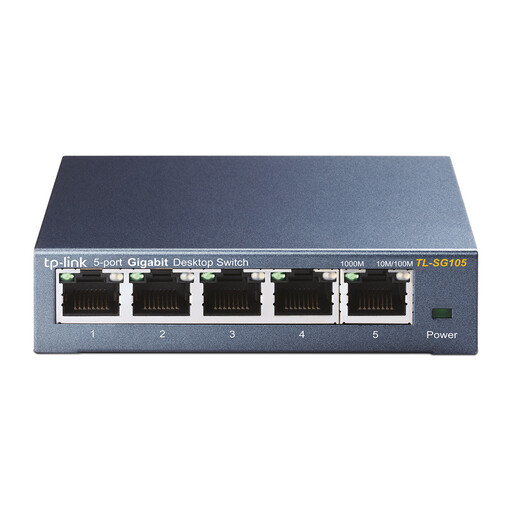
TP-Link TL-SG105 5-Port Metal Gigabit Switch
A good fit if you want to extend an existing network connection for your computer and other wired devices.
The product name lists five gigabit ports and a metal housing; the description mentions plug-and-play, QoS and IGMP Snooping. A switch doesn’t replace the connection between buildings.
Joybuy
 No image available
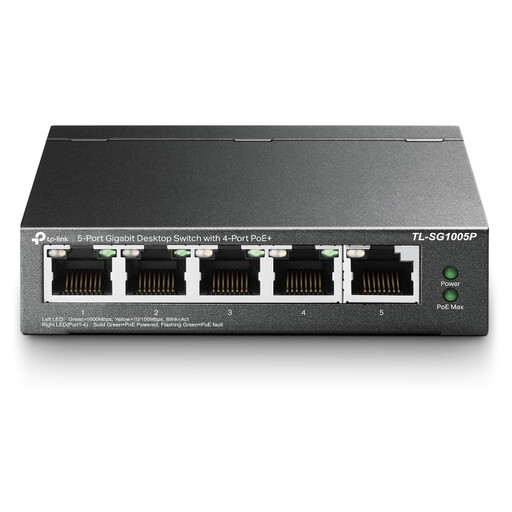
TP-Link TL-SG1005P 5-Port Gigabit Desktop PoE Switch
A good fit if you want to connect compatible network equipment via PoE as well as your computer.
The product name lists five gigabit ports and four PoE ports; the description calls it an unmanaged plug-and-play switch. Check the PoE requirements of the connected devices and the specifications for the exact version.
Joybuy
 No image available
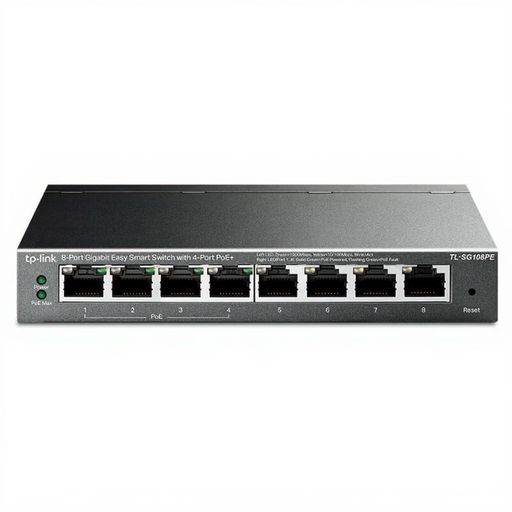
TP-Link TL-SG108PE 8-Port Gigabit Easy Smart Switch with 4 PoE Ports
A good fit if you want to combine more wired connections and PoE ports with management features.
The product details list eight gigabit ports and four PoE ports. TP-Link documents different versions with different PoE budgets; check the hardware revision and its corresponding specifications.
Joybuy
 No image available
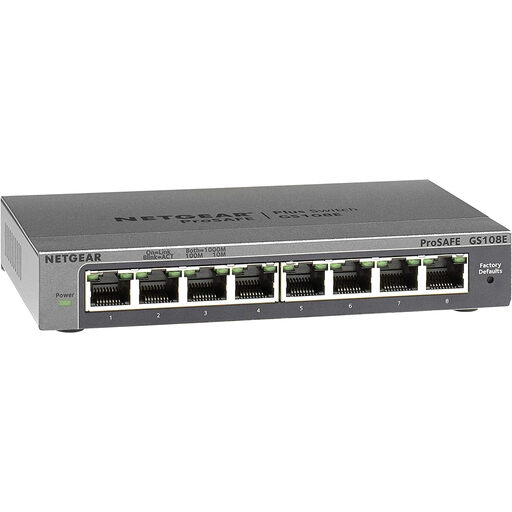
NETGEAR GS108E-400EUS 8-Port Gigabit Switch
A good fit if you want to connect several wired devices and need network management.
The product description lists eight 10/100/1000Mbps ports, VLAN, QoS and management via a web browser. Check that your router and intended network layout will work with the settings you choose.
Joybuy
 No image available
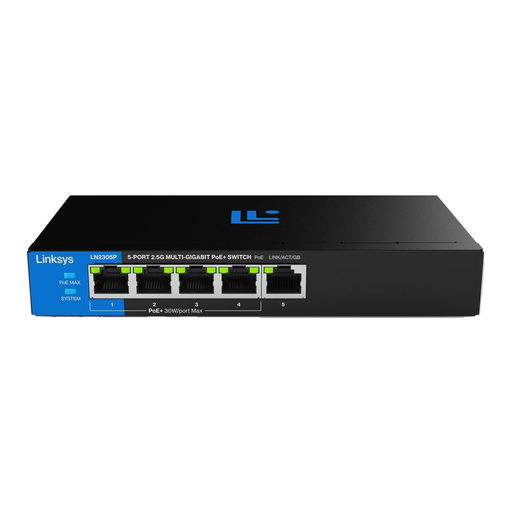
Linksys 5-Port 2.5-Gbps Unmanaged PoE Switch
A good fit if you want to power compatible equipment via PoE and need the multi-gigabit ports listed.
The product description lists five 2.5-Gbps ports, four PoE+ ports and a total PoE budget of 60 W. Check that the connected devices are compatible and that their combined power requirements stay within the total budget.
Joybuy
Frequently asked questions
Where do I connect the switch?
Connect one port to the existing suitable network connection leading to the router, then connect your computer to another port. On a five-port switch, the connection to the router therefore uses one port.
Can I run an ordinary network cable between the buildings?
Treat an outdoor cable run as a separate installation decision: an ordinary indoor cable isn’t automatically suitable for exposure to moisture and UV. Fluke Networks describes 100 m as the typical limit for a copper Ethernet channel. Get the installation assessed if you’re unsure about the protection or specification of the cable run.
What else should I plan for when installing the switch?
Work out what cabling and any extra equipment you’ll need for the connection between the buildings. For PoE, check the power supply and wattage required by the connected devices; if you’re using a managed switch, also allow for setting up and maintaining the network configuration.
What are my rights when buying online in the Netherlands?
For online consumer purchases, you generally have a statutory 14-day cooling-off period after delivery. Products must also be of satisfactory quality; according to the Dutch government, the seller is responsible for resolving problems. Check the terms separately if you’re buying on behalf of a business.
What should I look for in the product compliance information for a switch?
The Dutch government says electronic devices placed on the EU market must carry the CE mark. Check the product information and marking on the exact device and power adapter; general information doesn’t confirm that an individual item offered for sale meets all applicable requirements.


