If the TV will be outdoors and may be exposed to rain or damp, choose a model that the manufacturer has designed for outdoor use. For a dry indoor space, you can compare standard LCD, QLED, mini-LED and OLED TVs. Measure the viewing distance, consider seats to the side and screen reflections, and test in advance that your film source and sound work.
Who is this guide for?
Organiser planning an outdoor setup
You want to put the TV in the garden for the film night. So first, work out what weather conditions the setup may be exposed to. Samsung Netherlands describes the 65-inch The Terrace LST7D as suitable for outdoor use and IP56-rated.
Host for a spread-out audience
Your guests will be sitting at different distances and angles. Screen size, sightlines and reflections all matter. The Consumers’ Association discusses viewing distance and viewing angle as factors to consider when choosing.
Organiser with your own film file
You want to play the film from a particular device and make sure everyone can hear the dialogue clearly. The Consumers’ Association describes HDMI as a connection for devices such as external players, and explains HDMI-ARC/eARC for sound systems.
What should you look for when choosing?
First, decide whether the TV will be outdoors during the screening or in a dry space. Then compare the view from the seats and check that your film source and sound setup are compatible.
TV for outdoor use
Choose this option: if the screen will be outdoors and may be exposed to damp. Samsung Netherlands describes the 65-inch The Terrace LST7D, QE65LST7DATXXN, as suitable for outdoor use and IP56-rated.
Bear in mind: the IP56 rating applies to this model’s casing. Check the installation, power supply, film source and sound separately.
Standard LCD, QLED or mini-LED TV
Choose this option: for an indoor screening or a suitable dry indoor setup. Compare the screen size, viewing angle and reflections for the specific model.
Bear in mind: this does not mean that a standard TV is suitable for rain or damp. The Consumers’ Association notes that LCD TVs can often produce a high level of brightness; also consider how the chosen model displays dark scenes in films.
OLED TV
Choose this option: for a dry space if a wide viewing angle and deep blacks are important to you.
Bear in mind: OLED does not mean a TV is weatherproof. Measure the distance to the furthest seat; a 48-inch model may not be suitable for guests sitting further away.
| Factor to consider |
What to look for when buying |
Who is this important for? |
| Suitable for your setup |
If the TV may be exposed to damp, check whether the manufacturer says it is designed for outdoor use. Assess the power supply and other equipment separately. |
If the screen will really be outdoors, you’ll want to know whether the chosen model is designed for those conditions. Around 36% of consumers prioritise suitability for their setup. |
| View from every seat |
Measure the distance from the furthest seat and check the picture from seats to the side too. In its advice dated 5 May 2026, the Consumers’ Association gives around 2.4 times the screen diagonal as a comfortable viewing distance. Use this as a guide, not a guarantee. |
If guests are spread out or sitting at an angle to the screen, you’ll want them to be able to follow the film. Around 29% of consumers give group viewing the highest priority. |
| Film playback and sound |
Check that the TV supports your chosen playback method and test the specific file. If you’re using a soundbar, check that the TV and soundbar have a suitable connection, such as HDMI-ARC/eARC. |
If you’re using your own film from a laptop, player or USB device, you’ll want to know in advance that it will work and that the dialogue will be clear. Around 21% of consumers prioritise playback and clear dialogue. |
| Complete setup |
Check the available connections, where the TV will go and which existing equipment you can use. Compare the complete setup, not just one feature of the TV. |
If you want to combine the TV with existing equipment, you’ll want to avoid ending up with a setup that doesn’t meet your needs. Around 14% of consumers prioritise the total purchase and setup costs. |
Common pitfalls
-
Assuming a standard TV is weatherproof because the film is on in the evening
The time of day doesn’t tell you whether the screen will be exposed to damp. Samsung’s IP56 rating applies to the specific The Terrace LST7D model.
First, decide where the screen will be during the screening. Keep a standard TV in a suitable dry indoor setup, and check the specifications of the exact model if you plan to use it outdoors.
-
Choosing the screen size based only on the front row
A size that looks comfortable up close may not be as suitable for guests sitting further away. Viewing angles also vary between TVs.
Measure your setup and assess the picture from the furthest seats and those at the most acute angle.
-
Assuming a USB port will play any film file
A USB connection alone doesn’t confirm that the TV can play your chosen file.
Test the exact file on the TV you’ve chosen and check the connection you’ll need in advance. If necessary, check whether an external player will work.
Brands to compare
Samsung
The Terrace LST7D is worth considering if the TV will genuinely be placed outdoors.
- Samsung Netherlands describes the QE65LST7DATXXN as suitable for outdoor use and IP56-rated.
- This specification applies to this model and doesn’t mean that connected equipment or the entire power setup is weatherproof.
Philips
The 65PUS8500/12 is a 65-inch 4K QLED TV with Ambilight, worth comparing for a dry indoor setup.
- Philips describes Ambilight and Titan OS as features of this model.
- The product information doesn’t confirm that it is suitable for rain or damp.
LG
The OLED48C54LA is a 48-inch OLED model worth comparing for a dry setup with shorter viewing distances.
- The Consumers’ Association lists four HDMI inputs for this specific model, including ARC/eARC.
- Measure the distance to the furthest seats; don’t assume that the connections listed are available on every LG TV.
TCL
The 65C89L is a tested 65-inch mini-LED LCD TV worth comparing for a dry setup with a group of viewers.
- The Consumers’ Association lists four HDMI inputs and one USB port for this model.
- The available model information doesn’t include a readily accessible test verdict; assess the features that matter for your setup.
TVs for a dry indoor setup
This selection of Joybuy products consists of standard TVs to compare for a dry indoor setup. Check the usage conditions for the specific model; this selection should not be taken as a recommendation for outdoor use.
 No image available
LG 65QNED93B6A 65-inch QNED Evo Mini LED 4K TV
A 65-inch model to compare for showing a film to a group in a dry space.
The product name lists QNED Evo Mini LED, 4K, 120Hz and VRR up to 144Hz. The product description mentions four HDMI inputs, including HDMI 2.1 and eARC, and two USB ports.
Dolby Vision and Dolby Atmos are mentioned in the product information. Check that your film source and any sound equipment are compatible with your setup.
Joybuy
 No image available
Hisense 65A6S 65-inch 4K UHD TV
A 65-inch 4K UHD model to compare for a group screening in an indoor setup.
The product information lists Dolby Vision HDR, Game Mode Plus with VRR 60 Hz and a 178° viewing angle. It also mentions three HDMI inputs, USB 2.0 and USB 3.0.
The product description specifies indoor domestic use only. Check that it supports your exact film file and chosen sound setup.
Joybuy
 No image available
TCL 65T8D 65-inch QLED QD-Mini LED 4K TV
A 65-inch 4K model to compare if you want to show a film to several people in a dry space.
The product name lists QLED, QD-Mini LED, Dolby Vision, HDR10+ and 144 Hz VRR. The product description mentions HDMI 2.1, Google Cast, Miracast, AirPlay 2 and an Onkyo 2.1-channel audio system.
The product warning says that the TV should not be placed in a damp environment.
Joybuy
 No image available
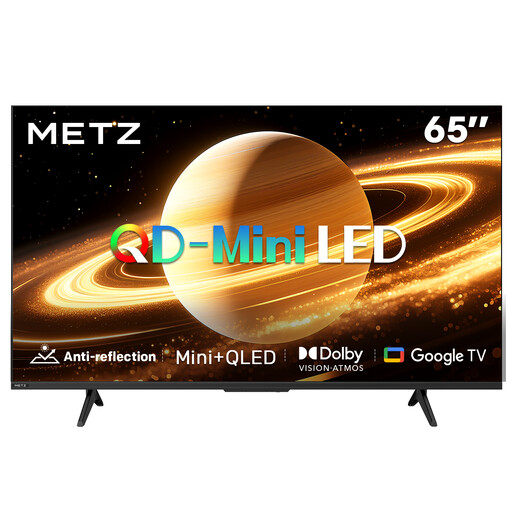
METZ 65MNH7000Z 65-inch QD-MiniLED TV
A 65-inch model to compare for a group screening in a dry space, especially if you want to factor in its matte screen.
The product name lists a matte screen, 60 Hz, Dolby Vision, Dolby Atmos and Google TV. The product description says that the matte screen reduces glare and reflections.
Assess reflections where you plan to place the TV, and check that the connections suit your film source.
Joybuy
 No image available
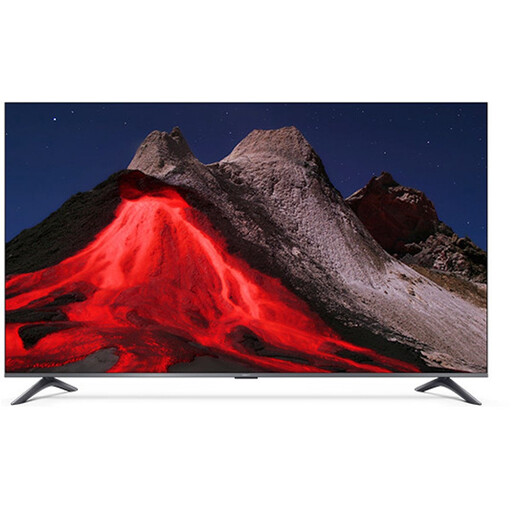
Xiaomi TV A Pro 2026 65-inch 4K QLED TV
A 65-inch 4K QLED model to compare for several viewing positions in a dry indoor space.
The product description mentions Google TV, casting support and a 178° viewing angle. It also lists three HDMI inputs, including eARC, USB and two 10 W speakers.
Check that you can play the film from your chosen device and that the built-in sound is suitable for the room.
Joybuy
Frequently asked questions
How do you choose a screen size for guests sitting in different places?
Measure from the furthest seat too. In its advice dated 5 May 2026, the Consumers’ Association gives around 2.4 times the screen diagonal as a comfortable viewing distance. Also check the viewing angle and reflections from seats to the side.
How can you avoid playback or sound problems on the night?
Test your chosen playback method and the actual film file in advance. Connect a laptop or player via HDMI, or try playing the file via USB. If you’re using a suitable soundbar, check that the TV and soundbar have a compatible ARC/eARC connection, and test the sound from the furthest seat.
What should you consider for safe use and maintenance?
Fully unwind any cable reel you use, as advised by Brandweer Nederland, and leave enough space around equipment for ventilation. LG advises unplugging the TV before cleaning the screen, letting it cool down and not spraying water directly onto it. This is the manufacturer’s advice.
What warranty and cancellation period apply to a purchase in the Netherlands?
According to ACM ConsuWijzer, the seller is responsible if a product, when used normally, doesn’t do what you could reasonably expect. The legal guarantee isn’t simply limited to a shorter manufacturer’s warranty, if one applies. For a standard online consumer purchase, the legal cancellation period is usually 14 days. Check the terms that apply to your purchase.
Can you show a film in the community garden during an event?
This depends, among other things, on who owns the rights to the film and whether it includes protected music or images belonging to others. The Dutch Government says that you may need permission to use or make other people’s copyrighted material available to the public. Ask the rights holders about the rights required for your planned screening.


