Choose an outdoor TV if the screen will actually be exposed to the weather and moisture. A standard TV is suitable for an enclosed indoor space, but isn’t automatically suitable for outdoor use. Then choose a screen size to suit your seating, and check the viewing angle, reflections, film connections, sound and permission for group screenings.
Who is this guide for?
Organising an open-air garden screening
You’re looking for a screen that can stay outdoors. Check whether the specific model is designed for outdoor use, and assess the rest of the setup too. Samsung describes the Dutch The Terrace LST7D as an outdoor TV with an IP56 rating. This model-specific feature doesn’t automatically make all the connections or other equipment suitable for outdoor use.
Hosting a screening in a shared indoor space
You want visitors at the back and sides to be able to follow the film. The Consumentenbond suggests around 2.4 times the screen diagonal as a starting point for a comfortable viewing distance. Also check that the picture remains clear from the side seats.
Managing the film and sound
You’re arranging the film source and want the dialogue to be audible to everyone. Check the TV and sound system connections. The Consumentenbond describes HDMI-ARC and HDMI-eARC as connections for a compatible external sound system.
What should you look for when choosing?
A TV for an exposed outdoor spot
Choose this option: if the screen may be exposed to rain, moisture or dust outdoors. Samsung sells the Dutch The Terrace LST7D as an outdoor TV with a stated IP56 rating.
Keep in mind: this feature applies to the specific model. Also check the installation instructions and whether the connections and other equipment are suitable.
A standard TV in an enclosed space
Choose this option: if the film setup is genuinely indoors. Compare the size, viewing angle, reflections, connections and sound for the intended seating arrangement.
Keep in mind: an indoor setup removes the need for an outdoor TV, but it won’t automatically solve problems with incoming light or visibility from side seats.
Using a standard TV outdoors temporarily
Consider this only: if the instructions for the exact model, the weather and the setup allow it, and you can store the TV safely afterwards.
Keep in mind: a covered area doesn’t automatically make an indoor TV suitable for moisture or direct sunlight. Joybuy’s product information for the TCL 65Q7C specifies indoor use only and warns against water, moisture and direct sunlight.
| What to consider |
What to look for |
Who is this relevant to? |
| Suitability for the location |
Check the intended use and protection rating of the exact model, as well as the installation instructions for the screen and connections. |
If I’m leaving a screen outdoors, I want to know whether this particular model and the complete setup are suitable for that location. Around 37% of consumers put this first. |
| Visibility for the group |
Measure the distance to the seats and assess the picture from the side, in the expected ambient light. The Consumentenbond suggests around 2.4 times the screen diagonal as a starting point for the viewing distance. |
I want visitors at the back and sides to be able to follow the film, even if the light in the room changes. For around 27% of consumers, visibility for the group is the top priority. |
| Playing the film and hearing the dialogue |
Check whether you can connect the TV to a laptop or player, whether it supports the USB file, and whether it has a suitable audio connection for the sound system. |
When I’m arranging the film source and sound for a group, I want to know in advance whether the file will play and the dialogue can be made audible. Around 18% of consumers start with this combination. |
| The complete screening setup |
Work out what bracket, installation, sound equipment and any film permissions you’ll need. |
I want to plan the whole screening, not just choose a screen; around 18% of consumers prioritise the complete setup. |
Common pitfalls
-
Assuming a covered area means any TV can be used outdoors
A roof overhead doesn’t automatically make a standard TV suitable for moisture or direct sunlight. The usage warning for the TCL 65Q7C applies to that specific model.
First decide where the screen and connections will go, then follow the instructions for the exact model.
-
Comparing only the screen diagonal or HDR rating
Screen size helps you choose a viewing distance, but on its own it doesn’t tell you whether people sitting at the sides will see the picture clearly. Peak HDR brightness isn’t a measure of visibility in your garden or room.
Measure your seating arrangement and assess the chosen model from the furthest-back and most off-centre seats in the expected light.
-
Assuming a purchased film or subscription allows group screenings
The Rijksoverheid states that permission may be required to use films protected by copyright. Auteursrecht.nl explains that a private association event isn’t automatically covered by the exception for use within the family circle.
Check who can grant permission for the specific film and screening. A Videma licence for represented TV programmes doesn’t automatically cover a film screening.
-
Thinking of a TV as a complete film setup
A TV doesn’t automatically come with a suitable mount, sound setup or permission to show a film to a group.
Check in advance which components you’ll need and whether you’re allowed to show the chosen film in the way you have planned.
Brands to compare
Samsung
The Dutch The Terrace LST7D is worth considering if the screen may be exposed to outdoor conditions.
- Samsung lists IP56 and smart TV features for the QE55LST7DATXXN.
- These details apply to this model; they don’t confirm that the entire setup is weather-resistant.
LG
The Dutch 65QNED82A6B is a 65-inch QNED model to compare for an enclosed indoor space.
- LG lists 4K and local dimming for this model.
- These features don’t automatically tell you anything about weather resistance or visibility from every seat.
Sony
The Dutch specifications for the K-65A65 are relevant if you’re comparing film connections for an indoor setup.
- Sony lists four HDMI inputs and two USB ports for this model.
- Check that the specific film file is supported; the specifications don’t indicate that it’s designed for outdoor use.
Philips
The Dutch 65PUS9000/12 is a 65-inch QLED model with Ambilight to compare for an indoor film setup.
- Philips lists 4K QLED and 120 Hz for this model.
- Ambilight is a product feature; it doesn’t prove that reflections, side-seat visibility or outdoor use have been addressed.
TCL
The Dutch 65C7K is a 65-inch Mini LED model to compare for a bright, enclosed indoor space.
- TCL describes brightness and dimming features for this model.
- TCL states that relevant figures come from its own laboratories and that test conditions may vary; an HDR rating isn’t a measure of visibility in the garden. The 65C7K is also a different model from the Joybuy variant 65Q7C.
Joybuy products for an indoor space
These Joybuy products are TVs for an enclosed shared indoor space. The product information doesn’t present them as outdoor TVs; check the instructions and suitability for your setup for each model.
 No image available
OLED77G68LW
Included in the product selection as a standard TV for an enclosed shared indoor space.
The product information specifies indoor use only and warns against damp or wet environments.
View at Joybuy
 No image available
Philips 55PUS8001 55 inch F 4K
An option to compare for watching films in an enclosed shared indoor space.
The product name lists 55 inches and 4K. The product information limits use to indoors and advises against outdoor use.
View at Joybuy
 No image available
TCL 75T8D 75 inch QLED QD-Mini LED 4K TV
Included in the product selection as a standard TV for an enclosed shared indoor space.
The product name lists 75 inches, QD-Mini LED and 4K. The safety information warns against placing it in direct sunlight or in damp or dusty environments.
View at Joybuy
 No image available
Samsung QE55S99HATXXN QD-OLED 55 inch (2026)
An option to compare for watching films in an enclosed shared space.
The product name lists QD-OLED and a screen size of 55 inches. The product information specifies indoor use only and warns against moisture and water.
View at Joybuy
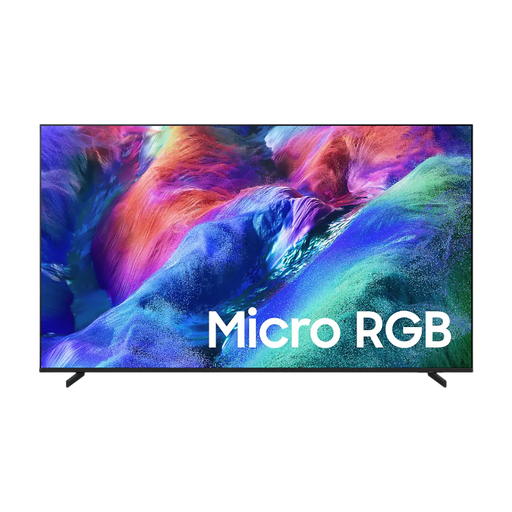 No image available
Samsung R85H 65 inch Micro RGB 4K Vision AI Smart TV
Included in the product selection as a standard TV for an enclosed shared indoor space.
The product name lists 65 inches, Micro RGB and 4K.
View at Joybuy
Frequently asked questions
How do I choose a screen size for the back row?
Measure the distance to the seats and use around 2.4 times the screen diagonal as a starting point for comfortable viewing, as recommended by the Consumentenbond. For a group setup, also check visibility from the back and side seats.
Can I play a film directly from a USB stick?
It depends on the exact TV model and file format. Sony specifies the supported USB file systems and codecs for the K-65A65. Test the specific file in advance or use a suitable player connected via HDMI.
How do I connect sound for the group?
Check that the TV and sound system have a compatible connection. HDMI-ARC or HDMI-eARC can send sound to a compatible system; check the connections on both devices before choosing.
Can I show the group a film I own or can watch through a subscription?
Not automatically. The Rijksoverheid states that permission may be required to use films protected by copyright. According to Auteursrecht.nl, a private association event doesn’t qualify for the family-circle exception simply because it’s private. Check who can grant permission for the specific film and screening; a Videma licence for represented TV programmes doesn’t automatically cover a film screening.
How do I run temporary cables safely?
The Fire Service advises using undamaged cables, positioning them so no one can trip over them, and fully unwinding any cable reel in use. This safety advice doesn’t confirm that a particular outdoor electrical installation is suitable.


