
Vandaag of morgen in huis

Kwaliteit gegarandeerd

Welkomstaanbiedingen ontgrendelen: GRATIS bezorging | Tot 80% korting | Gratis 30 dagen JoyPlus-proefperiode
Download de app
Sound familiar? A bag filled with different chargers: one for your laptop, another for your phone, and a separate one for your tablet. It's inconvenient, heavy, and creates a tangled mess of cables. Fortunately, there's a compact and powerful solution: the GaN charger.
This guide is designed to help you choose a GaN charger that fits your devices and lifestyle. We'll examine the specifications and highlight a few popular choices, so you can make an informed decision without getting lost in marketing jargon.
Before making a choice, it's wise to consider a few technical specifications. This ensures you buy a charger that truly meets your needs.
The power output, measured in watts (W), determines how quickly your devices charge. A modern smartphone often only needs a fast charger of 20-30W. For a tablet, 30-45W is a good starting point. Need to charge a laptop as well? Then you'll need a more powerful laptop charger, typically 65W or more. Always check the recommended wattage for your device, especially your laptop, to ensure the charger delivers sufficient power.
Most new devices use a USB-C charger for fast charging. A multi-port charger with several USB-C ports is ideal if you want to charge multiple modern devices simultaneously. Some chargers also include a traditional USB-A port, which can be useful for older accessories like a smartwatch or e-reader. Consider how many devices you want to connect at the same time and choose a charger with the right number and type of ports.
The major advantage of GaN (Gallium Nitride) technology is that it allows chargers to be smaller and more efficient than traditional models. They produce less heat, enabling components to be placed closer together. This results in a remarkably compact travel charger that easily fits in your bag or even your pocket, without compromising on power.
Based on specifications and functionality, we've rounded up some compelling options for you.
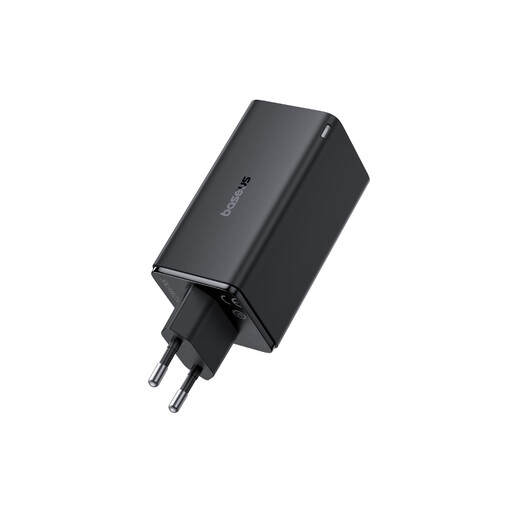
Why it stands out: This charger from Baseus is a true powerhouse. With a total output of 100W and four ports (two USB-C and two USB-A), it's designed for users who need to charge multiple devices at once, including a demanding laptop. According to Baseus, its BCT technology ensures intelligent power distribution among the connected devices.
Pros:
Who is it for? For the professional or student looking for a single charging solution for their desk or travel bag. Ideal for powering your laptop, smartphone, tablet, and earbuds all at the same time.
Check out the Baseus GaN6 Pro 100W
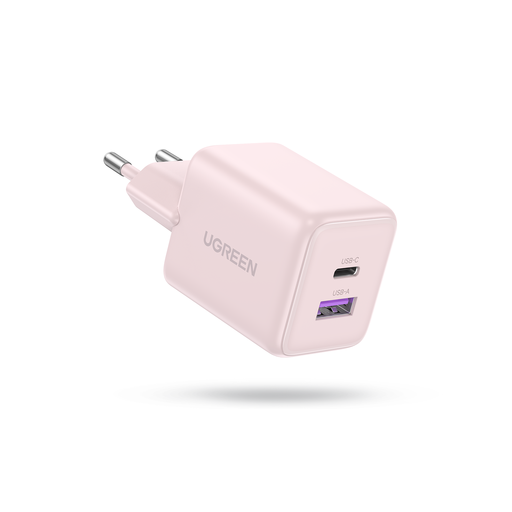
Why it stands out: The UGREEN 30W charger focuses on compactness and efficiency for daily use. With 30W of power via its USB-C port, it's perfect for fast-charging the latest smartphones and tablets. Its small size makes it an excellent choice for on-the-go use.
Pros:
Who is it for? For the user seeking a compact and lightweight fast charger for a smartphone and an additional accessory. Perfect for your daily bag or as a minimalist travel charger.
Check out the UGREEN 30W GaN charger
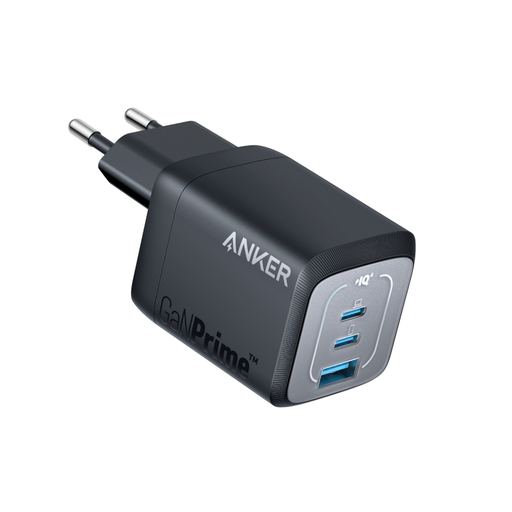
Why it stands out: The Anker 735 is a versatile all-rounder that strikes a great balance between power, ports, and size. With 67W, this charger can power most laptops (like a MacBook Air) at full speed, while still having room for two other devices. The combination of two USB-C ports and one USB-A port makes it highly versatile.
Pros:
Who is it for? For the user who needs a powerful yet portable charger that can handle both a laptop and other devices. A solid choice for anyone wanting a flexible solution for daily use and travel.
Check out the Anker 735 Prime 67W
The world of GaN chargers is vast, with many different configurations available. If the options above don't quite match your needs, perhaps because you're looking for a different wattage or port combination, there's much more to explore.
See more options in our USB-C fast charger category.
A GaN charger uses Gallium Nitride for its internal components instead of traditional silicon. This material can conduct electricity more efficiently and is more resistant to heat. This allows manufacturers to create more powerful chargers that are significantly smaller and lighter than older models with the same wattage.
A GaN charger isn't inherently faster, but the technology makes it possible to pack higher power (wattage) into a smaller form factor. If your device supports fast charging and you use a GaN charger with the appropriate wattage, your device will indeed charge faster than with a standard, low-power charger. So, it's a fast charger that owes its power to GaN technology.
Not every laptop. It only works if your laptop supports charging via a USB-C port using the Power Delivery (PD) protocol. Additionally, the GaN charger's wattage must match what your laptop requires. Most ultrabooks are fine with 65W, but more powerful models may require 100W or more. Always check your laptop's specifications before purchasing a laptop charger.
