
Vandaag of morgen in huis

Kwaliteit gegarandeerd

Welkomstaanbiedingen ontgrendelen: GRATIS bezorging | Tot 80% korting | Gratis 30 dagen JoyPlus-proefperiode
Download de app
At first glance, comparing gaming PCs seems straightforward: look at the graphics card, check the amount of RAM and choose an attractive case. However, buyers sometimes pay for components that make little difference to their games, while overlooking features that matter more.
The following pitfalls are common:
The graphics card largely determines how well a gaming PC displays modern games. For Full HD gaming, an RTX 5060 gaming PC is a practical choice from the current range. If you play at 1440p or use a monitor with a higher refresh rate, you may want to consider an RTX 5060 Ti gaming PC.
For more demanding 1440p applications and many 4K games, an RTX 5070 gaming PC is a more attractive option. Actual performance does depend on the game settings, display resolution, processor and features used, such as ray tracing or DLSS. Claims made by brands about frame rates should therefore be treated as indicative. According to the manufacturer's product description, these systems are aimed at specific resolutions; check the specifications of your favourite games before ordering.
Both a Ryzen gaming PC and an Intel gaming PC can be suitable for gaming. Do not just look at the processor family; also consider the number of cores and threads. A Ryzen 5 5500 with 6 cores and 12 threads, for example, is designed for gaming and everyday multitasking. A Ryzen 7 7800X3D with 8 cores and 16 threads is intended for more demanding gaming and productivity tasks.
For a new gaming PC, 16GB RAM is a useful starting point for gaming, streaming and general use. If you stream at the same time, edit video, open large projects or use virtual machines, you may benefit from more memory. Also check whether there are any free memory slots. According to the product specifications, the MSI MAG Infinite S3 models support up to 64GB RAM and have two free memory slots.
An NVMe SSD generally reduces start-up and loading times compared with a traditional hard drive. A gaming PC with a 1TB SSD offers more space for games, programmes and media files than a model with 480GB or 500GB.
Also check:
A compact case saves space, but may offer less room for upgrades. Place every desktop on a stable, well-ventilated surface and do not block any air vents.
The recommendations below are based on verifiable product specifications. A model that is suitable for a gamer is not necessarily the right choice for an office, study area or creative workspace.
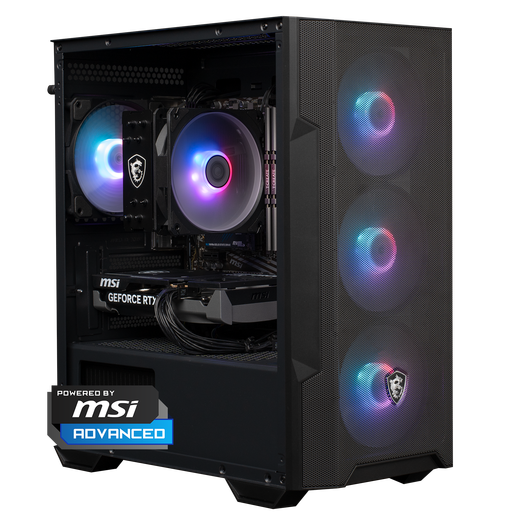
Why it suits this profile: The combination of a Ryzen 5 5500, RTX 5060, 16GB DDR4 and 1TB NVMe provides a solid foundation for Full HD gaming, without you having to select and assemble the components yourself.
The specifications list both the RTX 5060 and 16GB RAM, as well as 1TB of storage. This makes the configuration easier to understand than a PC that highlights only the graphics card.
RTX 5060 with 8GB memory, 16GB DDR4, 1TB NVMe and Windows 11 Home. The case measures 388 x 200 x 423 mm.
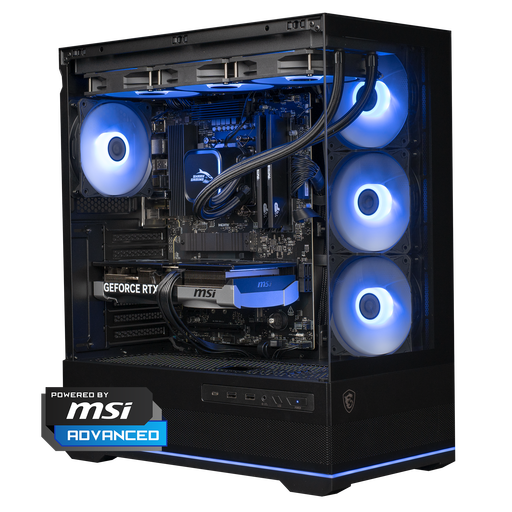
Why it suits this profile: This system is aimed at users who combine 1440p gaming and high refresh rates with creative applications such as rendering or video editing.
Alongside the RTX 5070, the configuration lists a Ryzen 7 7800X3D, 16GB DDR5, 1TB NVMe and a 360mm liquid cooler. This makes it easy to assess the components side by side.
RTX 5070 with 12GB, Ryzen 7 7800X3D, 1TB NVMe, Wi-Fi 6E and Windows 11 Home. The case measures 420 x 225 x 485 mm.
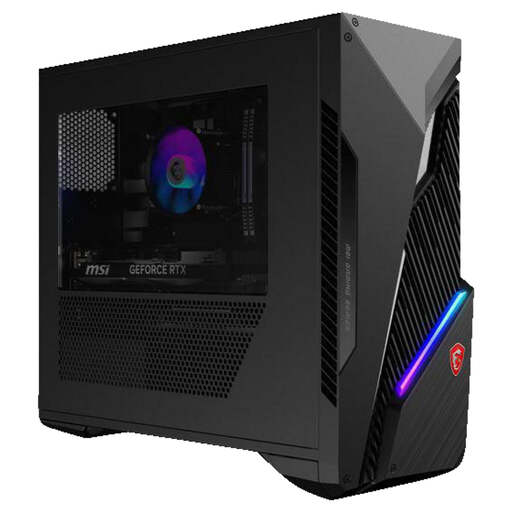
Why it suits this profile: The Intel Core i7-14700F with 20 cores and 28 threads is aimed at users who combine gaming with streaming, CAD, rendering or video editing.
The RTX 5060 Ti is paired with a specified processor, 16GB RAM and a 1TB SSD. Wi-Fi 6E, Bluetooth 5.3 and multiple DisplayPort connections make the connectivity options clear.
Intel Core i7-14700F, RTX 5060 Ti 8GB, 16GB DDR5, 1TB SSD, Windows 11 Home and up to 64GB RAM.
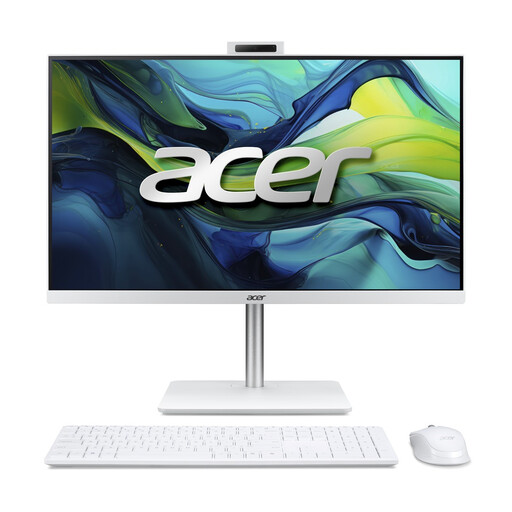
Why it suits this profile: This is not a gaming desktop, but a space-saving all-in-one PC for office work, studying, video calls and multimedia.
The integrated Intel Graphics is intended for everyday computing tasks, not demanding games. This makes it clearer what this PC is and is not designed for.
23.8-inch Full HD IPS display, 16GB DDR5, 1TB NVMe SSD, 5MP webcam, Wi-Fi 6 and Windows 11 Home.
We have put together a complete, up-to-date list of products that fully meet these strict selection criteria and the applicable European safety regulations.
For many games and everyday use, 16GB RAM is a practical starting point. Streaming, video editing, CAD and other demanding programmes may use more memory. So check whether the motherboard has free memory slots and how much RAM it supports at most.
Its lifespan depends on usage, dust, ventilation, component quality and future software requirements. A PC with free expansion slots, a sufficiently powerful power supply and an NVMe slot can be upgraded more easily later on. Clean the ventilation openings regularly to remove dust and do not place the computer in an enclosed cabinet.
Consumption depends on the graphics card, processor, workload and number of hours of use. A gaming PC generally uses more electricity during intensive gaming than an office PC, mini PC or all-in-one PC. Look at the power supply's wattage, but bear in mind that this is the maximum power and does not automatically represent constant consumption. Using an energy meter at the plug socket gives you a more practical picture of your own usage.
