
Vandaag of morgen in huis

Kwaliteit gegarandeerd

Welkomstaanbiedingen ontgrendelen: GRATIS bezorging | Tot 80% korting | Gratis 30 dagen JoyPlus-proefperiode
Download de app
Buying a gaming mouse sounds simple until you have to choose between dozens of sensors, DPI settings, connection types and button layouts. A high DPI may sound appealing, but it does not tell you everything about how usable a mouse is. A wireless gaming mouse is not automatically suitable for competitive games either. Weight, shape and software can be just as important.
Joybuy Product Recommendation Officer filters the most important product specifications and compares them with practical usage scenarios. This helps you avoid paying for features you will hardly use.
A high-DPI mouse can move the cursor extremely quickly. That does not mean you will aim better in every game. In FPS games, many players actually use lower sensitivity combined with larger mouse movements. So check whether the DPI can be adjusted and whether you can save multiple levels.
Also look out for conflicting product information. For example, a product page may mention a sensor resolution of 30,000 DPI, while the manufacturer’s software uses different practical settings. Assess DPI alongside the sensor, polling rate and the ability to fine-tune sensitivity.
A lightweight gaming mouse weighing around 50 to 70 grams may be quick to move, but low weight does not guarantee a comfortable grip. The shape, width and position of the side buttons determine whether you can hold the mouse steadily.
A larger, ergonomic gaming mouse may be a better fit for a palm grip or larger hands. A compact, symmetrical model is often more practical for a claw grip, fingertip grip or use with a laptop.
A wireless gaming mouse usually works via a 2.4GHz receiver, Bluetooth or both. Bluetooth is practical for a laptop and everyday use, but for competitive gaming, check whether the mouse also supports a fast radio connection. Also consider battery life, USB-C charging and whether you can continue playing while the mouse is charging.
An optical gaming mouse uses an optical sensor to register movement. Important details include:
For an FPS gaming mouse, predictable movement, a suitable shape and a stable connection are usually more important than an extremely high DPI rating.
Compare the weight with the dimensions. A 59-gram model with a wide body will feel different from a compact 60-gram model. Also check whether the design is intended for right-handed use only.
A lightweight gaming mouse often suits quick sweeping movements. A heavier model may provide greater stability for office work or strategy games. Choose based on your grip and hand size rather than just the number printed on the packaging.
Programmable mouse buttons are useful for macros, shortcuts and browser functions. However, more buttons also mean a greater chance of pressing one accidentally. Check:
RGB lighting does not change tracking performance. An RGB gaming mouse may complement your existing desk setup, but lighting is primarily a design choice.
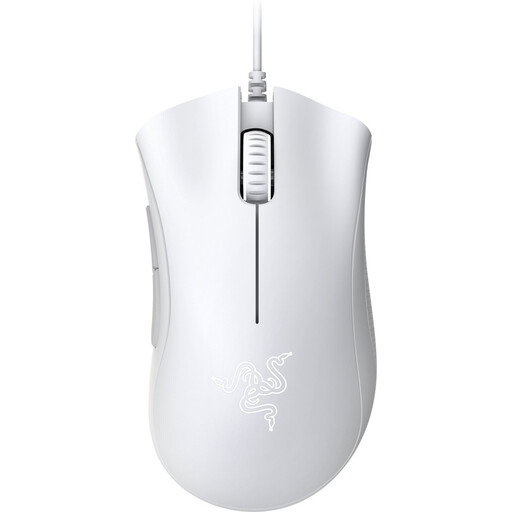
Why it suits this profile: A wired entry-level choice for PC and laptop gamers looking for a straightforward mouse with an ergonomic shape.
The wired USB connection means there is no need to recharge, while the product specifications list an optical sensor, five buttons and a polling rate of up to 1,000 Hz.
6,400 DPI, an ergonomic right-handed design and programmable buttons according to the product information.
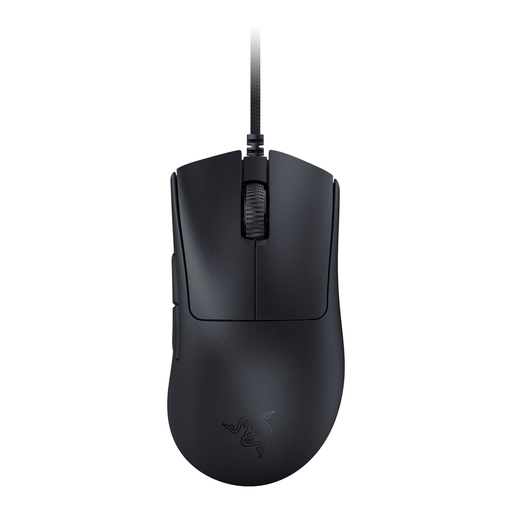
Why it suits this profile: Designed for players who value low weight, a fast polling rate and a wide range of DPI settings.
The 59-gram weight and wired connection make the specifications clear, without relying on a battery during gameplay.
Razer Focus Pro optical sensor up to 30,000 DPI, six buttons and a polling rate of up to 8,000 Hz according to the listed specifications.

Why it suits this profile: For users who want to play wirelessly, need plenty of buttons and plan long sessions between charges.
The product description states up to 750 hours of battery life at 1,000 Hz; the quoted figure depends on settings and usage.
53 grams, tri-mode wireless connectivity, up to 8,000 Hz, 30,000 DPI and ten programmable buttons according to Rapoo.
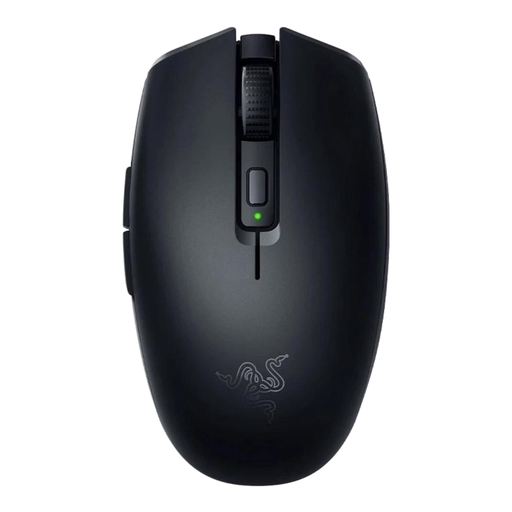
Why it suits this profile: A compact choice for gamers who take their mouse between home, the office and their laptop.
Alongside HyperSpeed Wireless, this model supports Bluetooth. This lets you tailor the connection for gaming or economical laptop use.
60 grams, symmetrical design, six programmable buttons and an optical sensor up to 18,000 DPI.
We have compiled a complete, up-to-date list of products that fully meet these strict selection criteria and the applicable European safety regulations.
Before buying, also check your PC or laptop’s USB connection, software compatibility and hand orientation. In the European Union, consumers are entitled to a legal guarantee of at least two years for many new products; additional rights may depend on the circumstances and national regulations.
Yes. An optical sensor, adjustable DPI and programmable buttons can also be useful for navigation and productivity. For extended use, pay particular attention to the shape, weight and position of the thumb buttons.
Its lifespan depends on the switches, cable, battery, usage and maintenance. Manufacturers sometimes state a click rating, such as millions of clicks. This is a quoted product specification, not a guarantee that every individual mouse will reach exactly that figure. Keep the sensor and mouse feet free from dust, and do not pull on the cable.
Not necessarily. A higher polling rate and DPI can offer interesting adjustment options, but your PC, display, game settings and personal sensitivity also play a part. For many players, a suitable shape, stable tracking and a reliable connection are more important than the highest numerical value.
