
Vandaag of morgen in huis

Kwaliteit gegarandeerd

Welkomstaanbiedingen ontgrendelen: GRATIS bezorging | Tot 80% korting | Gratis 30 dagen JoyPlus-proefperiode
Download de app
Buying a gaming monitor seems straightforward until you start comparing the specifications. 240Hz, 300Hz, 320Hz, 1 ms, HDR10, FreeSync and Adaptive Sync all sound appealing, but they do not automatically mean that a screen is right for your PC, games or workspace. A high refresh rate, for example, is of little use if your graphics card cannot deliver the required frame rate.
The three most common buying pitfalls are:
The refresh rate indicates how often the screen can display a new image each second. A 60Hz monitor refreshes 60 times per second; at 240Hz, it refreshes 240 times. In fast-paced shooters, racing games and esports, a higher refresh rate can provide smoother motion, provided that the PC produces enough frames per second.
Pay attention to the connection as well. Check the product specifications to see which HDMI and DisplayPort version is required for the maximum refresh rate. The Titan Army C27A1H, for example, lists 300Hz via HDMI 2.0 and DisplayPort 1.4, while the Thunderobot CF25F300L combines Full HD resolution with 320Hz.
A response time of 1 ms is not a uniform industry standard for every use case. Check whether the figure is listed as GtG or MPRT, and whether it requires an overdrive setting. Overly aggressive overdrive can actually cause visible artefacts.
A 27-inch screen with Full HD has a lower pixel density than a 24-inch Full HD monitor. For text, spreadsheets and photo editing, QHD at 27 inches may therefore be more comfortable. For competitive gaming, Full HD can be a practical choice because higher frame rates are easier to achieve.
An IPS gaming monitor is generally known for its wide viewing angles and consistent colour reproduction. A VA gaming monitor often offers higher static contrast according to the listed product specifications, which can make dark scenes clearer. The right choice depends on how you plan to use it: fast-paced esports, films, office work or colour-sensitive creative projects.
A monitor with FreeSync or Adaptive Sync can match its refresh rate to the graphics card’s frame rate. Check the supported range and official compatibility. A brand’s product information describes features from its own perspective, so treat such claims as product specifications rather than guaranteed performance in every PC configuration.
Also consider adjustability. Height adjustment, tilting, swivelling and a VESA 100 × 100 mm mount can be more important than built-in lighting. Check whether the cable you need is included and whether the ports support the maximum resolution and refresh rate.
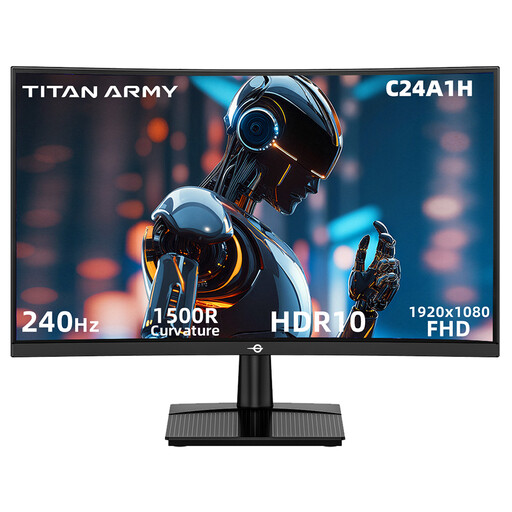
Why it suits this profile: A compact 23.6-inch Full HD gaming monitor for players looking for high speed without moving up to QHD or 4K.
The product specifications list 1 ms MPRT, 240Hz, FreeSync Compatible and HDR10 separately. This allows you to assess the features side by side instead of focusing on a single marketing figure.
23.6 inches, 1920 × 1080, 240Hz, VA panel, 1500R curvature and HDMI 2.0 plus DisplayPort 1.2.
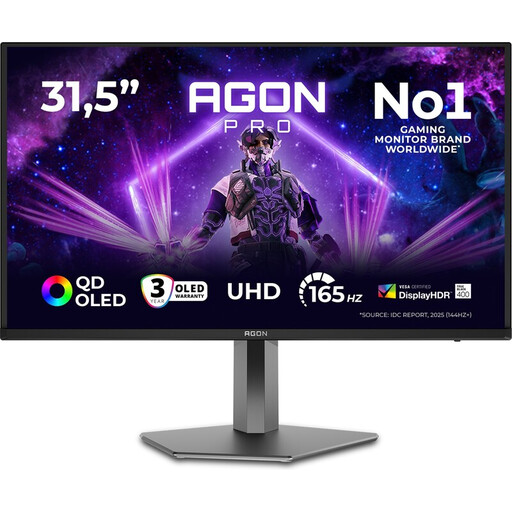
Why it suits this profile: For users who combine gaming with creative projects and value highly detailed images.
The listed 4K resolution, 165Hz, QD-OLED panel and HDMI 2.1 make it clear what type of hardware and usage the screen is designed for. Check beforehand whether your PC can run 4K at the desired refresh rate.
31.5 inches, 3840 × 2160, 165Hz, QD-OLED, HDR True Black 400 and two HDMI 2.1 ports.
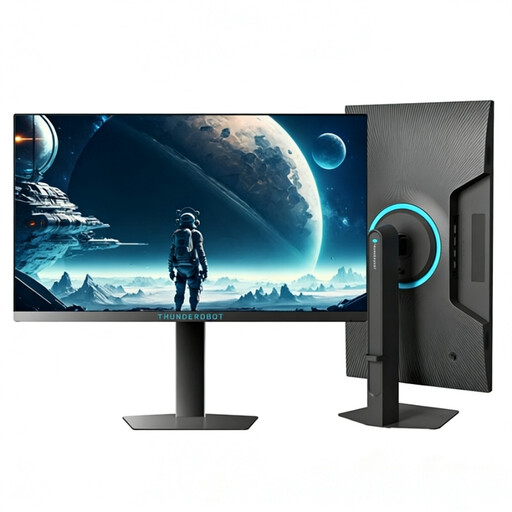
Why it suits this profile: Designed for esports players looking for a 24- to 25-inch screen, Full HD and an exceptionally high refresh rate.
Choosing Full HD keeps the graphics workload lower than with QHD or 4K. The specified 320Hz is verifiable, but the final frame rate still depends on the PC and game settings.
24.5 inches, 1920 × 1080, 320Hz, 450 nits according to the product specifications and an adjustable stand.
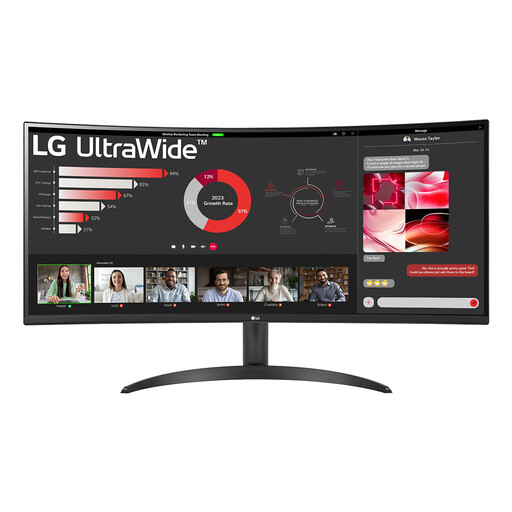
Why it suits this profile: Handy for anyone who wants to use work windows, media and games side by side on one wide screen.
The 100Hz refresh rate is suitable for everyday use and casual gaming, without pretending to be an esports monitor. The 5 ms response time is clearly stated.
34 inches, 3440 × 1440, 21:9, VA panel, 1800R curvature, HDR10, FreeSync and Picture-by-Picture.
We have put together a complete, up-to-date list of products that fully meet these strict selection criteria and the applicable European safety regulations.
The difference can be visible during fast movement, but the benefit depends on your game, frame rate and reaction-time goals. For competitive PC games, 240Hz may be worthwhile. For office work, films and casual gaming, 100Hz to 180Hz is often already a practical step up from 60Hz.
Not always. The right connection depends on the resolution and refresh rate. Check the monitor’s product specifications and your graphics card’s output. Some models support the maximum refresh rate via HDMI, while others require DisplayPort. Use a cable that matches the relevant standard.
The lifespan depends on usage, heat, power quality and panel type. A monitor can function technically for many years, but its features may become outdated when new graphics cards or consoles require different connections. Keep your proof of purchase and check the statutory guarantee. Consumers in the EU generally receive at least a two-year statutory guarantee, although the specific rights depend on the circumstances and national regulations.
