
Vandaag of morgen in huis

Kwaliteit gegarandeerd

Welkomstaanbiedingen ontgrendelen: GRATIS bezorging | Tot 80% korting | Gratis 30 dagen JoyPlus-proefperiode
Download de app
Buying a gaming monitor may seem straightforward, until you have to choose between Full HD, QHD, 144Hz, 240Hz, IPS, VA, OLED or an ultrawide format. Marketing copy often focuses on one eye-catching figure, while other features can be just as important.
The most common purchasing mistakes arise from three pitfalls:
With the checks and profile-based recommendations below, you can make a more informed choice when buying a monitor for PC gaming, consoles, working from home or entertainment.
The size determines how much space you need on your desk and how much room you have on screen. The resolution determines how detailed that image will be.
A QHD monitor places greater demands on your graphics card than a Full HD monitor. Therefore, check your PC’s performance in the games you actually play. For a console, you should also check the supported resolution and refresh rate.
Refresh rate is measured in hertz. A 144Hz monitor refreshes the image up to 144 times per second; a 180Hz monitor, 240Hz monitor, 300Hz monitor or 320Hz monitor can display movement even more frequently.
That does not automatically mean every game will look smoother. If your PC produces only 90 frames per second, you will gain little practical benefit from a 240Hz or 320Hz screen. A higher refresh rate can be relevant for fast-paced shooters, provided your system delivers enough frames.
Pay attention to the connection as well:
According to the product specifications, a monitor with FreeSync can help reduce screen tearing and stuttering when frame rates fluctuate. How well it works in practice depends on compatibility between the monitor, graphics card, cable and settings.
An IPS monitor is generally known for its wide viewing angles and consistent colour reproduction. This can be useful for gaming, photo or video work, and workspaces where you are not always sitting directly in front of the screen.
According to product specifications, a VA monitor often offers higher static contrast. This can be helpful for films and dark gaming environments. Motion handling can differ on some VA panels compared with IPS, so do not look only at the stated number of milliseconds.
An OLED gaming monitor uses per-pixel illumination. The Samsung LS27FG500SUXEN, for example, is described as offering QHD resolution, 180Hz and a stated response time of 0.03 ms. With OLED, also check the warranty conditions and information about prolonged display of static images before buying.
HDR10 is a supported format, but the presence of an HDR10 monitor alone does not indicate how bright or contrast-rich HDR content will look in practice. Also consider the brightness, panel type and other specifications.
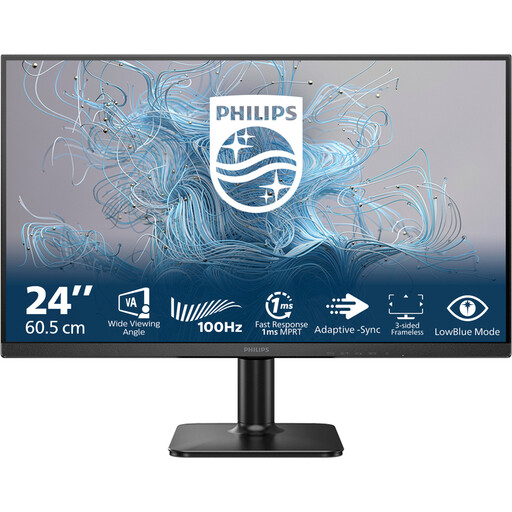
Why it suits this profile: The 24-inch format, Full HD resolution and 100Hz refresh rate are suitable for everyday work, multimedia and light gaming without requiring a large desk or powerful PC.
The specifications are straightforward: Full HD, 100Hz, VA and 4ms. This means you are not paying for a high refresh rate that your hardware may not be able to use.
24-inch VA panel, 1920 × 1080 pixels, 100Hz and a response time of 4ms.
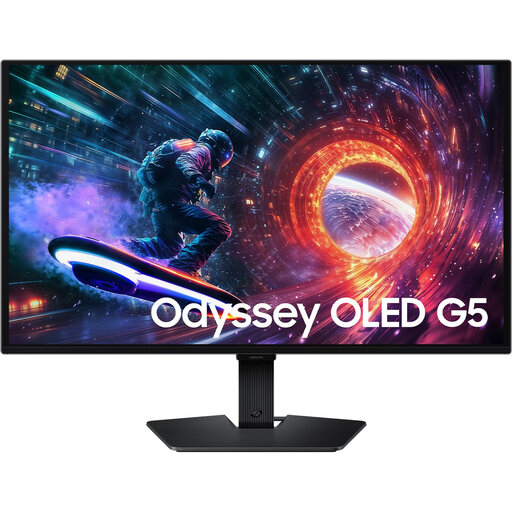
Why it suits this profile: If you are looking for high image sharpness and OLED performance, this 27-inch QHD screen offers 180Hz and support for HDR10, FreeSync and G-SYNC Compatible, according to the product description.
This option brings resolution, panel type and refresh rate together in one package. Do check the OLED warranty information and guidance on prolonged static content.
QHD on 27 inches, OLED panel, 180Hz, HDR10, HDMI 2.0 plus DisplayPort 1.2.
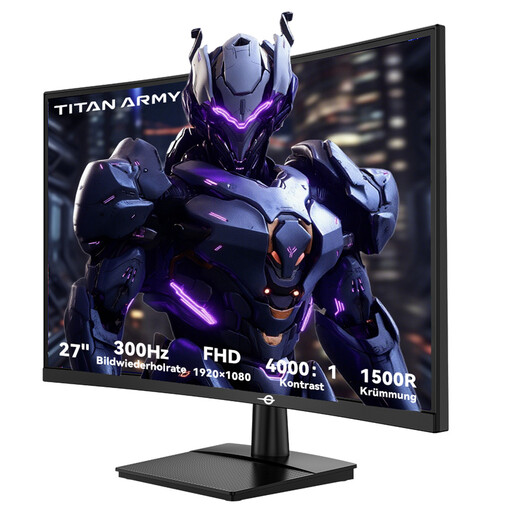
Why it suits this profile: This 27-inch curved screen is aimed at users who play competitive PC games and consider a high refresh rate more important than QHD resolution.
The combination of Full HD and 300Hz makes it clear that this model is primarily designed for high frame rates. Check that your PC can deliver this in your games.
1500R VA panel, 300Hz, 1ms GTG, FreeSync Compatible, two HDMI 2.0 and two DisplayPort 1.4 connections.
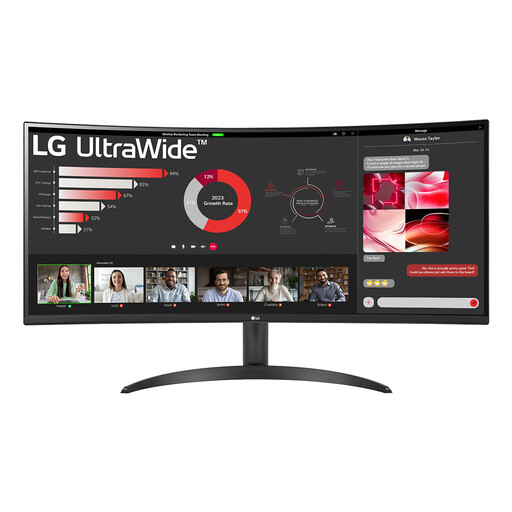
Why it suits this profile: The 21:9 aspect ratio and 3440 × 1440 pixels provide room for spreadsheets, documents, creative applications and games side by side.
The large screen is paired with a suitable ultrawide resolution. Check beforehand that your desk can accommodate a width of 809mm.
34-inch VA panel, 100Hz, HDR10, FreeSync, Picture-by-Picture and one DisplayPort plus two HDMI ports.
We have put together a complete, up-to-date list of products that fully meet these strict selection criteria and the applicable European safety regulations.
As well as image specifications, check the physical installation requirements:
For many PC gamers, 144Hz is a practical starting point. The difference compared with 60Hz is most noticeable when your computer produces enough frames. If you play competitive games and have a powerful PC, you may also want to consider 180Hz, 240Hz or higher.
That depends on your graphics card and viewing distance. Full HD requires less graphics processing power. QHD provides more detail on a 27-inch screen and is also well suited to work and multimedia, but it generally requires a more powerful PC to achieve high frame rates.
Power consumption varies according to the model, brightness, resolution and HDR setting. Check the stated wattage and energy class. A screen used for many hours as a monitor for working from home can consume noticeably more over the course of a year than a more energy-efficient model.
