
Vandaag of morgen in huis

Kwaliteit gegarandeerd

Welkomstaanbiedingen ontgrendelen: GRATIS bezorging | Tot 80% korting | Gratis 30 dagen JoyPlus-proefperiode
Download de app
You don’t choose a gaming monitor solely based on the highest refresh rate. For example, a screen may support 240Hz only via DisplayPort, while your laptop or console may have nothing but an older HDMI connection. A large ultrawide screen also won’t automatically fit every desk, and a low response time means little if the selected resolution isn’t suitable for your graphics card.
The main pitfalls when comparing gaming monitors are:
The resolution determines how many pixels the screen displays. A Full HD gaming monitor with 1920 × 1080 pixels places less demand on your graphics card than a QHD or 4K model. This makes Full HD a good choice for esports and affordable PC setups.
A QHD gaming monitor with 2560 × 1440 pixels provides noticeably more screen space for gaming, office work and photo editing. At 27 inches, this is a popular combination. A 4K gaming monitor with 3840 × 2160 pixels displays more detail, but generally requires a more powerful graphics card to achieve high frame rates.
An ultrawide gaming monitor often uses a 21:9 aspect ratio. Models with 3440 × 1440 pixels offer extra horizontal workspace. A 32:9 screen, such as a Dual QHD model, requires even more desk space and is particularly well suited to simulation games, multitasking and wide timelines.
The refresh rate is measured in hertz. A 144Hz gaming monitor refreshes the image more often than a standard 60Hz monitor. For many PC gamers, this offers a practical balance between smooth visuals and the graphics performance required.
A 240Hz gaming monitor or higher is mainly relevant for fast-paced shooters and esports, when your PC consistently produces high frame rates. A 300Hz or 320Hz model may appeal to competitive players, but the difference compared with 144Hz or 165Hz depends on your games, hardware and personal preference.
Also pay attention to the measurement used. 1ms GTG, 1ms MPRT and 0,03ms GTG do not describe exactly the same test. Look at the overdrive settings too, as well as any recommendations in the manual. An extremely low quoted figure is therefore not, by itself, a reason to choose a screen.
HDR is no guarantee of a striking image. Check the brightness in cd/m², the HDR standard and whether HDR is available through your chosen HDMI or DisplayPort version.
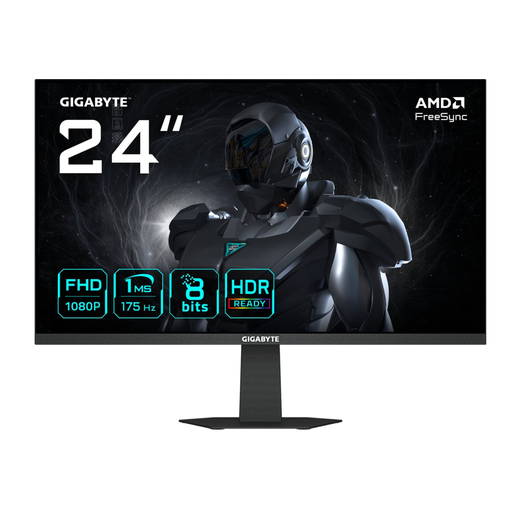
Why it suits this profile: This 23.8-inch screen combines Full HD with 175Hz and is suitable for a compact PC or student setup.
The product information clearly states the resolution, refresh rate, IPS panel and connection. No HDR function is specified, so you don’t need to mistakenly factor this feature into your decision.
175Hz, quoted 1ms response time, IPS panel, FreeSync and VESA 100 × 100mm.
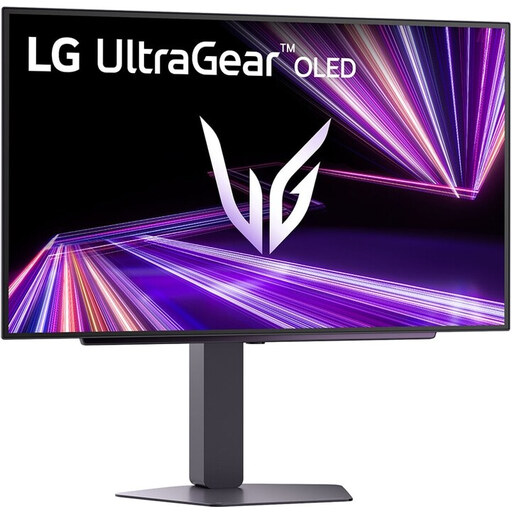
Why it suits this profile: For gamers and creative users who want to combine QHD detail, OLED contrast and high speed.
The product details list OLED, QHD, 240Hz, HDR True Black 400 and support for FreeSync Premium Pro and G-SYNC Compatible. Check the warranty and OLED maintenance features before buying.
27-inch QHD, OLED panel, 240Hz, quoted 0,03ms response time and HDMI 2.1.
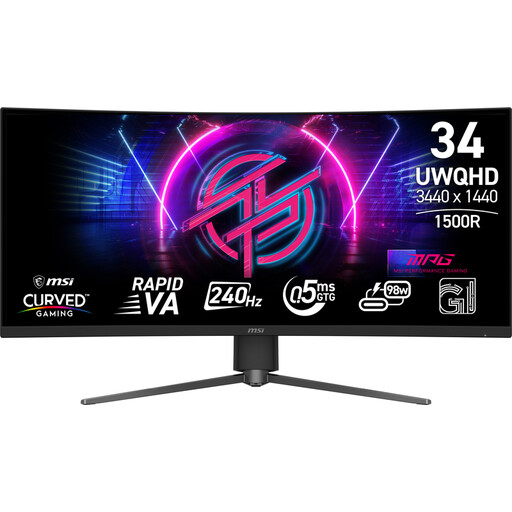
Why it suits this profile: A 34-inch ultrawide screen for racers, simulation fans and users who want to open multiple windows alongside gaming.
The 3440 × 1440 resolution and 21:9 aspect ratio are clearly stated. Check the available desk width beforehand and make sure your PC can drive this resolution at a high refresh rate.
Rapid VA, 3440 × 1440, 240Hz, Adaptive-Sync, DisplayHDR 400 and adjustable stand.
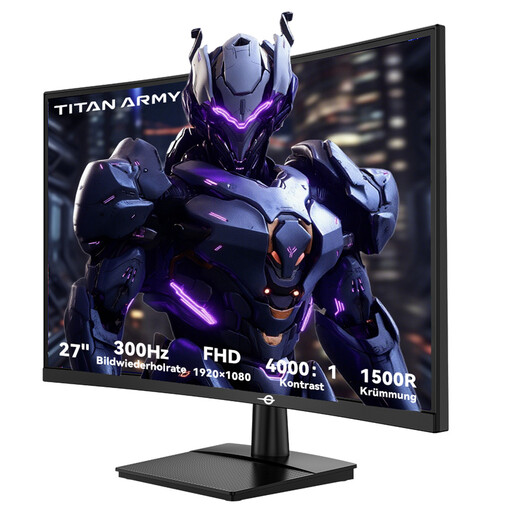
Why it suits this profile: Designed for players seeking a high refresh rate for fast-paced PC games who also enjoy the feel of a curved screen.
The specifications list 300Hz, 1ms GTG, FreeSync, two HDMI 2.0 ports and two DisplayPort 1.4 ports. Check the cable and graphics card before selecting the highest setting.
27-inch Full HD, 300Hz, 1500R VA panel, Adaptive Sync and tilting stand.
We’ve put together a complete, up-to-date list of products that fully meet these strict selection criteria and the applicable European safety regulations.
For many players, a 144Hz gaming monitor is sufficient, especially at Full HD or QHD. The screen feels noticeably smoother than 60Hz. 240Hz is mainly interesting when your PC consistently produces higher frame rates in the game you play.
A portable monitor with USB-C is practical when the laptop supports DisplayPort via USB-C. Also check whether a single USB-C port provides enough power. According to the product information, the TECLAST V16Q has two USB-C ports, mini-HDMI, a 2.5K IPS panel and 144Hz; check the manual for the exact cable configuration.
Lifespan depends on usage, heat, transport and panel type. LCD monitors can function for many years with proper ventilation and stable positioning. With OLED, it is advisable to use the built-in pixel protection, avoid displaying static images for unnecessarily long periods and read the specific warranty terms.
