
Vandaag of morgen in huis

Kwaliteit gegarandeerd

Welkomstaanbiedingen ontgrendelen: GRATIS bezorging | Tot 80% korting | Gratis 30 dagen JoyPlus-proefperiode
Download de app
Buying a gaming monitor sounds simple, until you start comparing specifications. A screen with a 1 ms response time is not automatically faster in every setting. A high refresh rate is of little use if your PC cannot deliver that frame rate. And a large screen may look less sharp than a smaller model at the same resolution.
For gamers, home workers and students in the Netherlands, these are the main pitfalls to watch out for:
A 24-inch gaming monitor with Full HD or 1080p is a practical choice for competitive games, smaller desks and setups where you sit close to the screen. The pixel density of a 23.8-inch Full HD display is around 93 ppi. This is generally clear and comfortable for gaming and office work.
A 27-inch gaming monitor with Full HD gives you more screen space, but has around 82 ppi. This difference is noticeable with small text, spreadsheets and detailed interfaces. For a 27-inch screen, QHD, such as 2560 × 1440, can be a logical step if your graphics card can handle it.
When choosing a monitor for PC gaming, also consider the performance of your graphics card. A 200Hz monitor will only actually display 200 frames per second when your system and game can deliver that frame rate.
The refresh rate is measured in hertz:
A FreeSync monitor or Adaptive-Sync monitor can match the refresh rate to the graphics card’s frame rate. According to the product information provided by the relevant brands, this is designed to reduce tearing and stuttering. However, performance depends on compatibility between the monitor, graphics card, cable and settings.
After installation, check your Windows or console settings. A screen may be set to 60Hz by default, even if the panel supports a higher refresh rate.
An IPS monitor generally offers wide viewing angles and consistent colours. This is useful if you also view photos, edit videos or use the monitor for office work. According to the stated product specifications, VA panels can offer a higher static contrast ratio, but motion performance varies from model to model.
With a monitor featuring a 1 ms response time, check the measurement method. The ASUS VG249Q3A, for example, states 1 ms, while the MSI PRO MP271A E2 lists both 1 ms MPRT and 4 ms GtG. Dell SE2425HG lists several GtG modes. These figures are therefore not directly comparable.
Also check:
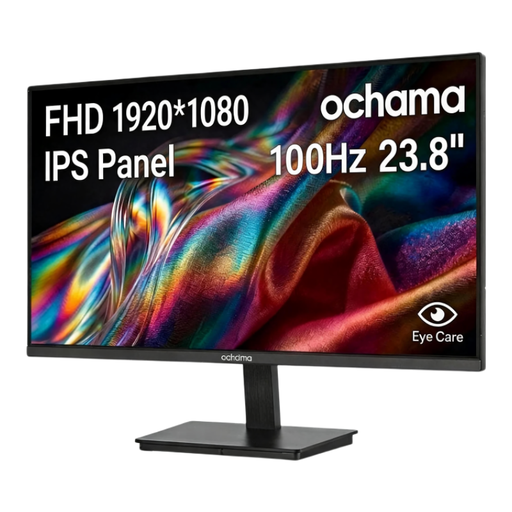
Why it suits this profile: The 23.8-inch Full HD screen combines a compact size with 100Hz. This makes it a good fit for a first gaming PC, study area or home office.
The product specification clearly states 1080p and 100Hz, without an extremely high refresh rate that may not suit every PC.
23.8 inches, 1920 × 1080, 100Hz, blue-light filter and a narrow three-sided bezel.
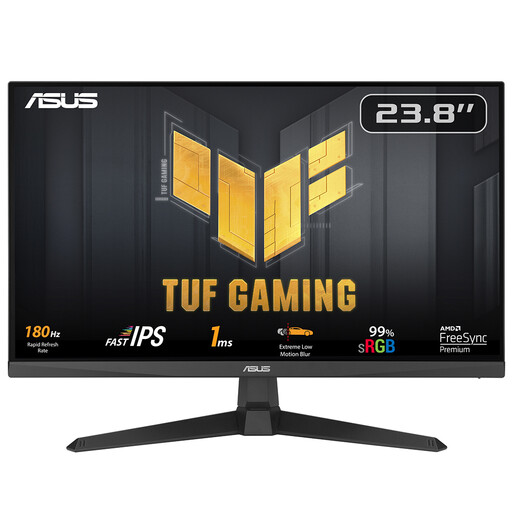
Why it suits this profile: This 23.8-inch IPS model is designed for fast-paced PC games and offers both DisplayPort and HDMI connections.
The specifications list IPS technology, 180Hz, 1 ms and FreeSync separately. This lets you check the relevant features rather than relying on a marketing label alone.
180Hz, IPS panel, FreeSync, VESA 100 × 100 mm, plus Flicker-Free and Low Blue Light features.

Why it suits this profile: For players with a powerful PC, a 27-inch screen with 200Hz is an appealing option, provided the graphics card can deliver enough frames at Full HD.
The monitor lists both 0.5 ms GtG and Adaptive-Sync, and uses DisplayPort and HDMI connections. However, check which port supports the setting you want.
27 inches, Rapid IPS, 200Hz, 0.5 ms GtG, Adaptive-Sync and VESA support.
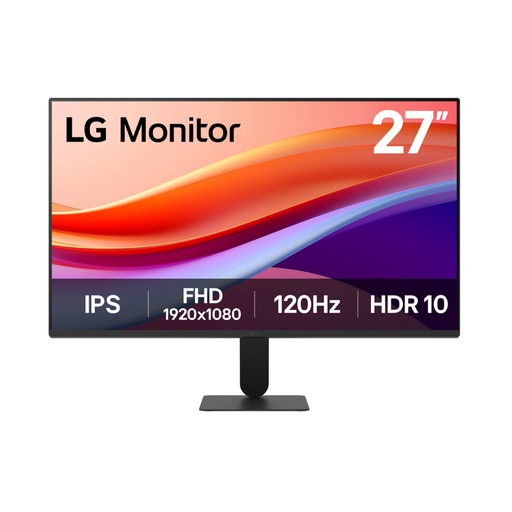
Why it suits this profile: This screen is designed for a combined work and entertainment setup, with a 27-inch IPS panel and 120Hz refresh rate.
The choice remains straightforward: Full HD, 120Hz, IPS and VESA are clearly specified. For small text, however, consider your viewing distance or a QHD alternative.
IPS, 120Hz, HDR10 according to the product specification, 99% sRGB, anti-flicker and VESA 100 mm.
We have put together a complete, up-to-date list of products that fully meet these strict selection criteria and the applicable European safety regulations.
For many gamers, a 144Hz monitor offers a practical balance between smooth motion and system requirements. The difference compared with 60Hz is clear, but the benefit decreases when your game does not reach roughly 100 to 144 frames per second. For esports, 165Hz, 180Hz or 200Hz may be worthwhile if your PC can maintain that frame rate consistently.
The lifespan depends on usage, heat, transport and power supply. A monitor does not have a fixed expiry date. Ensure stable ventilation, avoid moisture and use the supplied or a suitable power cable. In the Netherlands, many new products come with at least the statutory guarantee; check the specific terms for the product.
Power consumption depends on screen size, brightness, HDR and the settings being used. Product specifications often provide separate figures for SDR and HDR. A higher refresh rate can affect consumption, but brightness and the panel also play a part. Turn the screen down or off when you are not using it, and compare the energy information before buying.
