
Vandaag of morgen in huis

Kwaliteit gegarandeerd

Welkomstaanbiedingen ontgrendelen: GRATIS bezorging | Tot 80% korting | Gratis 30 dagen JoyPlus-proefperiode
Download de app
Buying a gaming monitor seems straightforward until you compare the specifications side by side. 144Hz, 240Hz, 300Hz, HDR10, Adaptive Sync, IPS, VA and OLED: manufacturers use plenty of terms, but not every feature is relevant to every player. What is more, a high refresh rate may offer little benefit if your PC cannot reach that frame rate or if the right connection is missing.
A 240Hz gaming monitor or 300Hz gaming monitor can display smooth motion, but you also need enough frames per second to take advantage of it. With a less powerful PC, a Full HD gaming monitor with 144Hz or 180Hz may be a more sensible choice than a 300Hz model.
So check:
A claimed response time of 1 ms or 0,5 ms may be based on different measurement methods, such as GTG or MPRT. These figures are not directly comparable. Also look at the overdrive settings and the connection used with the monitor.
A fast esports monitor is most useful for competitive shooters, racing games and other titles where rapid camera movement is important. For strategy, simulation and story-driven games, resolution, contrast and screen size may sometimes matter more.
HDR10 support means that a monitor can process HDR10 signals. However, the visible benefit also depends on brightness, contrast and local dimming. A gaming monitor with HDR10 is therefore not automatically suitable for a pronounced HDR effect. Check the brightness in nits and see whether the manufacturer provides details about contrast and colour reproduction.
A Full HD gaming monitor with 1920 × 1080 pixels puts less demand on your graphics card. This makes Full HD suitable for higher fps and often for affordable gaming setups too. A QHD gaming monitor with 2560 × 1440 pixels offers more detail and works well with a 27-inch screen.
With a 27-inch gaming monitor, QHD is often a practical combination of sharpness and performance. A 32-inch gaming monitor gives you more screen space, but with Full HD, text and images may look less refined at close range. For 32 inches, QHD or 4K is generally worth considering.
A 4K gaming monitor with 3840 × 2160 pixels is appealing for single-player games, films, productivity and modern consoles. For competitive games, however, you should check whether your system can achieve the required fps.
A curved gaming monitor, such as a model with 1500R curvature, can make the picture feel more immersive. This is mainly a matter of viewing position and personal preference. Check that the curvature suits your desk and the distance from the screen.
144Hz is a clear step up from 60Hz when your PC can deliver enough frames. 240Hz and 300Hz are mainly relevant to competitive players with a system that can produce high fps consistently. A gaming monitor with Adaptive Sync can match its refresh rate to the graphics card's frame output, which can help reduce tearing and stuttering. Always check which combination of graphics card, cable and port is supported.
Also look out for:
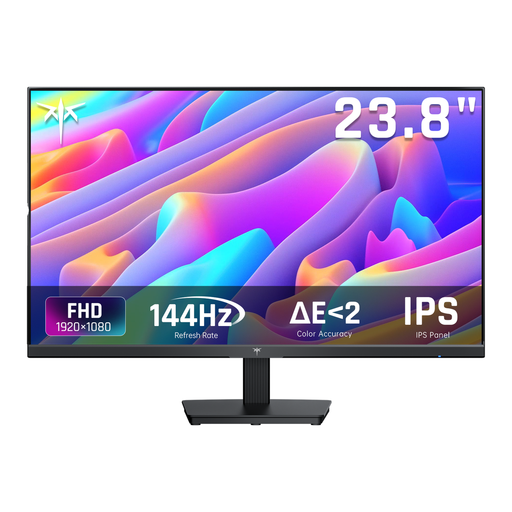
Why it suits this profile: This 24-inch Full HD model is a straightforward choice for a first PC or desk setup, combining 144Hz with HDMI, DisplayPort and Adaptive Sync.
The essential specifications are clearly stated: 1920 × 1080, 144Hz and a 24-inch IPS panel. That means you are not paying for features you will not use.
144Hz, IPS panel, Adaptive Sync, HDMI and DisplayPort; the stand tilts from -5° to 15°.
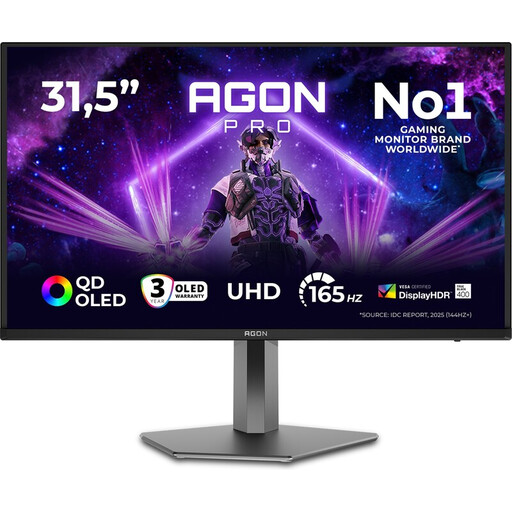
Why it suits this profile: For anyone looking to combine gaming, films and productivity on one large screen, this 32-inch QD-OLED model offers high resolution and a wide range of connections.
The choice is not just about speed: the specifications include 4K, 165Hz, HDMI 2.1, DisplayPort 1.4 and a USB hub. However, check that your PC or console supports this resolution and refresh rate.
3840 × 2160, 165Hz, QD-OLED, Adaptive Sync, two HDMI 2.1 ports and three USB connections.
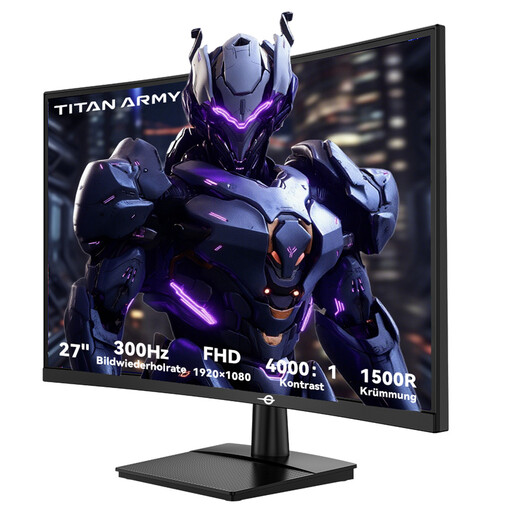
Why it suits this profile: This model is aimed at players looking for a high refresh rate and curved screen for fast-paced PC games.
Alongside 300Hz, the product information also lists the required connections: HDMI 2.0 and DisplayPort 1.4. The monitor runs at 1920 × 1080, making high fps more achievable than with 4K.
300Hz, 1 ms GTG, 1500R curvature, VA panel, FreeSync Compatible, HDR10 and VESA 100 × 100 mm.
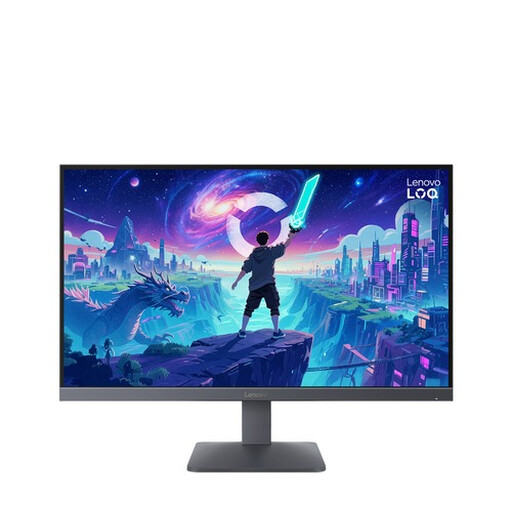
Why it suits this profile: This Fast IPS monitor is designed for gaming on PC and modern consoles, and can also be used for everyday work and entertainment.
The product information lists specific support for PS5, Xbox Series X/S and Nintendo Switch, alongside FreeSync Premium and VESA Adaptive Sync.
27 inches, Fast IPS, 200Hz, 0,5 ms MPRT, HDR10, two HDMI 2.1 ports and DisplayPort 1.4.
We have put together a complete, up-to-date list of products that fully meet these strict selection criteria and the applicable European safety regulations.
For many PC gamers, 144Hz is a sensible starting point. You get smoother motion than with 60Hz, without the hardware requirements being as high as with 240Hz or 300Hz. Above all, consider the fps your system achieves in your favourite games.
It can be, provided the monitor has the right HDMI connection and your console supports the desired resolution and refresh rate. Also check whether features such as HDR10 and Adaptive Sync are available through that connection.
Lifespan depends on usage, heat, brightness and build quality. An IPS or VA model is generally easy to use as a desktop monitor over the long term. With an OLED gaming monitor, it is advisable to follow the manufacturer's maintenance features and recommendations, especially when static desktop images are displayed frequently.
