
Vandaag of morgen in huis

Kwaliteit gegarandeerd

Welkomstaanbiedingen ontgrendelen: GRATIS bezorging | Tot 80% korting | Gratis 30 dagen JoyPlus-proefperiode
Download de app
A gaming headset with microphone may seem easy to choose at first glance. However, many disappointments are caused by unclear compatibility, exaggerated sound claims or a design that becomes uncomfortable after a long gaming session. Whether you are looking for a headset for PC, PS5, Xbox or Nintendo Switch, check the connection, comfort and microphone controls first.
The term gaming headset with surround sound sounds appealing, but how it works depends on the device, software and connection used. With the Logitech G432, DTS Headphone:X is available via Logitech G HUB and the supplied USB DAC, according to the product information. The experience may be different when using a standard 3.5mm connection.
Therefore, check:
A higher number of audio channels does not automatically mean that every game will sound better.
A wireless gaming headset may work via a USB dongle, Bluetooth or both. These connections are not always interchangeable. Check whether the headset is suitable for your console and whether the dongle fits the correct port.
Also consider:
For example, the Turtle Beach Stealth 500 uses 2.4GHz via a USB dongle and Bluetooth 5.2. According to the product information, the stated battery life is up to 40 hours. This is a manufacturer specification and not a guarantee for every usage scenario.
A comfortable gaming headset needs more than soft ear cushions. Its weight, headband pressure and the space around your ears all make a difference. Synthetic leather can provide a good seal, while mesh or fabric may feel more comfortable for some users during longer sessions.
Always check:
A wired gaming headset with a 3.5mm jack will often work directly with a controller, laptop, smartphone or Nintendo Switch. However, check whether your PC has a single combined socket or separate microphone and audio ports. A splitter or USB adapter may be required.
A headset for PS5, Xbox or Switch is not always fully interchangeable. Some models support multiple platforms via 3.5mm, while wireless models often use a platform-specific dongle.
For online chat, a clear microphone is more important than a striking design. A flip-to-mute microphone switches the sound off when you flip the microphone upwards. This is useful when you want to say something briefly outside the game.
A detachable microphone is handy if you also use the headset for music or films. Also check whether the microphone is controlled on the earcup, on the cable or via software.
Many gaming headsets use 40mm or 50mm drivers. Larger drivers can affect the sound, but on their own they do not indicate how a headset will sound. The stated frequency range for many models is around 20 Hz to 20 kHz. Sensitivity and impedance may also be relevant, particularly when using the headset with different devices.
Software features such as an equaliser, chat mix and spatial audio are additional tools. According to the brands’ own information, these features can adjust the sound output, but the result depends on the game, platform and personal preference.
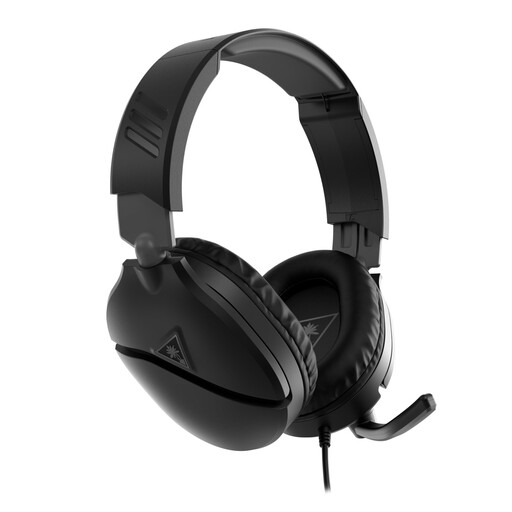
Why it suits this profile: This wired gaming headset uses a 3.5mm jack and is suitable for Xbox, PlayStation, PC, Nintendo Switch and mobile devices with a compatible connection.
The connection and platform compatibility are clearly stated. The flip-to-mute microphone means you do not have to open the software settings every time you need a brief interruption.
40mm drivers, volume wheel on the earcup and an adjustable microphone. No battery is required.
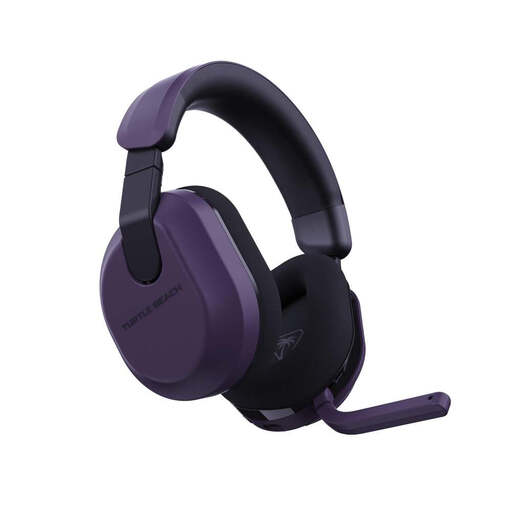
Why it suits this profile: A wireless gaming headset for users who want to switch between Xbox, PlayStation, PC, Steam Deck and mobile devices.
The product information lists 2.4GHz connectivity and Bluetooth 5.2 separately. This allows you to check in advance which connection is suitable for your device.
Stated battery life of up to 80 hours, 50mm Nanoclear drivers, Bluetooth 5.2 and a flip-up microphone, according to Turtle Beach.
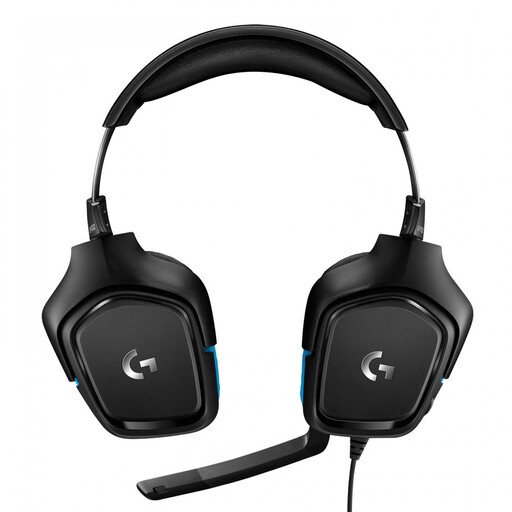
Why it suits this profile: Suitable for PC and console users looking for a wired headset with a USB DAC, 7.1 audio option and larger drivers.
The product details list both USB and 3.5mm, along with the Logitech G HUB software required for DTS Headphone:X. This makes operation less dependent on assumptions.
50mm drivers, stated frequency range of 20Hz to 20kHz, 6mm flip-to-mute microphone and a 2-metre cable.
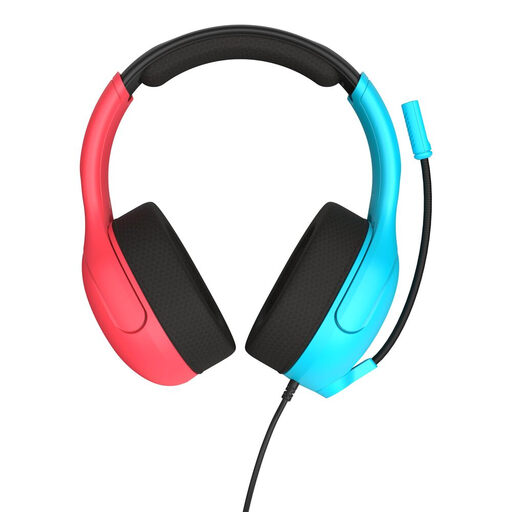
Why it suits this profile: A lightweight headset for Nintendo Switch, Switch Lite, Switch OLED, PC and mobile devices with a 3.5mm connection.
The connection is straightforward via 3.5mm and requires no battery. The flip-up microphone makes muting during chat quick and obvious.
40mm speakers, mesh ear cushions, volume wheel on the earcup and a weight of 228 grams, according to the product information.
We have put together a complete, up-to-date list of products that fully meet these strict selection criteria and the applicable European safety regulations.
That depends on the connection. A model with a 3.5mm jack will often work with several controllers and devices, but always check the official compatibility list. Wireless models may require a specific USB dongle or platform variant.
Its lifespan depends on cable use, hinges, ear cushions and battery care. A wired gaming headset has no built-in battery, while a wireless model will eventually depend on the condition of its lithium-ion battery. Keep every headset dry, do not pull on the cable and use a moderate volume.
It can be, provided the fit is suitable and the volume is limited. Look out for cables, small parts and a sturdy adjustable headband. Also check the manufacturer’s safety warnings. Schedule breaks during longer gaming sessions and avoid listening at a high volume for extended periods.
