What should you look for in a gaming TV for puzzle games?
Start by measuring the viewing distance: the Consumentenbond recommends 55–77 inches at 400 cm and 65–85 inches at 450 cm. Also check that the TV will fit in your space and that clues in your games are easy to read.
| What to consider |
What should you look for? |
Who is this important for? |
| Clear details from a distance |
Measure the distance from your eyes to the screen and compare the screen diagonal and overall dimensions with your available space. |
If I want to read small clues from my seat, I start with the actual viewing distance. Around 36% of consumers prioritise being able to read the screen from a distance. |
| Visibility from several seats |
View the specific screen from the seats furthest to the side and check for reflections in your usual lighting. |
If we’re playing with people seated at both ends of the sofa, I want everyone to be able to make out the clues. Around 29% of consumers give equal visibility from different seats top priority. |
| Connection and gaming mode |
Check your console, game, HDMI input and the video signals supported by the TV. |
If I want to connect my own console, I need to know which signals it can use with my games. Around 21% of consumers put console compatibility at the top of their list. |
| Placement and energy use |
Compare the overall dimensions, including the stand, and check the energy label for the exact model under the same SDR or HDR conditions. |
If I’m looking for a TV that fits in my room and will be used every day, I want to consider both its placement and energy use. Around 14% of consumers consider these factors most important. |
TVs at Joybuy
These TVs are worth comparing for long viewing distances, multiple seats and console gaming. Check the placement requirements and supported features for each model.
 Image unavailable
OLED77G68LW
Compare this OLED model from the seats you use. The Consumentenbond describes OLED in general as a technology with a wide viewing angle, not as a measurement of this particular model.
View at Joybuy
 Image unavailable
LG OLED83C67LA 83-inch OLED evo AI C6 4K Smart TV
The 83-inch screen and 4K specification make this model an option to compare with your viewing distance and available space.
Product name specifies: 83 inches, OLED evo, AI C6 and 4K.
View at Joybuy
 Image unavailable
METZ 86MQE8000Z 86-inch QLED TV
Consider the 86-inch screen in relation to your actual viewing distance and where the TV will go.
Product name specifies: 86 inches, QLED, 4K, 144 Hz and HDMI 2.1. Check that your console and game support the video signals you want to use.
View at Joybuy
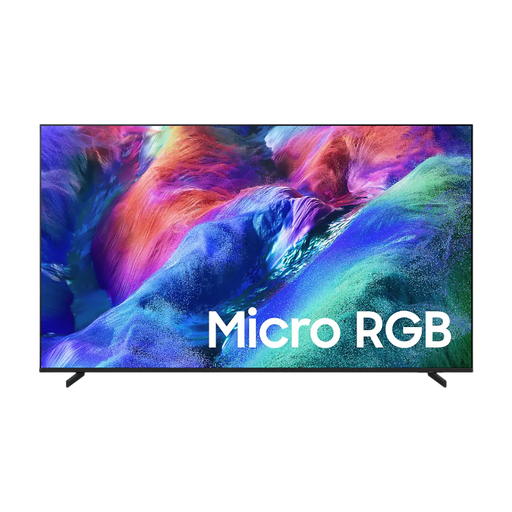 Image unavailable
Samsung 75-inch Micro RGB R85H 4K Vision AI Smart TV
Compare the 75-inch model with your viewing distance and the space you have available.
Product name specifies: 75 inches, Micro RGB, R85H and 4K.
View at Joybuy
 Image unavailable
Hisense 75E8Q 75-inch 4K Mini LED TV
The 75-inch model is an option to assess against the viewing distance and seating in your room.
Product name specifies: 75 inches, 4K, Mini LED and 144 Hz. Check that your console and game support the video signals you want to use.
View at Joybuy
Frequently asked questions
How do you choose a screen size if you sit a long way from the TV?
Measure from the players’ eyes to the screen and use the Consumentenbond guidelines as a starting point. Also check that small text in your own games is readable and that the TV will physically fit.
Does a co-operative puzzle game need to run at 120 Hz or 144 Hz?
No, that isn’t a general requirement for puzzle games. The TV, console and game all need to support the chosen output. PlayStation describes 120 Hz output for TVs and games that support it. Check what your own equipment can do.
What should you check after connecting a PS5?
Go to Settings, Screen and Video, then Video Output to view details of the connected HDMI device and the current output. According to PlayStation, 120 Hz output depends on support from both the TV and the game.
Can a static game image displayed for a long time cause image retention on an OLED TV?
The Consumentenbond tested older OLED models for image retention; that test doesn’t establish the risk for a specific current model. When choosing, consider the type of image and how long you use the TV, without treating the test as a prediction for another model.
Where can you compare a TV’s energy use and warranty in the Netherlands?
The EU energy label provides model information for use in SDR and HDR. Your viewing time and electricity tariff also affect your own cost calculations. According to the Dutch government, statutory warranty in the Netherlands doesn’t have a fixed two-year limit; if a product is faulty, the seller must offer a solution.
Does a retailer have to take your old television when you buy a new one?
Yes. According to the Dutch government, when you buy a new, similar appliance, the shop must take back your old one. Televisions are covered by this like-for-like take-back scheme.


