
A group with widely spread seating
You play or watch together from several places beside the screen and want everyone to be able to follow the pitch clearly. RTINGS.com highlights the importance of a wide viewing angle when seating is spread out.


When playing football games with a group, viewing angle and a suitable screen size are often more important than the highest quoted refresh rate, especially if people are sitting to the sides of the screen. Then compare reflections in your room and input lag in Game Mode. 120 Hz and VRR are only relevant if your console and game also support that output.
You play or watch together from several places beside the screen and want everyone to be able to follow the pitch clearly. RTINGS.com highlights the importance of a wide viewing angle when seating is spread out.
You often play during the day or with the lights on, and want to weigh up reflections and visibility against viewing angle and screen type. RTINGS.com cites viewing angle as an important consideration for widely spread seating; also assess the screen in the light conditions in your room.
You want the controls to feel responsive, so you compare input lag in Game Mode with the output supported by your console and game. RTINGS.com discusses input lag and the role of game modes; PlayStation states that 120Hz output requires support from both the TV and the game.
Choose this when: players and viewers are spread out and off-centre viewing matters, so compare the viewing angle of the exact model.
Bear in mind: check for reflections under your lighting conditions and, if static game elements remain visible for long periods, follow the model’s screen-care instructions.
Choose this when: compare this option if the room gets a lot of daylight or you’re looking for a large screen; assess the exact size and panel from the seats at the sides.
Bear in mind: a quoted brightness figure doesn’t prove that reflections will disappear, and on its own says nothing about the viewing angle of the model you choose.
First, work out where players and viewers will sit and what size will fit the room. Then compare reflections and gaming responsiveness; don’t assume a high refresh rate guarantees the same output in every game.
| What to consider | What to look for | Who is this most important for? |
|---|---|---|
| Off-centre viewing and screen size | Compare the viewing angle of the exact model and check that the screen size suits the seating and available space. | If I want to see the pitch clearly from a seat at the side, I look at both viewing angle and screen size; around 31% of consumers give off-centre viewing and a suitable screen the highest priority. |
| Light and reflections | Check for reflections under similar lighting conditions and look at the screen coating and visibility of the exact version. | If there are windows or lights opposite the TV, I want to be able to see the pitch clearly in the light; around 25% of consumers prioritise visibility in bright conditions. |
| Gaming responsiveness and output | Compare input lag in Game Mode and check which refresh rates are supported by the console and the specific game. | If controls need to feel responsive during a match, I compare responsiveness and supported output; around 25% of consumers give gaming responsiveness the highest priority. |
| Running costs and aftercare | Compare the energy label for the exact version and check the installation requirements and what any additional cover includes. | If I’m also considering energy use, installation and aftercare, I want to be able to compare those terms in advance; around 19% of consumers prioritise running costs and aftercare. |
A large screen doesn’t automatically mean the picture will be easy to see from seats at the sides.
Map out the seating and compare the viewing angle of the exact TV before choosing a size.
Output also depends on the console, the game and the game mode you choose. A panel with a high refresh rate doesn’t guarantee that every football game will use it.
Check support for the specific game and console, and compare input lag in Game Mode too. PlayStation states that 120Hz output requires a TV and game that support this feature.
For seats at the sides, viewing angle and reflections can matter just as much as a quoted brightness figure. Manufacturer figures apply to the relevant product range and are no substitute for assessing the exact version in your room.
Compare reflections and visibility under similar lighting conditions, and view the TV from the seats at the sides too.
According to ACM ConsuWijzer, your statutory warranty still applies even if you haven’t bought additional cover.
Before paying for extra cover, compare which risks it actually covers.
The 65OLED810/12 is a 65-inch OLED Ambilight model. Philips quotes VRR up to 144 Hz for this version.
The C7K range includes QD Mini LED TVs in several sizes. For the Dutch 65C7K, TCL quotes a native refresh rate of 144 Hz.
The OLED65C5ELB is a 65-inch OLED model worth comparing if OLED picture quality and gaming features matter to you.
RTINGS.com includes the S95H OLED in its selection of gaming TVs. Its assessment applies to the model tested by RTINGS.com and doesn’t automatically apply to every version.
These Joybuy products are large OLED and QLED TVs for watching or playing football with a group. Check the space, off-centre viewing and support for your console and game for each model.
 No image available
The quoted 83-inch size could be a good option if you’re looking for a large screen for a group; check beforehand that it will fit in your room.
OLED, 4K, 120 Hz and VRR up to 165 Hz. Dolby Vision, G-SYNC Compatible and FreeSync Premium support are listed in the product name.
 No image available
The quoted 75-inch size is one option to compare for a group; measure the available space and assess the viewing angle from your seats.
QD Mini LED, 4K and 144 Hz VRR. The product name also lists FreeSync Premium and Game Master.
 No image available
The quoted 86-inch size could work well for a group; check that the screen will fit and can be viewed clearly from seats at the sides.
QLED, 4K and 144 Hz. The product name also lists HDR10+, HDMI 2.1 and FreeSync Premium.
 No image available
The quoted 77-inch size gives you another option to compare with the available space and seating.
OLED, 4K, 120 Hz and VRR up to 144 Hz. The product name lists Dolby Vision, Dolby Atmos, G-SYNC Compatible and FreeSync Premium.
 No image available
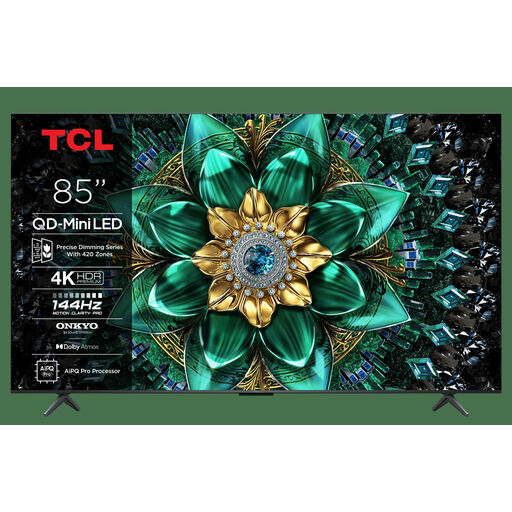
The quoted 85-inch size is a large option to consider for a group; measure the room and take viewing distance and seating into account.
QD Mini LED, 4K and 144 Hz. The product name lists a matte HVA panel and Game Master.
No. First check which output your console and the specific game support. PlayStation describes 120Hz output as a setting for TVs and games that support 120 Hz; a higher maximum panel refresh rate doesn’t guarantee that output.
On your PS5, go to Settings, Screen and Video, then Video Output to see the details of the connected HDMI device. Check the resolution and VRR support; only enable 120Hz output for games and TVs that support it.
That depends on the game mode, platform and controllers, not the size of the TV. Electronic Arts describes GameShare in FC 26 on Switch 2 as a session with up to three players on the host console and one guest; that number doesn’t automatically apply to other modes or platforms.
Follow the instructions for the exact model and don’t leave a still image on screen for longer than necessary. LG warns that displaying static elements for long periods can affect the picture quality of an OLED screen.
According to ACM ConsuWijzer, when you buy a new television online, you have a statutory 14-day cooling-off period after delivery. If a product is faulty, the seller remains responsible under the statutory warranty; a manufacturer’s warranty doesn’t replace this right.