Start with the seating and the room lighting: during a football night, the screen should be easy to follow even from the sides. Then choose a TV with a suitable gaming mode; 120Hz output and VRR are most relevant when both your console and game support them. Compare OLED and mini-LED LCD based on picture characteristics and how you’ll use the TV, rather than on marketing claims that aren’t directly comparable.
Who is this guide for?
Players with spectators
If you’re hosting matches on the sofa, check that people in the seats at either end can see the pitch and score clearly. LG describes wide viewing angles as a feature of OLED; the right screen size also depends on your room and where you place the TV.
Competitive players
If you want responsive controls and smooth motion, check the gaming mode, which HDMI input you’re using, and whether your console and game support 120Hz output or VRR. PlayStation says that 120Hz output depends on both the TV and the game.
Buyers looking for a TV for mixed use
If you’ll use the TV outside football nights too, compare its display technology and gaming features with the energy label and warranty terms for the exact model. ACM ConsuWijzer distinguishes between statutory guarantees and additional warranties.
What should you look for when choosing?
OLED TV
Choose this when: you mainly play in the evening and value deep blacks and contrast.
What to consider: LG describes pixel-level black control; check the exact model and the viewing spots in your room.
Mini-LED LCD TV
Choose this when: you want to compare an LCD TV with mini-LED backlighting for a room that’s also used with the lights on.
What to consider: TCL lists mini-LED and a native refresh rate of 144 Hz for the 55C7K; check reflections and viewing angles on the specific model.
Other LCD or QLED gaming TV
Choose this when: you’re mainly looking for a screen for a group and don’t have a specific preference for OLED or mini-LED.
What to consider: a high panel refresh rate doesn’t automatically mean your console or football game will output images at that rate.
Compare TVs from the seats and under the lighting you’ll use when playing. Then check which features your console and game actually support.
| What to consider |
What to look for |
Who is this important for? |
| A screen for the group |
Assess the screen size from the seats at either end, and take the TV’s position into account. |
When I play with friends, I want people sitting away from the centre to be able to follow the pitch and score too. Around 36% of consumers prioritise visibility for the whole group. |
| Gaming response |
Check the gaming mode, the correct HDMI input and the output supported by both your console and game. |
For fast-paced action, I want responsive controls and smooth motion. Around 29% of consumers give gaming response top priority. |
| Picture in evening light |
Compare the exact models under lighting similar to what you’ll have during your get-together. |
If I mainly play in the evening, I look at how the picture appears in my room. Around 21% of consumers prioritise picture quality in the evening. |
| Energy use and service |
Compare the energy label for the exact model and check what any additional service includes. |
I use my TV outside football nights too, so I want to take energy use and after-sales support into account. Around 14% of consumers prioritise running costs and service. |
According to PlayStation, both the TV and the game must support 120Hz output on a PS5. TCL lists 144 Hz as the native refresh rate for the 55C7K; that alone doesn’t prove that a particular football game runs at 144 frames per second. You can compare the energy use in kWh per 1,000 hours on energy labels for different models; your own electricity costs also depend on how many hours you use the TV and your tariff.
Pitfalls to avoid when choosing
-
Confusing 144 Hz with your game’s frame rate
A panel with a high refresh rate doesn’t guarantee that your console or football game will output images at that rate.
Before making this specification a deciding factor, check the output supported by both your console and your game.
-
Assuming a very similar model code means it’s the same product
The LG OLED55C55LA and OLED55C51LA have different full model codes; without confirmation, you can’t assume they’re the same version.
Compare the full model code and relevant specifications before treating one model as a replacement for another.
-
Confusing an additional warranty with your statutory rights
ACM ConsuWijzer explains that your statutory guarantee applies even if you haven’t bought an additional warranty or service package.
First check your statutory rights, then compare the additional cover offered by a package.
Brands to compare
TCL
The Dutch 55C7K is a QD mini-LED LCD option for anyone comparing TVs for a well-lit room shared with a group, as well as for gaming.
- TCL lists a native refresh rate of 144 Hz for the 55C7K.
- Claims about brightness and contrast come from the manufacturer; they don’t prove that this model has better viewing angles or gaming performance than another.
LG
The Dutch OLED55C55LA is a 55-inch C5 OLED option for anyone who values contrast in the evening.
- LG describes OLED as offering pixel-level black control and contrast.
- Check the full model code; C5 versions may have different suffixes.
Sony
The 55-inch BRAVIA 5 is a mini-LED option for gaming and other uses at home.
- Sony lists mini-LED and Google TV for this version.
- There are no independent measurements here of this model’s input lag or viewing angles to compare with other versions.
Samsung
The Dutch 55-inch S90F is an OLED option; Samsung also has separate ranges of gaming TVs.
- The Dutch product page identifies the S90F version.
- Features Samsung describes for an entire series don’t automatically apply to every individual model.
Joybuy TVs for football gaming
This selection from Joybuy includes OLED and mini-LED or QLED TVs in a range of screen sizes, with gaming features that vary by model.
 No image available
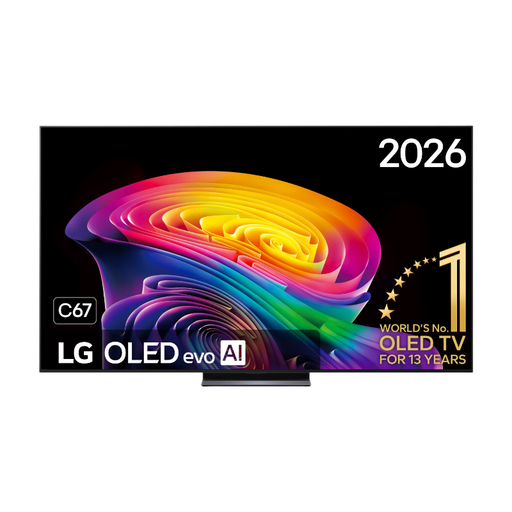
LG OLED83C67LA 83-inch OLED Evo AI C6 4K Smart TV, 120 Hz
The 83-inch size could suit a get-together with several viewers, provided your room has enough space and viewing distance.
4K OLED TV. The product title lists 120 Hz and VRR up to 165 Hz; check which output your console and game support.
View at Joybuy
 No image available
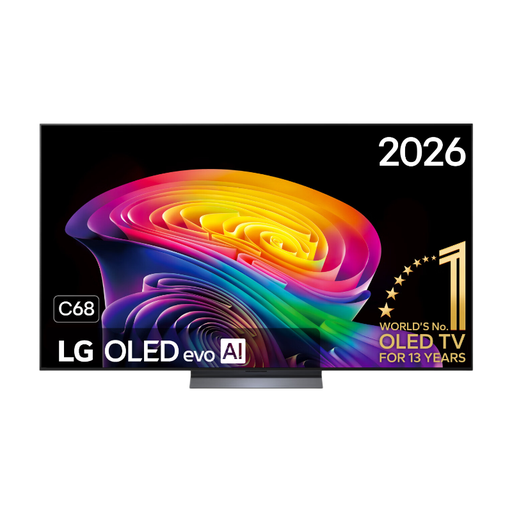
LG OLED55C68LA 55-inch OLED Evo AI C6 4K Smart TV, 120 Hz
The 55-inch OLED version is an option if you’re looking for a smaller size than an 83-inch TV and value picture quality in the evening.
4K OLED TV. The product title lists 120 Hz native and VRR up to 165 Hz; check whether your console and game support these features.
View at Joybuy
 No image available
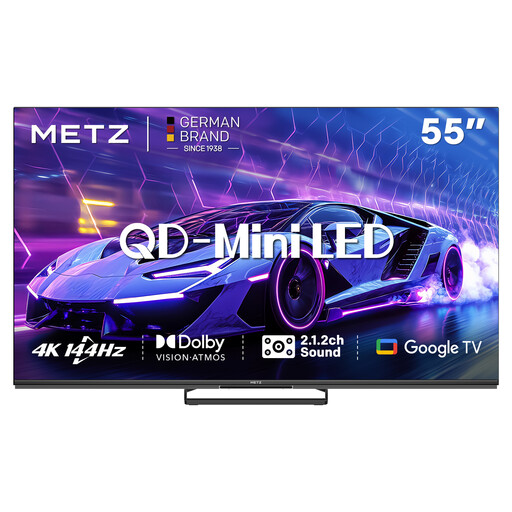
METZ 55MNE8000Z 55-inch QD Mini-LED Google TV, 144 Hz
This 55-inch version is a mini-LED option to compare for a football night with several viewers.
4K TV with 144 Hz, Game Mode, Sports Mode, ALLM and VRR, according to the product title. Check that your source device supports the features you want to use.
View at Joybuy
 No image available
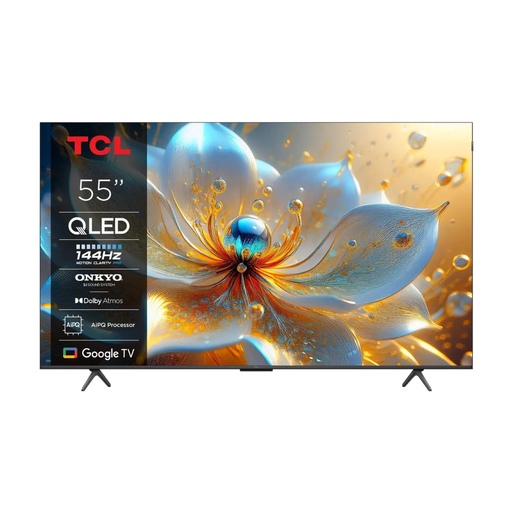
TCL 55T8C 55-inch 4K QLED Smart TV, 144 Hz
The 55-inch size could work for a group set-up, as long as you assess the room and the seats at either end in advance.
The product title lists 4K QLED and 144 Hz. The product information warns that digital cable TV or certain smart TV services may not work as expected on this model, which is of foreign origin; check that it supports the services you use.
View at Joybuy
 No image available
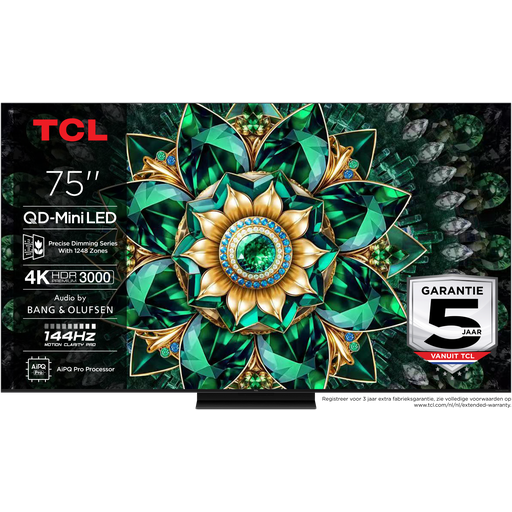
TCL 75Q7C 75-inch 4K Mini-LED Smart TV, 144 Hz
The 75-inch screen could suit a larger group of viewers, provided your room has enough space and viewing distance.
4K Mini-LED TV with 144 Hz and VRR, according to the product title. The title also lists a 5-year warranty; check the terms and cover.
View at Joybuy
Frequently asked questions
Do I always need a 144Hz TV for a football game?
No, not necessarily. According to PlayStation, 120Hz output on a PS5 depends on support from both the TV and the game. Check what your own console and game can do before making a higher panel refresh rate the deciding factor.
How do I set up a PS5 for my TV?
On your PS5, open Settings, then Screen and Video, followed by Video Output. PlayStation describes settings there for resolution, VRR, 120Hz output and ALLM, among other features; what’s available depends on your TV and game.
Can I work out my annual electricity costs from the energy label?
Not directly: the energy label shows electricity use in kWh per 1,000 hours. To work out your own costs, you’ll also need to know your usage hours and electricity tariff.
What are my rights when buying a TV online in the Netherlands?
ACM ConsuWijzer says that, in most cases, you have a statutory 14-day cooling-off period after delivery when you buy a new TV online. You’re also covered by the statutory guarantee if the product doesn’t perform as you could reasonably expect under normal use; an additional warranty doesn’t replace this right.
How do I clean the TV screen after a get-together?
For its TV screens, LG recommends switching off the TV, letting it cool down and gently cleaning it with a soft microfibre cloth. Don’t use glass cleaner or spray water directly onto the screen; for another brand, follow its own instructions.


