Who is this choice relevant to?

Player with a narrow TV shelf

You want to make sure the TV fits on the shelf with its stand first, then look at extra picture features. The Philips 32PFS6900/12 is an example of a 32-inch Full HD TV; check the full dimensions with the stand for the model you choose.

Two players on one screen

You want both players to be able to follow the pitch from their seats, so you’re weighing up screen size against the available viewing and installation space. The Mulier Institute reported that 47% of gamers played with friends or family in 2024; this figure isn’t specific to buyers of TVs for football games.

Console gamer looking for gaming features

You’re looking for a suitable HDMI connection and a low-latency game mode. Check whether your console and chosen game support the output refresh rate you want; PlayStation links 120Hz video output to having a compatible TV and game.

What should you look for when choosing?

Compact 32-inch TV

Choose this option if: shelf space and room for two players are your priorities. Philips describes the 32PFS6900/12 as a 32-inch Full HD TV.

Bear in mind: the smaller picture; consider the viewing distance and whether both players can see the pitch clearly. Don’t assume it supports 4K or 120 Hz without checking the specifications of the exact model.

42–43-inch TV with gaming features

Choose this option if: the TV fits on the shelf with its stand and you want more screen space. The European product registration lists 4K and a standard refresh rate of 120 Hz for the Philips 43PUS9000/12; LG lists gaming features up to 165 Hz in 4K for the OLED42C67LA.

Bear in mind: a high TV refresh rate doesn’t guarantee that your console or football game will output at that rate. The LG specification is a claim from LG, not an independent measurement; check the HDMI connection and compatibility for each model.

What to consider What should you check? Who is this important for?
Shelf space Compare the TV’s width and depth with the stand against the available shelf space, and allow room for cables. If my shelf offers limited space, I want to know first whether the TV will fit with its stand; around 36% of consumers put fit first.
Clear view for two Check the viewing distance and angle from both playing positions before choosing between 32 and 42–43 inches. When playing with two people, I want us both to be able to follow the pitch from our seats; around 29% of consumers prioritise a clear view.
Console and game Check the suitable HDMI input, game mode and current output signal. PlayStation states that 120Hz output requires a compatible TV and game. If I’m playing on my own console, I want to choose features that my equipment and game support; around 21% of consumers put compatibility first.
Energy use and aftercare Check the energy label for the exact model and see what any additional services offer beyond your statutory guarantee. If I’m also considering energy use and support, I want to be able to compare the terms; around 14% of consumers start with running costs and aftercare.

Common buying mistakes

  • Measuring only the screen diagonal

    The screen size doesn’t tell you how much room the stand takes up. As a result, the TV might not sit properly on the shelf.

    Before you order, compare the dimensions with the stand for the exact model against your shelf.

    If the stand doesn’t fit, you may need a different spot, stand or mounting option.

  • Assuming a high Hz figure means every football game will run at that refresh rate

    The TV’s stated refresh rate and the output from your console and game are separate factors. PlayStation says 120Hz output only works with a compatible TV and game.

    Check whether your game supports it and what your console’s current output signal is; don’t choose based on the refresh rate figure alone.

  • Assuming an extra warranty replaces your statutory rights

    A commercial warranty service is separate from your statutory rights. According to the Netherlands Authority for Consumers and Markets, the retailer remains responsible for the statutory guarantee.

    Check what any additional service offers and keep its terms separate from your statutory rights against the retailer.

Brands to consider

Philips

The models reviewed offer a compact 32-inch Full HD option and a larger 43-inch 4K option.

  • Philips describes Ambilight for the 32PFS6900/12 and 43PUS9000/12. The European product registration lists a standard refresh rate of 120 Hz specifically for the 43PUS9000/12.
  • Don’t attribute the 120Hz specification to the 32PFS6900/12; a test programme mentioned by Philips isn’t an independent measurement of gaming performance.

LG

The OLED42C67LA is a 42-inch model worth comparing if you have room for a larger screen.

  • LG lists gaming features up to 165 Hz in 4K for this model, with G-SYNC compatibility and FreeSync Premium.
  • This is a claim from LG, not a measurement of latency in a football game. The stated refresh rate doesn’t mean every console or game can output at that rate. LG recommends checking whether ALLM is available on each model.

Samsung

The F6000F is an example of a 32-inch Full HD model for a compact TV setup.

  • This model is worth considering if you want to include a 32-inch option in your comparison.
  • A 32-inch model doesn’t, by itself, prove support for 120 Hz or HDMI 2.1. Features found on other Samsung gaming models don’t automatically apply to the F6000F.

Joybuy TVs for compact and larger setups

This selection includes compact 32-inch TVs as well as larger 42- and 43-inch options with stated gaming features. Choose the size only after checking the available shelf space and the dimensions with the stand.

METZ 32MQF7030Z 32-inch QLED HD smart TV

METZ 32MQF7030Z 32-inch QLED HD smart TV

A compact option if you want to check first whether a 32-inch TV will fit on your shelf.

Dimensions with stand: 71,5 × 21,4 × 47,5 cm.

The product name lists HDR10, Dolby Audio and Google TV.

View at Joybuy
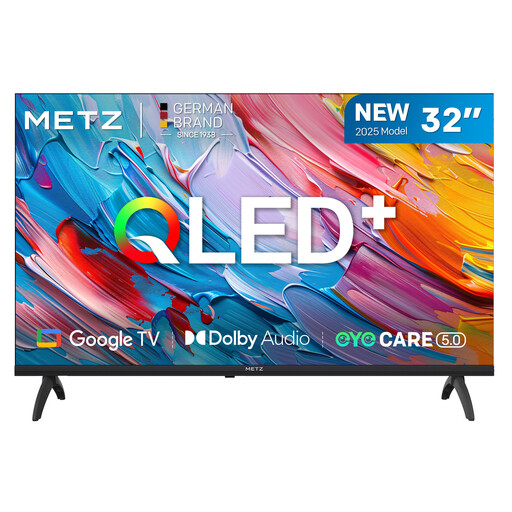
METZ 32MQF7000Z 32-inch QLED HD Google TV

METZ 32MQF7000Z 32-inch QLED HD Google TV

A 32-inch option to compare when the available shelf space determines the size you need.

The product name lists HDR10/HLG and Dolby Audio.

View at Joybuy
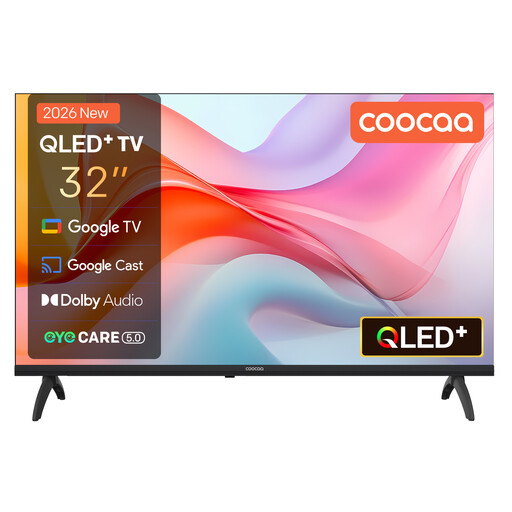
Coocaa 32CGQG41Z 32-inch QLED smart TV, 2026 model

Coocaa 32CGQG41Z 32-inch QLED smart TV (2026)

A compact TV option if you’re looking for a 32-inch model and want to compare the stand dimensions with your shelf first.

The product name lists Google TV, HDR10, Dolby Audio and Bluetooth 5.1.

View at Joybuy

LG OLED42C68LA 42-inch 4K OLED smart TV

LG OLED42C68LA 42-inch 4K OLED smart TV

A larger-screen option if the TV fits on the shelf with its stand and you want to compare gaming features.

The product information lists four HDMI 2.1 ports, Game Mode, ALLM and VRR. Check that the features you want work with your console and game.

View at Joybuy

Hisense 43A6S 43-inch 4K UHD smart TV, 60 Hz

Hisense 43A6S 43-inch 4K UHD smart TV

A 43-inch option if your available shelf space allows for a larger screen.

The product name lists 60 Hz; the product information mentions Game Mode Plus, ALLM and VRR. Check compatibility with your console and game.

View at Joybuy

Frequently asked questions

Do you need a 120Hz TV to play a football game together?

No, not necessarily. PlayStation says 120Hz output requires a compatible TV and game. Check what your own console and game can do; playing together doesn’t, in itself, require 120 Hz.

How do I set up my TV to reduce lag while playing?

Check whether the TV supports a game mode or ALLM, then connect your console to the suitable HDMI input. LG says ALLM availability can vary by model, so check the specifications for the exact version. PlayStation describes automatic switching on a compatible TV.

How do I compare the energy use of two TVs?

Compare the energy labels for the exact models. The European Commission describes a scale from A to G for electronic displays and says the label also includes information about HDR use; don’t assume that the features of one version apply to an entire product range.

What are my rights when buying a TV online in the Netherlands?

According to ACM ConsuWijzer, when you buy a standard TV online, you generally have up to 14 days after delivery to change your mind. The retailer is also responsible for the statutory guarantee if the product doesn’t meet what you can reasonably expect from normal use. A commercial warranty is separate.

Is an energy label compulsory for a new TV in the Netherlands?

Yes, EU energy labelling rules apply to TVs offered on the EU market. The label helps you compare models, but you don’t have to choose a particular energy class.
