
Competitive home player
Wants actions to appear quickly during a match, so compares input lag at the resolution and refresh rate they use, with Game Mode switched on. RTINGS.com explains why Game Modes matter when it comes to reducing input lag.


When choosing a TV for fighting games, start by checking input lag with the signal you’ll actually use, and play with Game Mode switched on. OLED is worth considering for dim evening lighting and seating spread around the screen; mini LED deserves a look if there’s lots of ambient light, static tournament elements stay on screen for long periods, or you want a large display. Then check the exact model, connections, set-up and energy consumption.
Wants actions to appear quickly during a match, so compares input lag at the resolution and refresh rate they use, with Game Mode switched on. RTINGS.com explains why Game Modes matter when it comes to reducing input lag.
Weighs up screen size, seating, viewing angle and evening lighting for both players and spectators. The screen technology and the features of the exact model also affect how well the set-up works.
Considers extended use, static tournament elements, energy consumption and the practicalities of the set-up. RTINGS.com outlines the risk of OLED with static elements; Milieu Centraal highlights consumption per 1,000 hours as a useful comparison point.
Start with the game and the signal from your own console: a high quoted Hz figure doesn’t, by itself, prove that input lag is low. Then choose a screen to suit the lighting, seating and length of your gaming session.
Best for: a dim room and seating spread around the screen.
Consider: static game elements displayed for long periods bring a risk of burn-in; the maximum Hz specification doesn’t tell you how quickly your game runs.
Best for: a bright room, distracting ambient light or a preference for a large screen for spectators.
Consider: viewing angle, reflections and input lag vary by model, so check the exact version you’re considering.
| What to consider | What should you check? | Who is this important for? |
|---|---|---|
| Response time | Compare input lag at the resolution and Hz rate of your gaming signal. Check Game Mode and the HDMI input you use. | If I’m playing, I want my actions to appear quickly during a match, without noticeable delay getting in the way. Around 33% of consumers rank response time as their top priority. |
| Visibility for the group | Choose a screen size that suits the room and assess the picture from the seats furthest to the side. | If several people are watching from different spots, I want everyone to be able to follow the game clearly. Around 27% of consumers put visibility for the group first. |
| Evening lighting | Look out for lights reflected in the screen and assess the picture with the lighting you’ll use during your gathering. | If I’m playing in the evening, I want to see the picture comfortably without distracting light affecting the viewing experience. Around 20% of consumers prioritise picture quality in evening lighting. |
| Extended use | Compare consumption per 1,000 hours on the energy labels for the exact models. If you use static overlays, also consider the risk associated with OLED. | If I regularly host tournaments, I want to account for repeated use and elements that stay in the same place for a long time. Around 20% of consumers prioritise running costs and extended use. |
Input lag and refresh rate are different things. The input lag that matters depends on the gaming signal you use and whether Game Mode is enabled.
Compare an input lag measurement for the signal you use, and check Game Mode and HDMI settings before choosing a TV based on its maximum refresh rate.
A dim room, distracting lights and viewers sitting at an angle to the screen don’t automatically call for the same choice between OLED and mini LED.
Consider reflections, viewing angle and screen placement as part of the same set-up. If static overlays will be displayed for long periods, also take the risk of OLED burn-in into account.
A stated manufacturer’s warranty doesn’t, by itself, determine how long you can expect a product to be of satisfactory quality in the Netherlands.
Check the warranty terms separately. Report a faulty product to the seller; ACM ConsuWijzer explains that statutory guarantee rights depend on what you could reasonably expect from the product under normal use.
The OLED evo C6 range is worth considering for an OLED gaming set-up; the model mentioned here is OLED55C68LA.
The C7K range offers a mini LED option to explore for a larger set-up or a bright room; the model mentioned here is 75C7K.
The 55OLED810/12 combines OLED with Ambilight for those who want to consider the atmosphere of the evening as well as the match.
BRAVIA 5 is a mini LED option to consider if you also want to take PS5-specific control features into account; the model mentioned here is K55XR52BP.CEI.
The S90F range is another OLED option to compare with other screen technologies; the model mentioned here is QE55S90FAEXXN.
This selection includes mini LED TVs in a range of screen sizes, plus an OLED TV for a dimly lit evening set-up.
 No image available
A 55-inch mini LED option to consider for a gaming set-up with spectators.
The product name lists 4K, 144 Hz, HDR 10+, Game Mode, ALLM, VRR and HDMI 2.1.
 No image available
A large mini LED screen to consider if several people will be watching from different spots.
The product name lists 4K and 144 Hz.
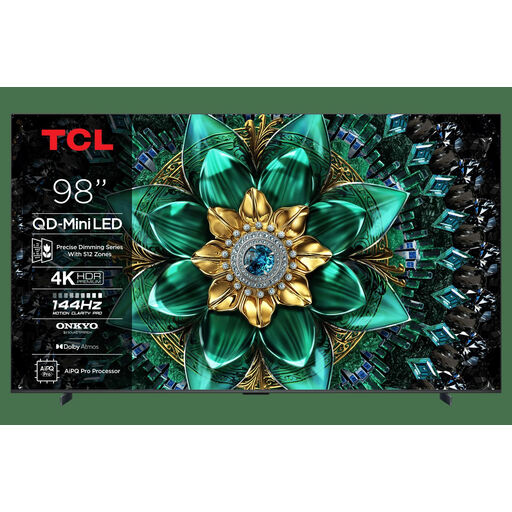 No image available
A very large mini LED screen to consider only if you have enough room for a display of this size.
The product name lists 4K, 144 Hz and energy class E.
 No image available
A 75-inch mini LED option to compare if the screen needs to be visible from several seats.
The product name lists 4K and 144 Hz.
 No image available
An OLED option to consider for a dimly lit evening set-up; if static tournament elements stay on screen for long periods, bear the risk of OLED burn-in in mind.
The product name lists 120 Hz native, VRR up to 165 Hz, G-SYNC Compatible and FreeSync Premium.
No, not based on the TV specification alone. Check the refresh rate the game and console actually use, and which HDMI input supports that signal; above all, compare input lag with that signal. Philips lists 144 Hz via HDMI for the 55OLED810/12 specifically for PC gaming.
Check Game Mode with the console connected and test the match signal you’re actually going to use. Position the screen so lights aren’t reflected distractingly, and check the picture from the seats furthest to the side too.
Compare consumption per 1,000 hours on the energy labels for the exact models. Milieu Centraal also recommends adjusting the brightness to suit the room’s usual lighting.
No. According to ACM ConsuWijzer, statutory guarantee rights depend on what you could reasonably expect from the product under normal use. A stated manufacturer’s warranty is separate from this.
Not always. The Dutch Government says that a 14-day cooling-off period applies in many cases to distance purchases, and lists some exceptions. Check the terms that apply to the specific purchase.