
Quiz-loving families with seats to the side
If several players sit at an angle to the screen, it’s important that everyone can still see the questions. The Consumentenbond highlights viewing angle as something to consider when choosing a television.


For a family quiz, choose a TV mainly by considering the viewing angle from your seats and how easy it is to read questions from the furthest seat. A high refresh rate won’t, by itself, make text easier to read. OLED may suit rooms with seats spread around the screen, while an LCD or mini-LED TV may be worth comparing in a bright room or if quiz screens are left on for long periods. Also check the exact model, reflections, and any connections and gaming modes required by your gaming device.
If several players sit at an angle to the screen, it’s important that everyone can still see the questions. The Consumentenbond highlights viewing angle as something to consider when choosing a television.
If you want to read quiz text from the furthest seat, you can choose a screen size to suit your viewing distance, then check it with the actual quiz interface. The Consumentenbond discusses viewing distance as a factor when choosing a screen size.
If you use a connected console as well as playing quizzes, check that the TV and console support the gaming mode you want. Samsung notes that support can vary by console.
When to choose it: if participants need to see the same quiz questions from different angles. The Consumentenbond generally describes OLED TVs as having a wider viewing angle.
Consider: assess reflections in the room and avoid leaving scoreboards on screen for longer than necessary. In an older, unusual endurance test, the Consumentenbond observed temporary image retention on the OLED models tested at the time.
When to choose it: if you mainly watch in bright daylight or want to compare an LCD option. The Consumentenbond says QLED TVs can often offer higher brightness.
Consider: a brighter screen doesn’t automatically mean a better view from a side seat. Check the viewing angle and reflections for the exact model.
Whichever option you choose, first check the text from the furthest seats and the furthest seat in the room. Then consider which picture and gaming features would actually benefit you.
| Factor | What to look for | Who should pay particular attention? |
|---|---|---|
| Viewing angle | Check the exact model from the seats at either end and look at how text and colours appear. The Consumentenbond generally says OLED has a wider viewing angle. | If players are sitting to the side, I want them to be able to read the question too. Around 29% of consumers say viewing angle is their main priority. |
| Screen size for readability | Measure the distance to the furthest seat and check the actual quiz interface on the screen size you’re considering. The Consumentenbond says a viewing distance of around 2.4 times the screen diagonal is considered comfortable on average; it’s not a fixed requirement for quiz text. | From the back seat, I want to be able to read the smallest question text without relying on a sharp picture alone. Around 23% of consumers prioritise readability from the furthest seat. |
| Visibility in daylight | Assess the screen where it will be placed and compare both brightness and reflections on the exact model. According to the Consumentenbond, QLED TVs can often be brighter. | In a bright living room, I want to be able to see quiz questions during the day too. Around 18% of consumers say visibility in daylight is their main concern. |
| Connecting a console | Check the connections and gaming mode on both the TV and console. LG says an HDMI connection and selecting the correct source are required to use Game Optimizer on supported models. | If we also play on a console, I want to know whether the TV and gaming device work with the features we use. Around 18% of consumers prioritise console use. |
| Running costs and aftercare | Compare the EU energy label for the exact screen size and check what any additional warranty package offers beyond your statutory rights. | I want to take energy consumption and aftercare into account when choosing, too. Around 12% of consumers see these as their main buying concerns. |
People at the ends of the quiz table will be looking at the TV from a different angle to someone sitting directly in front of it. A demonstration from just one spot won’t necessarily show how easy the questions are for everyone to read.
Check the exact model from the furthest seats and assess the picture in the lighting conditions you usually play in.
A high stated gaming refresh rate won’t automatically make quiz text larger or clearer. The Consumentenbond discusses screen size and viewing distance as separate factors to consider.
Test the smallest question text from the furthest seat, then check which gaming features your gaming device actually supports.
According to the Dutch government, there is no fixed statutory guarantee period in the Netherlands; the retailer must offer a solution if a product is faulty. An additional package doesn’t automatically provide the same protection.
Compare the terms of any package on offer with your statutory rights before deciding.
These brands offer examples of different types of TV. The features mentioned apply to the specified product lines or models and aren’t a judgement on every model from each brand.
The Philips 55OLED760/12 is an OLED Ambilight model worth considering if family members sit at an angle to the screen.
The OLED evo C6 product line includes the OLED55C68LA, an OLED option to compare for shared viewing and console use.
The C7K range includes QD mini-LED TVs in various sizes; the 65C7K is an LCD option to compare.
The Samsung QE55QN80FAUXXN is a 55-inch Neo QLED mini-LED option to compare.
This selection includes Joybuy TVs in a range of screen sizes and panel types to compare for a family quiz.
 No image available
An option to compare if you’re looking for a 50-inch TV for quizzes.
The product name lists QD Mini-LED, 4K and HDR.
 No image available
An option to compare if a 50-inch screen suits your viewing distance and set-up.
The product name lists 4K, Smart TV and Game Mode Plus.
 No image available
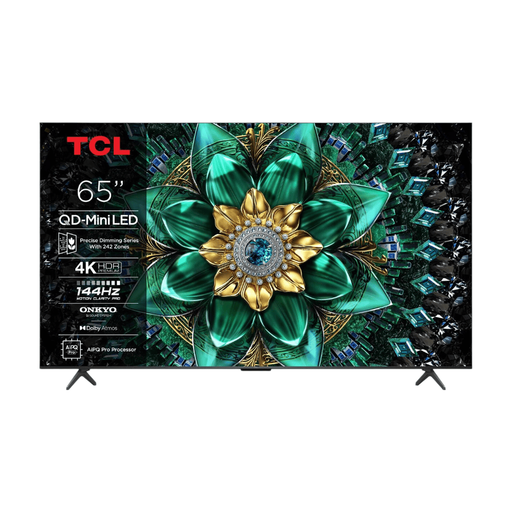
An option to compare if you’re looking for a larger screen to read quiz questions from a distance.
The product name lists 65 inches, QD Mini-LED and 4K.
 No image available
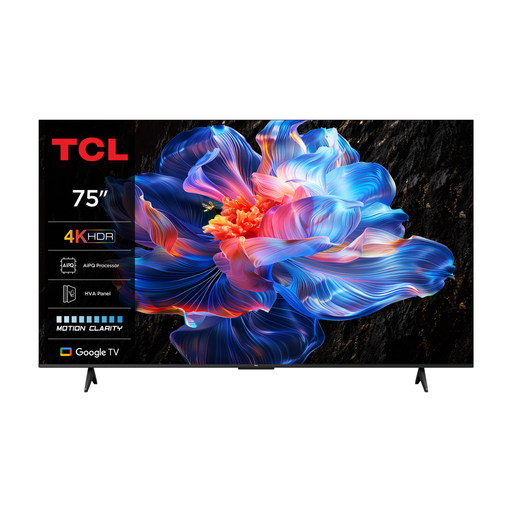
An option to compare if you’re looking for a 75-inch screen for several viewers.
The product name lists 4K and 60 Hz. The product information mentions a panel with wide viewing angles; check the picture from the seats in your own room.
 No image available
An option to compare if you’re considering a 75-inch screen for quizzes.
The product name lists 4K mini-LED and 144 Hz.
No, it isn’t a general requirement for quizzes. First check whether everyone can read the questions from their seat. A higher refresh rate is mainly relevant if the games and gaming device you use can make use of it. The available information doesn’t demonstrate any quiz benefit from a high refresh rate on its own.
Follow the instructions for the exact TV model and console. For supported models, LG describes connecting via HDMI and selecting the console as the source before using Game Optimizer. Samsung notes that gaming mode support can vary by console.
Switch to another screen or turn the TV off when you no longer need a static image. In an older, unusual endurance test, the Consumentenbond observed temporary image retention on the OLED models tested at the time; the test doesn’t establish a universal safe time limit.
The EU energy label for televisions uses a scale from A to G and also provides information for HDR use. Compare the labels for the exact models and screen sizes; to work out energy costs, you’ll also need the power consumption and how long the TV is used.
For an online distance purchase from a business, there is generally a 14-day cooling-off period. According to the Dutch government, there is no fixed statutory guarantee period; if a product is faulty, contact the retailer. An additional warranty package doesn’t replace your statutory rights.